
Clients used to treat subtitles as a nice extra. Now they treat them as standard. Social videos, ads, product demos, training modules and corporate films are all expected to arrive with accurate captions, and often in more than one language. For a video agency or freelance editor, that is both an opportunity and a pressure: more work to deliver, usually on the same deadline and the same budget.
The right tool makes the difference between subtitles that eat your margin and subtitles that become a profitable service. In this guide we explain what agencies and freelancers should look for, how AI subtitling fits into a client workflow, and why vSubtitle is a strong choice for the best AI subtitle generator for video agencies and freelancers.
Key Takeaways
- Subtitles are now a client expectation, and a service you can sell. Fast, accurate delivery protects your margin and makes you look more professional.
- Agencies and freelancers need different things from the same tool: speed, accuracy, multilingual output, an editor for client revisions, flexible exports and team collaboration.
- AI drafts, humans polish. Generating subtitles with AI and reviewing them yourself is typically much faster than transcribing manually, and far cheaper than outsourcing every job.
- vSubtitle fits the way production teams work. It offers up to 97.8% accuracy, 100+ languages, a customizable editor, team collaboration, and SRT, VTT and JSON exports, with the first 30 minutes free for new users at the time of writing.
- Minute-based billing keeps project costs predictable, so you can quote subtitles confidently and see exactly what each job uses.
- Build a repeatable process. A standard checklist for review, naming and delivery lets you take on more clients without lowering quality.
Why Subtitles Matter for Agencies and Freelancers
Whether you run a studio of twenty or work alone, subtitles touch almost every type of project you deliver.
- Social-first content. Short videos for social feeds are usually watched without sound, so captions are part of the creative, not an add-on. See our guide to adding captions to TikTok videos.
- Accessibility and compliance. Corporate, education and public-sector clients often need captions on everything. Our ultimate guide to video accessibility explains what clients are asking for and why.
- Global reach. Clients with international audiences want translated subtitles instead of expensive re-shoots or voice-overs. Read how multilingual captions can double YouTube watch time.
- Client retention. Delivering finished, captioned videos in one go means fewer follow-up requests and a smoother client experience.
- Additional revenue. Subtitling and translation can be packaged as a paid service rather than absorbed into the project fee.
The Real Challenges of Subtitling Client Work
Subtitling for clients is different from subtitling your own videos. The pressure points are specific.
- Tight turnarounds. Subtitles are often the last step before delivery, so any delay lands directly on the deadline.
- Revision rounds. Clients change wording, fix brand names and trim footage. Your tool must make changes quick.
- Many different voices and topics. One week it is a medical device demo, the next a fashion campaign. Accuracy has to hold across very different vocabulary.
- Brand consistency. Fonts, colours and placement need to match each client’s style.
- Multiple formats. Some clients want an SRT file, others want captions burned into the video.
- Thin margins. Hours spent typing subtitles are hours you cannot bill elsewhere.
- Confidentiality. Unreleased campaigns and internal videos must be handled with care.
What to Look for in a Subtitle Generator for Client Work
| Criteria | Why it matters for agencies and freelancers |
|---|---|
| Accuracy | Fewer errors mean less editing time per project and fewer embarrassing mistakes in front of clients. |
| Turnaround speed | Subtitles should never be the reason a delivery slips. |
| Editor with styling control | You need to fix text, timing and design quickly, and match each client’s brand. |
| Language coverage | Translation lets you offer multilingual subtitles as a paid upgrade. |
| Export options | SRT and VTT for platforms, plus embedded captions for social clips and finished masters. |
| Collaboration | Editors, producers and translators should be able to work on the same project. |
| Predictable pricing | Usage-based billing helps you quote accurately and protect your margin. |
| Security and terms | Check how the platform handles uploaded videos and confirm its terms allow commercial client work. |
If you want a wider market view while you decide, our roundups of the top 10 AI captioning tools and the best AI subtitling software apply similar criteria across more products.
Why vSubtitle Is Built for Agencies and Freelancers
vSubtitle is an AI subtitling and captioning platform designed for people who produce video regularly. Here is how its features line up with client work.
1. Accuracy that reduces your editing time
vSubtitle reports up to 97.8% accuracy, using neural models that understand context instead of matching sounds alone. For you, that means a strong first draft on most client videos, so your time goes into polishing names and terminology instead of typing from scratch. Accuracy always depends on audio quality, so test it on a few typical client files before you commit.
2. Speed that protects deadlines
The platform processes hours of footage in minutes and reports about three times faster processing than traditional methods. Because processing runs in the cloud, you can start the next task while subtitles are generating, which is exactly what you need when several projects are due at once.
3. A customizable editor for client revisions
Clients will always have changes. vSubtitle’s editor lets you adjust text, timing, styling and formatting in one place, so fixing a misspelled product name or applying a client’s preferred caption style takes minutes rather than a full re-export from your editing software.
4. 100+ languages to upsell multilingual delivery
With support for more than 100 languages, you can offer translated subtitles as an add-on service. Generate the original-language subtitles, add target languages in the same workflow, and have a native speaker review anything customer-facing. Our AI video translator page explains the translation side in more detail.
5. Flexible exports for every client request
Export SRT or VTT for platforms and players, JSON for custom workflows, or embed captions directly into the video when a client wants them permanently visible. Our SRT vs VTT vs ASS guide explains which format suits which delivery.
6. Collaboration for production teams
Agencies rarely work alone. vSubtitle supports review workflows and real-time collaborative editing, so an editor, a producer and a translator can all work on the same subtitles without sending files back and forth.
7. Minute-based billing that supports accurate quotes
Billing is based on output minutes, and re-downloading a set you have already generated does not use extra minutes. That makes it straightforward to work out the subtitling cost of a project, whether it is a 30-second ad or a one-hour corporate film. New users can currently start with their first 30 minutes free, enough to run a real client job through the process before spending anything. Before you roll it out across a team, check the current plans and terms for details on team use and commercial projects.
You can try the workflow with the auto subtitle generator or the auto caption generator, and the YouTube video caption generator is handy for client channels.
A Client-Ready Subtitle Workflow
Here is a repeatable process that works for freelancers and scales to agency teams.
- Lock the edit. Subtitle only after the client has approved the cut. Any later trims break the timing.
- Collect brand and terminology details. Ask the client for name spellings, product terms and any style preferences before you start.
- Upload to vSubtitle and choose the spoken language, any translation languages and the caption style that matches the brand.
- Generate the subtitles. Use the processing time to work on other deliverables.
- Review in the editor. Check names, numbers, technical terms and the first and last minute. Watch once with sound off to confirm readability.
- Get client sign-off. Send the video or subtitle file for approval, make any changes in the editor and re-export.
- Deliver in the format they need. SRT or VTT files, embedded captions, or both, with clear file names for each language.
- Archive the project. Keep the approved subtitle files and the client’s glossary for the next job.
If you manage many videos at once, our guide on how to batch process subtitles for multiple videos shows how to keep large projects organised.
The Business Case: Time, Margin and Capacity
Tools should pay for themselves, so it helps to look at the numbers. The following example uses simple, illustrative assumptions rather than guaranteed results, and your own figures will vary with audio quality and project type.
| Task (60-minute client video) | Manual subtitling | AI draft plus review |
|---|---|---|
| Transcription and timing | Roughly 4 to 6 hours of editor time | Minutes of processing |
| Review and polish | Included above, plus a proofreading pass | Often around 1 to 2 hours, depending on audio |
| Translation into extra languages | Separate job per language, often outsourced | Generated in the same workflow, plus a native-speaker check if needed |
| Client revisions | Re-timing and re-exporting by hand | Edit directly and re-export |
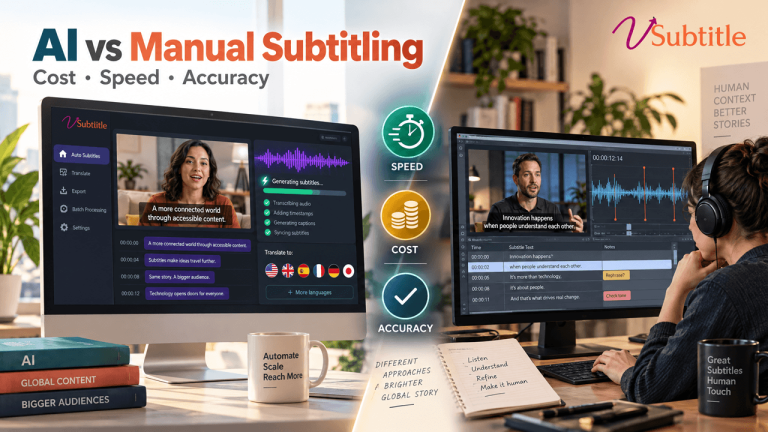
If a project that once took five hours of subtitle work now takes about two, you have freed three hours to bill elsewhere, or to take on another client. Across a month of projects, that is the difference between subtitles as a cost centre and subtitles as a profitable service. For a deeper look at how AI and human workflows compare, read our guide to AI vs human captioning.
How to Package and Price Subtitling as a Service
- Include basic subtitles in the project fee for social and marketing videos, where captions are part of the creative.
- Sell multilingual subtitles as an add-on, priced per language per finished minute, with native-speaker review as a premium option.
- Offer tiers. A standard tier with AI drafts and your review, and a premium tier with extra proofreading or a native-speaker check.
- Charge for rush delivery. If a client needs subtitles within hours, speed has a price.
- Offer retainers for ongoing work. Clients who publish weekly are ideal for a monthly subtitle package.
- Be clear about revisions. State how many rounds are included and what counts as a new request.
Calculate your internal cost per finished minute, including platform minutes and your review time, then set your price with a healthy margin above it.
Which Agencies and Freelancers Benefit Most?
- Social media and content agencies: high volumes of short videos where speed and style both matter.
- YouTube editors: channel clients expect subtitles and translations as part of a package. See the best AI subtitle generator for YouTube creators.
- Corporate video producers: training, internal comms and product videos need accurate, consistent captions. Explore subtitles for corporate training videos.
- E-learning production studios: course libraries need captions at scale. See subtitles for online courses.
- Podcast and interview production teams: long conversations are ideal for AI. Read about the best AI subtitle generator for podcasts and how to caption interview videos automatically.
- Freelance editors and motion designers: a fast subtitle step helps a one-person business compete with larger teams.
vSubtitle vs Other Ways to Handle Client Subtitles
| Factor | vSubtitle (AI plus review) | Outsourcing every job | Typing manually |
|---|---|---|---|
| Turnaround | Minutes for a draft | Hours to days | Hours per video |
| Cost control | Usage-based, quoted by the minute | Per-minute vendor fees, multiplied by language | Costs your billable time |
| Revisions | Edit directly and re-export | Usually another request to the vendor | Redo by hand |
| Languages | 100+ with translation | Depends on vendor | Depends on your skills |
| Brand styling | Customizable in the editor | Varies | Handled in your editing software |
| Best for | Regular client work at any scale | Specialist or certified jobs | Very short one-offs |
Always confirm details about third-party tools directly with each provider. For product comparisons, see our Rev vs Otter vs vSubtitle comparison and our guide to CapCut alternatives for professional AI captions.
Quality Control Tips for Client Deliverables
- Keep a client glossary. Store brand names, product terms and people’s names for every client and reuse it on each project.
- Review the first and last minute twice. Names, titles and calls to action appear there.
- Check numbers and prices. Mistakes in figures can cause real problems for clients.
- Use native reviewers for translations on anything customer-facing or brand-critical.
- Watch with sound off. It is the fastest way to catch readability and timing problems.
- Treat sensitive jobs carefully. For legal, medical or regulated work, use AI as a draft and add expert review. Our article on AI subtitling for legal depositions discusses where human checks matter most.
Final Thoughts
The best AI subtitle generator for video agencies and freelancers is the one that turns subtitles into a smooth, profitable step in your delivery process. It should be accurate enough to cut editing time, fast enough to protect deadlines, flexible enough for client revisions, and affordable enough to keep your margins healthy.
vSubtitle brings together high accuracy, fast cloud processing, 100+ languages, a customizable editor, collaboration tools and the export formats production teams need. The easiest way to judge it is on real client work. Create a free account, run one of your current projects through it using the free minutes available to new users, and see how much time you get back.
Frequently Asked Questions (FAQs)
What is the best AI subtitle generator for video agencies and freelancers?
The best option combines accuracy, fast turnaround, an editor for client revisions, multilingual support, flexible exports and predictable pricing. vSubtitle offers up to 97.8% accuracy, 100+ languages, collaboration tools and SRT, VTT and JSON exports, which suits regular client work.
Can I use AI subtitles for client projects?
Yes, AI subtitles are widely used for client work, as long as you review them before delivery. Check names, numbers and technical terms, and confirm the platform’s current terms cover commercial use. For regulated or high-risk content, add expert review.
How much time can an AI subtitle generator save on client videos?
AI can produce a full draft in minutes, compared with several hours of manual typing for an hour of video. Your remaining time goes into review, which depends on audio quality and subject matter.
Can I offer multilingual subtitles to clients with vSubtitle?
Yes. vSubtitle supports more than 100 languages, so you can generate subtitles in the original language and add translations in the same workflow. For brand-critical content, have a native speaker review translated subtitles.
How should freelancers price subtitling services?
Work out your cost per finished minute, including platform minutes and your review time, then add a margin. Many freelancers include basic subtitles in the project fee and charge extra for translations, rush delivery or additional proofreading.
What subtitle formats do clients usually need?
Most clients need SRT or VTT files for upload to platforms, or captions embedded into the video for social clips. vSubtitle exports SRT, VTT and JSON, and can embed captions directly into the video.
Is there a free way to test vSubtitle on a client project?
New users can currently start with their first 30 minutes free, which is enough to test a real client video from upload to export. Offers can change, so check the registration page for the latest details.
Relevant Articles
Keep exploring with these related guides from the vSubtitle blog:
- How to Batch-Process Subtitles for Multiple Videos – Keep large client projects organised.
- Best AI Subtitle Generator for YouTube Creators – Subtitle workflows for YouTube channels.
- How to Caption Interview Videos Automatically – A step-by-step workflow for interview captions.
- How to Create an SRT File Automatically – Generate subtitle files for any platform.
- Rev vs Otter vs vSubtitle: AI Captioning Comparison – A side-by-side look at popular AI captioning tools.
- Best CapCut Alternatives for Professional AI Captions – Options for creators who want more control.
- AI vs Human Captioning in 2026 – When to rely on AI and when to add human review.