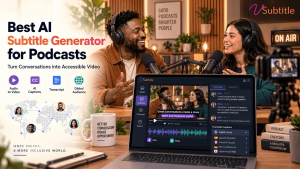
Podcasting has quietly become a video-first medium. Shows are recorded on camera, published on YouTube and other video platforms, and chopped into short clips for social feeds. That shift creates a new problem for podcasters: an hour of free-flowing conversation now needs accurate subtitles, and typing them out by hand is not realistic for a weekly show.
That is where an AI subtitle generator earns its place. The best AI subtitle generator for podcasts should handle long recordings, multiple speakers and conversational speech, and still give you a clean subtitle file in minutes. In this guide we explain what podcasters should look for, the specific challenges of subtitling spoken-word content, and why vSubtitle is a strong choice for hosts, producers and podcast networks.
Key Takeaways
- Podcasts need subtitles now more than ever. Video episodes, short clips and social snippets are watched with the sound off, and captions keep those viewers engaged.
- Podcast audio is harder than it sounds. Long runtimes, overlapping voices, guest names and remote recording quality all test an AI subtitle generator.
- Look for accuracy, speed, language support, a fast editor and SRT/VTT export, plus pricing that makes sense for hour-long episodes.
- vSubtitle fits podcast workflows. It offers up to 97.8% accuracy, 100+ languages, a customizable editor, team collaboration, and SRT, VTT and JSON exports, with the first 30 minutes free for new users at the time of writing.
- One episode can become many assets. Time-coded subtitles power full-episode captions, social clips, transcripts and translated versions for new audiences.
- A short review pass is essential. Check guest names, brand terms and speaker changes before publishing.
Why Podcasters Need an AI Subtitle Generator
Podcast audiences listen in cars and gyms, but they also watch on phones, laptops and TVs. Subtitles serve all of those audiences, and they bring several benefits that go beyond convenience.
- Short clips depend on captions. Most discovery now happens through clips on social platforms, where video often autoplays silently. Without captions, a great moment from your episode gets scrolled past. Our guide to adding captions to TikTok videos shows the approach, and it applies to any short-form platform.
- Accessibility is part of good publishing. Deaf and hard-of-hearing listeners cannot access an audio-only show, and accurate captions make your video episodes available to them. Read our guide to making video content deaf-friendly and our ultimate guide to video accessibility.
- Text makes your show searchable. Spoken words are invisible to search engines unless they are turned into text. Subtitles and transcripts give your episodes a written form that can support discoverability. See how subtitles support SEO and time on page.
- Translation grows your audience. A podcast in English can find listeners in Spanish, Hindi, Portuguese or Arabic once subtitles exist in those languages.
- Repurposing saves hours. The same time-coded text that powers subtitles can speed up show notes, quote graphics, blog summaries and newsletter highlights.
Why Podcasts Are a Tough Test for AI Subtitles
A scripted tutorial and a two-hour conversation between friends are very different audio problems. Podcasts bring challenges that a generic tool may not handle gracefully.
- Long runtimes. Episodes often run between 30 minutes and two hours. A tool must process long files reliably, and its pricing must not punish long-form content.
- Multiple speakers. Hosts, co-hosts and guests trade lines quickly. Subtitles need to stay in sync and break lines at natural points, even when voices change mid-sentence.
- Crosstalk and interruptions. Natural conversation includes laughter, overlapping speech and half-finished thoughts that are hard for any AI to transcribe perfectly.
- Names, brands and jargon. Guest names, company names and niche terminology are the most common source of errors in podcast transcripts.
- Remote recording quality. Interviews recorded over video calls often have compression, echo and uneven volume levels.
No AI tool is perfect on all of these, which is why an easy-to-use editor matters as much as the underlying accuracy. You want to find and fix the handful of problem spots in seconds.
What to Look for in a Podcast Subtitle Generator
| Criteria | Why it matters for podcasters |
|---|---|
| Accuracy on conversational speech | Natural, unscripted talk is harder than read-aloud audio. Test on a real episode, not a demo clip. |
| Processing speed | Weekly or daily shows cannot wait days for subtitles. Fast turnaround keeps your publishing schedule intact. |
| Editor quality | You will need to fix guest names and timing quickly, ideally while the video plays. |
| Language coverage | Transcription and translation across many languages helps you grow beyond one market. |
| Export formats | SRT and VTT files upload to YouTube and other platforms, and structured formats help with transcripts and clips. |
| Pricing for long files | Look for transparent, usage-based billing that suits hour-long episodes. |
| Team workflow | Producers, editors and hosts often share the same project. Collaboration features reduce back-and-forth. |
| Security | Pre-release episodes and sensitive interviews should be handled responsibly. |
For a broader market view, see our roundups of the top 10 AI captioning tools and the best AI subtitling software. If transcript-first tools are on your list, our Rev vs Otter vs vSubtitle comparison is a useful read.
Why vSubtitle Is the Best AI Subtitle Generator for Podcasts
vSubtitle was built for creators and teams who publish speech-heavy video regularly. Podcasts fit that description perfectly. Here is how the platform supports a podcast workflow from recording to release.
1. Accuracy that holds up on conversation
vSubtitle reports accuracy of up to 97.8%, using neural models that read context rather than just matching sounds. For a conversational episode, that typically means a strong first draft where most of your time goes into checking names and specialist terms. Results always depend on audio quality, so run your own episode through it before deciding.
2. Fast processing for long episodes
The platform processes hours of footage in minutes and reports about three times faster processing than traditional methods. For a weekly show, that means subtitles can be ready the same day you finish editing, rather than becoming a bottleneck before publishing.
3. A customizable editor for quick fixes
Podcast hosts and producers rarely have spare hours. vSubtitle’s editor lets you adjust text, timing, styling and formatting in one place. When a guest’s surname is misspelled, you correct it once and move on. You can also tune how subtitles look for clips, from font to placement, so your short-form videos feel on-brand.
4. 100+ languages to expand your listener base
With support for more than 100 languages, you can transcribe in the language you record and translate for audiences elsewhere. Translated subtitles are one of the most practical ways to test a new market without re-recording a single episode. Our AI video translator page covers translation-focused workflows in more detail.
5. Export formats for every platform
Download your subtitles as SRT or VTT to upload to YouTube and other video platforms, or as JSON when you want structured, time-coded text for transcript and show-notes workflows. You can also embed captions directly into a clip when you want them permanently visible. Not sure which format to choose? Our SRT vs VTT vs ASS guide explains the differences.
6. Collaboration for production teams
Many podcasts are team efforts: a host, a producer, an editor and sometimes a social media manager. vSubtitle supports review workflows and real-time collaborative editing, so the person who knows the guest’s name can fix it without waiting for someone else to send a file.
7. Pricing that works for long-form content
Billing is based on output minutes. After you generate and download a set of captions or translations, re-downloading that set does not use more minutes. Monthly plans suit shows with steady schedules, while annual plans let you use minutes flexibly across the year. New users can currently begin with their first 30 minutes free, enough to test a full episode before you spend anything.
To see it in action, try the auto subtitle generator or the auto caption generator, and for video episodes published on YouTube, the YouTube video caption generator.
A note on audio-only shows: vSubtitle works with video files. If your podcast is audio-only, a simple way to use it is to turn each episode or highlight into a video, such as a cover-art or waveform video, before uploading. Check the supported file types on the upload page to confirm what you can use.
A Simple Podcast Workflow With vSubtitle
Here is a practical workflow that works for most video podcasts and clip-driven shows.
- Finish your edit. Lock the episode so the timing will not change after subtitling.
- Upload the episode to vSubtitle and choose the spoken language, any translation languages and your preferred caption style.
- Generate subtitles. Processing runs in the cloud, so you can start on show notes or thumbnails in the meantime.
- Review in the editor. Scan for guest names, sponsor names, numbers and technical terms. Pay attention to moments where speakers overlap.
- Export your files. Download SRT or VTT for the full episode, and generate styled or embedded versions for your short clips.
- Publish and repurpose. Upload the subtitle file to your video platform, post your captioned clips, and reuse the text for show notes and promotion.
vSubtitle vs Other Ways Podcasters Handle Subtitles
| Factor | vSubtitle | Transcript-only tools | Manual typing |
|---|---|---|---|
| Time-coded subtitles | Yes, auto-synced and editable | Varies; focus is often on text transcripts | Created by hand |
| Speed on long episodes | Minutes for a full draft | Usually quick | Many hours per episode |
| Subtitle styling for clips | Customizable styling and embedding | Often limited | Needs a separate editor |
| Languages | 100+ with translation | Varies by product | Depends on your skills |
| Team collaboration | Review workflows and live editing | Varies | Manual file sharing |
| Best for | Video podcasts and clip-driven growth | Text-only transcripts | Very short, one-off pieces |
Capabilities of third-party tools change often, so confirm details with each provider before you decide. For general guidance on free options, see our best free subtitle generator roundup and our how-to on adding subtitles to a video for free.
One Episode, Many Assets: Repurposing With Subtitles
Once an episode has accurate, time-coded subtitles, a lot of other content becomes much easier to produce.
- Captioned full episodes on YouTube and other video platforms for viewers who watch without sound.
- Short clips with on-screen captions for social feeds, using the same text and timing.
- Transcripts and show notes built from the subtitle text, with timestamps for key topics.
- Quote graphics and newsletter highlights pulled directly from the cleaned-up text.
- Translated versions of your best episodes for audiences in other languages. Our post on multilingual captions and watch time explains the opportunity.
Tips to Get More Accurate Podcast Subtitles
- Record each speaker clearly. Separate microphones, or a quiet room, reduce errors more than anything else.
- Ask remote guests to use headphones. It avoids echo and makes their speech easier for AI to transcribe.
- Say names and acronyms clearly once. A slow, clear mention early in the episode helps you spot and fix them during review.
- Keep a running glossary. Maintain a list of recurring guest names, sponsors and topic terms, and check them on every episode.
- Review sponsor reads and calls to action. Mistakes in URLs, discount codes and brand names are the costliest ones.
- Keep clip captions short. One or two lines at a time reads best on mobile screens.
Which Podcasters Benefit Most?
- Interview and conversation shows: lots of speech and guest names make the editor and glossary habit especially valuable.
- Educational and expert podcasts: accurate subtitles help listeners follow complex topics. See how this works in medical education and online courses.
- Business and branded podcasts: consistent subtitles across a series support accessibility and a professional look. Explore subtitles for corporate training videos.
- Faceless and audio-first shows on YouTube: captions provide the visual hook. Our post on faceless YouTube channels and AI captions shows why.
- Multilingual and international shows: translation makes one recording serve several markets.
Final Thoughts
The best AI subtitle generator for podcasts is the one that handles long, conversational audio, produces a clean draft quickly, and makes corrections painless. It should also turn your episodes into more than a single piece of content.
vSubtitle brings together high accuracy, fast processing, 100+ languages, a flexible editor, collaboration tools and the export formats podcasters need. The best way to judge it is on your own show. Create a free account, upload a recent episode using the free minutes available to new users, and see how much time you get back.
Frequently Asked Questions (FAQs)
What is the best AI subtitle generator for podcasts?
The best choice handles long, multi-speaker audio with high accuracy, processes quickly, offers an easy editor and exports SRT or VTT files. vSubtitle provides these, with up to 97.8% accuracy, 100+ languages, collaboration tools and customizable subtitle styling, making it a strong option for podcasters.
Do podcasts need subtitles?
If you publish video episodes or social clips, yes. Subtitles help viewers who watch without sound, make your content accessible to deaf and hard-of-hearing audiences, and provide text that supports discoverability and translation.
How accurate are AI subtitles for conversational podcasts?
Accuracy depends on audio quality, accents, crosstalk and specialist vocabulary. vSubtitle reports up to 97.8% accuracy, which provides a solid draft. Review guest names, brand terms and overlapping speech before publishing.
Can I add subtitles to podcast clips for social media?
Yes. Generate subtitles for your clip, style them in the editor, and either upload an SRT or VTT file where the platform supports it, or embed the captions directly into the video so they are always visible.
Can I translate my podcast subtitles into other languages?
Yes. vSubtitle supports more than 100 languages, so you can transcribe in your recording language and generate translated subtitle files for international audiences. A quick native-speaker review is wise for brand-critical content.
How long does it take to subtitle a one-hour podcast episode with AI?
An AI subtitle generator can produce a full draft in minutes, compared with several hours for manual typing. Plan extra time for a short review of names and technical terms.
Can I use vSubtitle for an audio-only podcast?
vSubtitle works with video files, so audio-only shows typically upload a video version of the episode, such as a cover-art or waveform video. Check the supported file types on the upload page for the latest details.
Relevant Articles
Keep exploring with these related guides from the vSubtitle blog:
- Top 10 AI Captioning Tools Guide 2026 – A shortlist of AI captioning tools worth comparing.
- Rev vs Otter vs vSubtitle: AI Captioning Comparison – How transcript-first and subtitle-first tools differ.
- Best AI Subtitle Generator for YouTube Creators – Subtitle workflows for channels publishing on YouTube.
- How to Add Captions to TikTok Videos – Caption short clips for silent autoplay feeds.
- Subtitles Increase Time on Page and SEO – How subtitles support engagement and search performance.
- The Ultimate Guide to Video Accessibility – Why accurate captions matter for every audience.
- AI Subtitles Trends 2026 – Where AI subtitling is heading next.