vSubtitle

New Here? Get Your First 10 Minutes FREE - Limited Time Only!

Video Optimization

The Ultimate Guide to Video Accessibility in 2026
Technical Guides, Compliance, Video Optimization

The Ultimate Guide to Video Accessibility in 2026

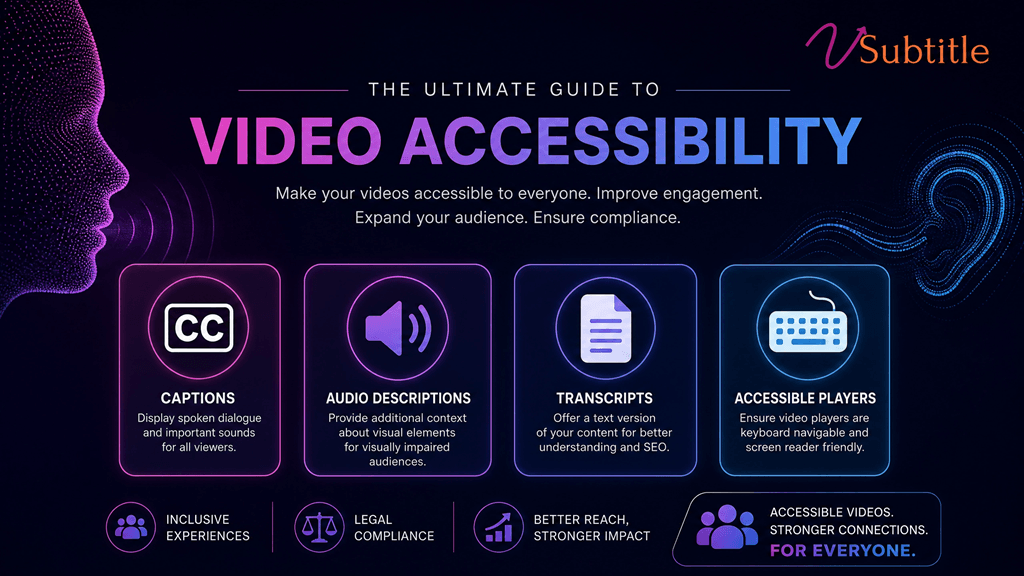
Introduction: Why Accessibility is the New Standard in 2026 In 2026, video accessibility is no longer a “nice-to-have” feature or a checkbox for legal compliance. It has become the cornerstone of modern digital communication. With over 1.5 billion people globally living with some form of hearing or visual impairment, and a massive shift toward “silent viewing” on social media, making your videos accessible is both a moral imperative and a strategic business necessity. Whether you are a solo content creator, a marketing director at a Fortune 500 company, or an e-learning specialist, understanding the landscape of video accessibility in 2026 is crucial. This guide will walk you through the latest standards, legal requirements, and practical steps to ensure your content reaches everyone, everywhere. 1. The Legal Landscape: ADA Title II and Beyond The biggest shift in 2026 has been the full implementation of the ADA Title II updates. These regulations now explicitly require state and local government entities—and by extension, many organizations that receive public funding or provide public services—to ensure their digital content is fully accessible. Key Compliance Deadlines: April 2026: The primary deadline for many public institutions to bring their web and mobile content into compliance. Global Impact: Similar regulations like the European Accessibility Act (EAA) have created a global standard where “accessible by design” is the expected norm for any business operating internationally. Failure to comply isn’t just a legal risk; it’s a brand risk. In an era where inclusivity is a core consumer value, inaccessible content is seen as exclusionary and outdated. 2. Understanding WCAG 2.2: The Gold Standard The Web Content Accessibility Guidelines (WCAG) 2.2 remain the technical foundation for video accessibility. To be considered “accessible” in 2026, your video content should ideally meet Level AA standards. The Four Principles of Accessibility (POUR): Perceivable: Information and user interface components must be presentable to users in ways they can perceive (e.g., captions for those who can’t hear, audio descriptions for those who can’t see). 3. The Four Pillars of Video Accessibility To make a video truly accessible, you must address four key areas: Pillar 1: Accurate Closed Captions (CC) Captions are the most visible part of accessibility. In 2026, “auto-generated” is no longer enough if the accuracy is low. Requirement: Captions must be synchronized, accurate, and include non-speech information (like [Music playing] or [Door slams]). Pro Tip: Use vSubtitle’s AI engine to achieve 97.8% accuracy, significantly reducing the manual cleanup required for compliance. Pillar 2: Audio Descriptions (AD) Audio descriptions provide a narrated track of the visual elements in a video for users who are blind or have low vision. Pillar 3: Full Text Transcripts A transcript is a text version of everything said in the video, plus descriptions of visual information. Pillar 4: Accessible Video Players Even if your video has captions, it’s not accessible if the player itself can’t be used by someone with a disability. 4. The “Silent Search” Revolution: Accessibility as SEO One of the most unique trends of 2026 is the rise of “Silent Search.” As AI answer engines (like ChatGPT and Google AI Overviews) become the primary way people find information, they rely heavily on the text data associated with videos. When you provide accurate captions and transcripts, you are feeding these AI models the high-quality data they need to recommend your video. In 2026, accessibility = discoverability. 5. Step-by-Step Implementation Checklist Ready to make your content accessible? Follow this 2026 checklist: 6. How vSubtitle Simplifies 2026 Compliance The biggest barrier to accessibility has always been time and cost. vSubtitle was built to remove those barriers. Frequently Asked Questions (FAQ) Conclusion: The Future is Inclusive As we look toward the rest of 2026 and beyond, the gap between “accessible” and “inaccessible” content will only widen. Creators who embrace accessibility today are not just avoiding legal trouble—they are building a more loyal, engaged, and global audience. Start your accessibility journey with vSubtitle for free today.

Best CapCut Alternatives for Professional AI Captions in 2026
Video Optimization, Comparison Guides, Creator Tips

Best CapCut Alternatives for Professional AI Captions in 2026 

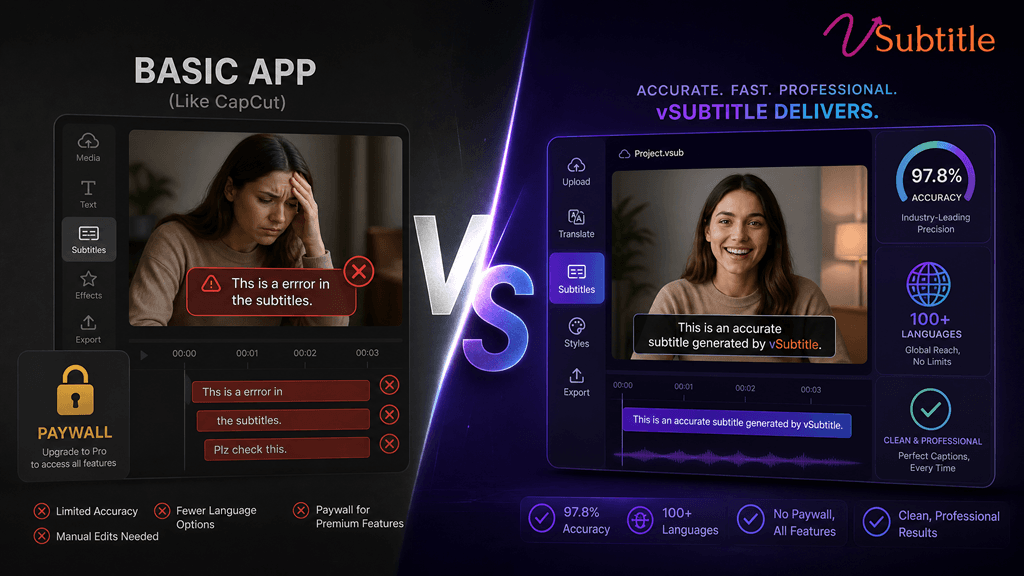
The CapCut Shift: Why Creators are Looking Elsewhere For years, CapCut was the go-to for quick, free auto-captions. But as we move through 2026, the landscape has changed. CapCut has moved many of its best captioning features behind a “Pro” paywall, and for professional creators, the accuracy and styling limitations are becoming a bottleneck. If you’re tired of fixing “buggy” transcriptions or want more control over your global reach, it’s time to look at professional alternatives. Here are the best CapCut alternatives for AI captions in 2026. 1. vSubtitle: The Professional’s Choice for Global Reach Best For: High accuracy, multilingual support (100+ languages), and enterprise-level security. While CapCut is great for quick social edits, vSubtitle is built for creators who need precision. With a 97.8% accuracy rate, it significantly reduces the time spent manually correcting text. 2. Descript: The “Edit by Text” Powerhouse Best For: Podcasters and creators who want to edit their video by editing the transcript. Descript changed the game by allowing you to delete words from a transcript to automatically cut the video. Its AI captioning is robust and offers unique “Overdub” features. 3. VEED.io: The Browser-Based All-in-One Best For: Quick, stylish social media captions directly in your browser. VEED is a strong competitor to CapCut’s web version. It offers a wide range of “trendy” caption styles that are popular on TikTok and Reels. 4. DaVinci Resolve (with AI Plugins): The Hollywood Standard Best For: Professional filmmakers and high-end production houses. If you’re already using DaVinci Resolve for color grading, their built-in AI transcription (and third-party plugins) offers the most control over subtitle placement and typography. Comparison: CapCut vs. The Alternatives Comparison: CapCut vs. The Alternatives Feature CapCut vSubtitle Descript VEED.io Accuracy ~85-90% 97.8% ~95% ~92% Languages ~20 100+ ~22 ~50 Ease of Use High High Medium High Best For Casual Reels Global Brands Podcasts Social Media Why 2026 is the Year to Upgrade In 2026, captions aren’t just for accessibility—they are for SEO and retention. Search engines and AI answer engines now “read” your captions to understand your video content. Using a tool like vSubtitle ensures that your metadata is accurate, helping you rank higher and reach more people. Ready to Move Beyond CapCut? Stop settling for “good enough” captions. Experience the precision and speed of a professional AI subtitling platform. Start for Free on vSubtitle Today! Frequently Asked Questions (FAQ)

SRT vs VTT vs ASS: Which Subtitle Format Should You Use? | vSubtitle
Creator Tips, Technical Guides, Video Optimization

SRT vs VTT vs ASS: Which Subtitle Format Should You Use?

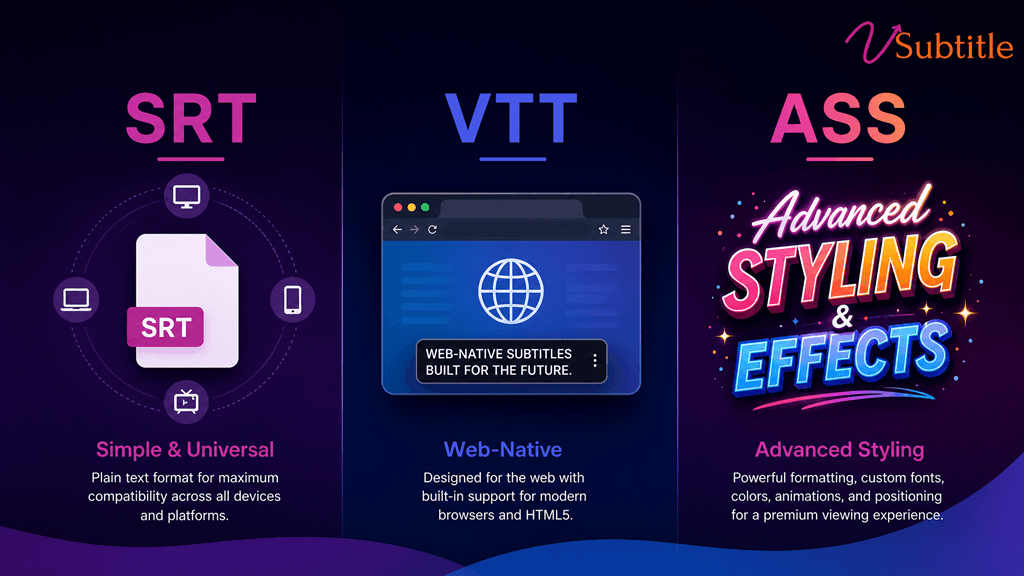
The Subtitle Dilemma: Why the Format Matters You’ve finished your video, and now it’s time to add captions. But when you go to export, you’re met with a wall of acronyms: SRT, VTT, ASS, SSA, SBV…  Choosing the wrong format can lead to broken text, missing styles, or even videos that won’t upload to your favorite platforms. In this guide, we’ll break down the “Big Three” of subtitle formats—SRT, VTT, and ASS—so you can choose the right one for your workflow every time. 1. SRT (SubRip Text): The Universal Standard Best For: Social Media (YouTube, Facebook, LinkedIn), basic video players, and maximum compatibility. SRT is the “MP3 of subtitles.” It is the most widely supported format in the world. If you’re not sure what to use, SRT is almost always the safest bet. 1 00:00:01,000 –> 00:00:04,000 Hello, welcome to vSubtitle! 2. VTT (WebVTT): The Web-Native Powerhouse Best For: HTML5 video players, websites, and platforms that require basic styling and metadata. VTT was designed specifically for the web. It looks a lot like SRT but adds powerful features like text alignment, basic styling (bold/italic), and even metadata. WEBVTT 00:00:01.000 –> 00:00:04.000 Hello, welcome to <v.bold>vSubtitle</v>! 3. ASS (Advanced Substation Alpha): The Stylist’s Choice Best For: Anime, professional film production, and videos requiring complex typography, karaoke effects, or precise positioning. Don’t let the name fool you—ASS is the most powerful format on this list. It allows for incredible control over how your subtitles look, including custom fonts, colors, shadows, and even animations. [V4+ Styles] Format: Name, Fontname, Fontsize, PrimaryColour… Style: Default,Arial,20,&H00FFFFFF… [Events] Dialogue: 0,0:00:01.00,0:00:04.00,Default,,0,0,0,,Hello, welcome to vSubtitle! Comparison Table: At a Glance Feature SRT VTT ASS Compatibility  Universal (High) Web-Native (Medium) Professional (Low) Styling  None (Plain Text) Basic (Bold/Italic) Advanced (Fonts/Colors) Positioning  Fixed (Bottom) Basic (Top/Bottom) Precise (Anywhere) Best Use Case Social Media Websites/HTML5 Anime/Pro Editing Which One Should You Choose? How vSubtitle Makes It Easy No matter which format you need, vSubtitle has you covered. Our AI-powered platform allows you to: Try vSubtitle for Free and Export Your First Subtitle Today!

before-after-captions-creator-engagement-transformation
Case Studies, Creator Tips, Video Optimization

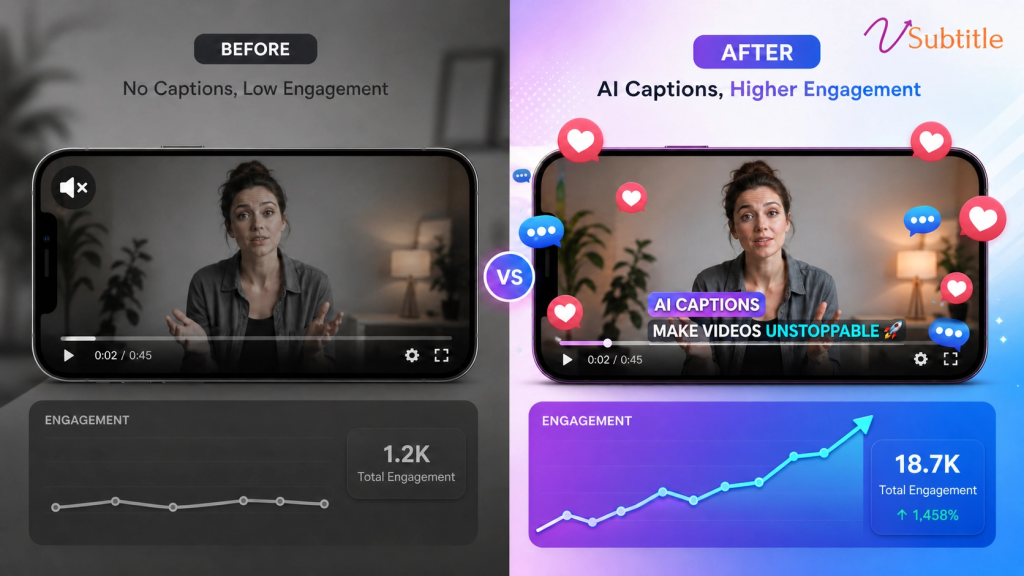
Before vs After: How Captions Transformed These Creators’ Engagement

The Silent Struggle: Why Great Content Often Goes Unseen Every creator knows the feeling. You spend hours—maybe days—perfecting a video. The lighting is crisp, the message is powerful, and the editing is seamless. You hit “publish” and wait for the wave of engagement. But instead of a flood, you get a trickle. The reality of modern content consumption is harsh: 80% of social media videos are watched on mute. Without captions, your message is literally falling on deaf ears. For many creators, the “Before” phase is defined by high effort and low accessibility. In this post, we’re looking at the real-world transformations of three creators who moved from “silent struggle” to “global engagement” by integrating vSubtitle’s AI-powered captioning. Case Study 1: The Marketing Director’s ROI Revolution The “Before”: David Chen, a Marketing Director for a growing tech brand, was seeing stagnant growth on their video campaigns. Despite a healthy ad spend, the “view-through” rate was abysmal. Viewers were dropping off in the first three seconds because they couldn’t follow the dialogue in loud environments or during their morning commutes. The “After”: After implementing vSubtitle’s automated captions, the results were immediate. By making the content accessible to the “muted” majority, David saw a 300% increase in ROI. “The ROI on our video content increased by 300% after implementing multilingual captions. Our global reach expanded dramatically,” David notes. The Transformation: Captions didn’t just add text; they added retention. Viewers who could read along stayed longer, leading to better algorithmic placement and higher conversion rates. Case Study 2: The YouTube Creator’s Global Expansion The “Before”: Emma Rodriguez had a loyal English-speaking audience, but her analytics showed a massive untapped potential in Spanish-speaking regions. However, manually translating and subtitling her 20-minute vlogs was a logistical nightmare that took more time than the actual filming. The “After”: Emma turned to vSubtitle’s 100+ language support. With 97.8% accuracy, she was able to generate perfect Spanish subtitles in minutes, not hours. “vSubtitle completely transformed my content strategy. I can now reach my Spanish and English audiences simultaneously with perfect captions,” says Emma. The Transformation: Emma’s “After” isn’t just about more views; it’s about community. By speaking the language of her global audience, her engagement in Latin America and Spain skyrocketed, doubling her total subscriber growth rate. Case Study 3: The E-Learning Specialist’s Accessibility Win The “Before”: Lisa Thompson creates high-value online courses. Her “Before” was a constant stream of emails from students asking for transcripts or complaining that they couldn’t follow the technical jargon without visual aids. Her course completion rates were lower than she liked. The “After”: Lisa integrated vSubtitle to ensure every lesson was captioned with precision.  “Accessibility is crucial for our courses. vSubtitle ensures every student can access our content regardless of language or hearing ability,” Lisa explains. The Transformation: By prioritizing accessibility, Lisa saw a significant jump in course completion and student satisfaction. Her “After” is a business built on inclusivity, where no student is left behind. Why the “After” is Possible for You The common thread among these creators isn’t just that they added captions—it’s that they used AI to do it efficiently.  With vSubtitle, the transition from “Before” to “After” takes four simple steps: Ready to Transform Your Engagement? Don’t let your hard work go unheard. Join the thousands of creators who have already made the switch.  Start for Free on vSubtitle Today!

Scroll to Top