vSubtitle

New Here? Get Your First 30 Minutes FREE - Limited Time Only!

Accessibility & Compliance

accessibility-laws-every-video-publisher-should-know
Accessibility & Compliance, Business Guides, Video SEO

Accessibility Laws Every Video Publisher Should Know

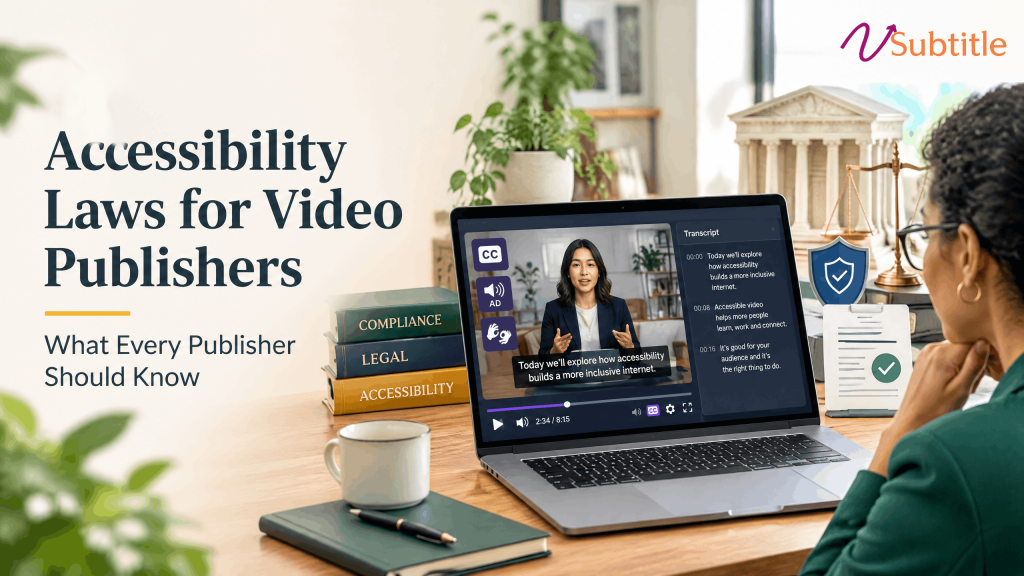
“We’re not a government agency” stopped being a reliable reason to skip captions years ago. Here’s what actually applies, and to whom. Key Takeaways Video accessibility law used to be something only government agencies and universities needed to think carefully about. That’s no longer true. Between the US Department of Justice’s 2024 rule naming WCAG 2.1 Level AA as the explicit legal standard for public entities, the EU’s European Accessibility Act reaching full enforcement, and years of private ADA litigation reshaping what courts expect from ordinary businesses, video publishers of nearly every size and sector now operate under some form of legal accessibility obligation — whether or not they’ve registered that fact yet. This guide walks through the accessibility laws that actually govern video content in 2026: who each one applies to, what it specifically requires for video, and where the requirements overlap enough that meeting one often gets a publisher most of the way toward the others. Why This Is Simpler Than the Number of Acronyms Suggests Nearly every law covered in this guide points back to the same underlying technical standard: the Web Content Accessibility Guidelines (WCAG), published and maintained by the World Wide Web Consortium (W3C). Different jurisdictions reference different versions — 2.1 in most current US and EU law, with 2.2 increasingly cited in newer requirements — but the core video-relevant criteria (synchronized captions, audio description, accessible player controls) are consistent across versions. A publisher who builds video content to meet WCAG 2.1 Level AA once is, in practice, close to compliant with most of the frameworks below simultaneously. United States ADA Title II — State and Local Government Title II covers state and local government entities directly, including public universities, school districts, and municipal agencies. The DOJ’s 2024 rule made WCAG 2.1 Level AA the explicit, named technical standard — a first for ADA regulation, which previously left web and video requirements largely to case law. Following an April 2026 DOJ Interim Final Rule, current deadlines sit at April 26, 2027 for entities serving populations of 50,000 or more, and April 26, 2028 for smaller entities, per ADA.gov’s official guidance. The DOJ was explicit that this extension delays the compliance date only — the underlying obligation applies now. ADA Title III — Private Businesses Title III covers private businesses operating as “places of public accommodation.” It doesn’t name WCAG explicitly the way Title II now does, but courts have repeatedly ruled that a business’s website — and the video on it — falls within Title III’s reach, treating inaccessible video as a barrier to the same “equal access” standard the statute requires for physical spaces. This is where most private-sector ADA litigation happens, and it applies regardless of company size or industry. Section 508 Section 508 of the Rehabilitation Act applies to US federal agencies and any organization receiving federal funding or contracting with the federal government. It requires accessible electronic content, including video, and — like Title II — is aligned with WCAG-based technical standards. CVAA The 21st Century Communications and Video Accessibility Act specifically requires closed captions on video that previously aired on US television and is now distributed online, enforced by the FCC using broadcast-standard formats (CEA-608/708). This is narrower in scope than the WCAG-based laws above — it applies specifically to prior-broadcast content, not video generally. US ADA Title II Deadlines at a Glance Entity Type Original Deadline Extended Deadline (per April 2026 DOJ rule) Public entities serving 50,000+ population April 24, 2026 April 26, 2027 Smaller public entities and special district governments April 26, 2027 April 26, 2028 European Union: The European Accessibility Act (EAA) Formally Directive (EU) 2019/882, the European Accessibility Act became fully enforceable on June 28, 2025, covering a wide range of products and services offered to EU consumers — including audiovisual media, e-commerce, and banking — regardless of where the providing business is headquartered. Its technical requirements are built on EN 301 549, which incorporates WCAG. Two details distinguish it from US law specifically: the EAA generally requires captions and audio description in the language of each market served, meaning English-only coverage doesn’t satisfy the requirement for non-English EU audiences, and enforcement is delegated to national market authorities in each of the 27 member states, with penalties that can reach well into six figures for serious or repeated violations depending on the country. United Kingdom The UK operates two overlapping frameworks. The Public Sector Bodies (Websites and Mobile Applications) Accessibility Regulations 2018 require WCAG 2.1 AA compliance specifically for public sector digital content. The Equality Act 2010 applies far more broadly, requiring all organizations providing services — public or private — to make “reasonable adjustments” so disabled people aren’t placed at a substantial disadvantage, a standard courts and regulators have applied to inaccessible video and web content much the way US courts have applied ADA Title III. Canada The Accessible Canada Act (2019) establishes accessibility standards for federally regulated organizations, with technical requirements — including for digital and video content — still being developed by the Canadian Accessibility Standards Development Organisation (CASDO). At the provincial level, Ontario’s Accessibility for Ontarians with Disabilities Act (AODA) has required WCAG 2.0 Level AA compliance for a wide range of organizations for several years, and remains one of the more mature, actively enforced provincial frameworks. Australia The Disability Discrimination Act 1992 (DDA) prohibits discrimination on the basis of disability, and has been applied by Australian courts and human rights bodies to inaccessible digital content, including video, using WCAG as the practical benchmark for what “accessible” means in a given complaint — similar in structure to how ADA Title III operates in the US, without a directly equivalent named technical-standard rule. Side-by-Side: Who Each Law Actually Covers Law / Region Who It Covers Named Technical Standard? ADA Title II (US) State and local government entities, public universities, school districts Yes — WCAG 2.1 AA, explicitly named in the 2024 DOJ rule ADA Title III (US) Private businesses as “places of
how-universities-can-make-video-content-accessible
Accessibility & Compliance, Higher Education, Video SEO

How Universities Can Make Video Content Accessible

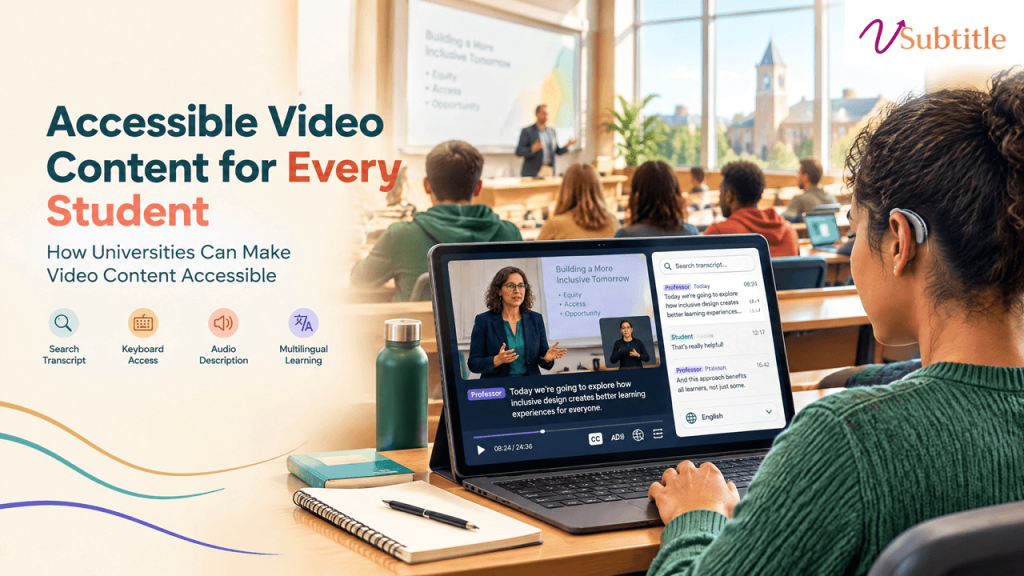
Thousands of hours of lecture recordings, course content, and campus video sit across every university’s LMS, YouTube channel, and department drives — mostly untouched, mostly non-compliant. Key Takeaways Lecture recordings. Training modules. Course content. Orientation materials. Webinars. Every university has accumulated years of this material across its learning management system, YouTube channel, department drives, and individual faculty hard drives — and most of it was never built with accessibility in mind. That gap used to be a soft compliance risk. It’s now a hard, named legal standard with a real deadline attached. Under the Department of Justice’s 2024 rule for ADA Title II, public universities and colleges must bring their video, audio, and digital course content into conformance with the Web Content Accessibility Guidelines, version 2.1, Level AA — a technical standard published by the World Wide Web Consortium (W3C) and formally adopted as the legal benchmark on ADA.gov. This guide covers what that standard actually requires for video specifically, where universities most commonly fall short, and a practical rollout plan for closing the gap. The Legal Landscape in 2026 The Department of Justice published its Title II final rule in April 2024, formally naming WCAG 2.1 Level AA as the required technical standard for state and local government entities — a category that includes essentially all public universities and colleges, since population thresholds are calculated at the state level. In April 2026, just days before the original deadline, the DOJ issued an Interim Final Rule extending both compliance dates by one year. Importantly, the DOJ was explicit that the extension delays the compliance date only — it does not pause or suspend the underlying obligation to provide accessible services, and private litigation risk continues in the meantime. Institution Size Original Deadline Extended Deadline (as of April 2026) Public entities serving 50,000+ population (covers nearly all public universities) April 24, 2026 April 26, 2027 Smaller entities and special district governments April 26, 2027 April 26, 2028 This clarity is relatively new. Before the 2024 rule, accessibility expectations for higher ed video were shaped largely by DOJ resolution agreements and litigation — including a well-known case involving the University of California, Berkeley that required remediation of inaccessible online video content, and lawsuits involving Harvard and MIT that reinforced expectations around video captioning specifically. Those cases established that accessibility was required; the 2024 rule is what gave institutions a single, measurable, named standard to build toward, published in the Federal Register and detailed further on ADA.gov’s implementation guidance. Private institutions aren’t directly covered by ADA Title II, which applies specifically to state and local government entities, but private colleges and universities generally fall under ADA Title III as places of public accommodation, and courts have applied similar accessibility expectations there. Federal funding recipients — which includes most private institutions receiving federal financial aid dollars — also face parallel obligations under Section 504 of the Rehabilitation Act. What WCAG 2.1 AA Actually Requires for Video “Accessible video” is more specific than most institutions initially assume. WCAG 2.1 Level AA breaks the requirement into several distinct success criteria, and satisfying one doesn’t automatically satisfy the others: WCAG Success Criterion What It Requires 1.2.1 – Audio-only and Video-only (Prerecorded) A text alternative (transcript) for audio-only content like podcasts, and either an alternative or audio track for video-only content 1.2.2 – Captions (Prerecorded) Synchronized captions for all prerecorded video with audio — a standalone transcript does not satisfy this on its own 1.2.3 / 1.2.5 – Audio Description Narration of key visual information (slides, diagrams, demonstrations, on-screen text) not already conveyed in the spoken audio 1.2.4 – Captions (Live) Real-time captions for live synchronized media, including live-streamed lectures, webinars, and Zoom or Teams sessions 1.4.3 – Contrast Caption text and any on-screen text must meet minimum contrast ratios for readability 2.3.1 – Three Flashes or Below Threshold Video content must not contain flashing that could trigger photosensitive seizures Player accessibility (multiple criteria) The video player itself must be operable by keyboard alone, with accessible controls for play, pause, volume, and caption toggling Two details here catch most institutions off guard. First, a transcript published next to a video does not satisfy the captioning requirement — WCAG specifically requires synchronized, timed text, not just adjacent reading material. Second, audio description is treated as a genuinely separate requirement from captions, not an optional extra: if a lecture video shows a slide with text or a diagram that’s never described out loud, a blind or low-vision student has no way to access that information even with perfect captions. One survey found only about 23% of educators currently include audio description, meaning the large majority of institutional video may already fail this specific criterion regardless of how well captioning has been handled. Where Universities Most Commonly Fall Short Lecture Capture and Course Content This is typically the largest remediation surface by volume — years of recorded lectures, often produced with auto-captioning turned on and never reviewed. Auto-generated captions are a reasonable starting point, but accuracy on technical, discipline-specific vocabulary and accented speech is consistently where institutional audits find the most failures. Faculty-Uploaded and Department-Level Content Centrally managed video (official university YouTube channels, flagship course platforms) is far more likely to be captioned than video uploaded directly by individual faculty or departments to a course site, a shared drive, or a personal platform account — content that frequently falls outside any centralized accessibility review entirely. Live and Synchronous Sessions Live-streamed lectures, webinars, and virtual office hours conducted over Zoom or Teams need real-time captions under WCAG 1.2.4, a distinct requirement from prerecorded content — and one that’s easy to overlook since it requires a different technical setup than simply captioning a finished recording afterward. Everything Layered on Top of the Player The accessibility obligation doesn’t stop at the video file itself. Interactive elements layered on top — embedded quizzes, discussion panels, note-taking tools — have to be operable by keyboard and legible to a screen reader independently. A video with

open-captions-vs-closed-captions-vs-sdh
Subtitling Standards, Accessibility & Compliance, Video SEO

Open Captions vs Closed Captions vs SDH

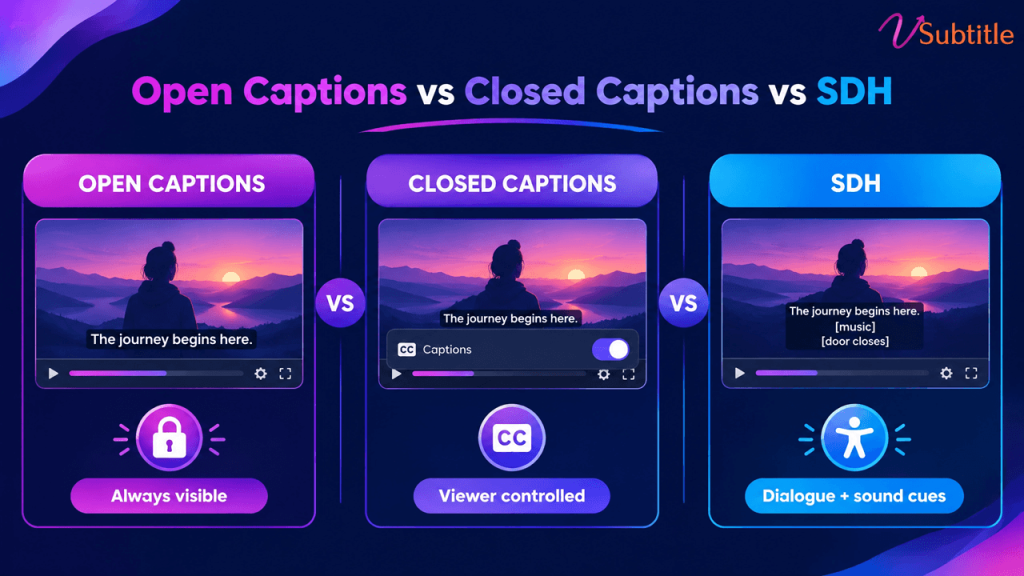
Open a streaming menu and you’ll see “English,” “English [CC],” and “English SDH” listed like three flavors of the same thing. They’re not — and mixing them up in a delivery brief is one of the more expensive mistakes in video production. “Captions,” “subtitles,” and “SDH” get used interchangeably in everyday conversation, but they describe genuinely different things — different content, different technical delivery, and in many cases, different legal requirements. The confusion isn’t just semantic. Deliver translated subtitles when a broadcaster specifically asked for closed captions, and the file gets rejected, because it’s missing the non-speech audio information a deaf viewer actually needs. Caption use overall has grown enormously in recent years — by some measures over 500% since 2021 — which means more teams than ever are producing these files without necessarily knowing which one they’re supposed to be making. This guide breaks the three terms apart cleanly: what each one actually contains, how each is technically delivered, when each is legally required, and how to decide which one a given piece of content actually needs. Two Separate Questions Hiding Inside These Labels Most of the confusion clears up once it’s clear that “open vs. closed” and “captions vs. subtitles vs. SDH” are actually answering two different questions: These two questions are independent of each other. A file can be closed (toggleable) and contain subtitle-only content, or closed and contain full caption-level detail, or — as with SDH — be delivered as a subtitle-style file that actually carries caption-level content. Keeping the two questions separate is the single fastest way to stop the terms from blurring together. Open Captions Open captions are burned permanently into the video image itself. There’s no separate track and no toggle — the text is part of the picture, indistinguishable from the rest of the frame to the video player. Whoever watches the video sees the captions; there’s no way to turn them off. This is the format used almost universally across TikTok, Reels, and YouTube Shorts content, precisely because it guarantees the text shows up regardless of device, app, or whether a viewer even knows captions exist as a feature to enable. For a format built around muted, scroll-past viewing, that guarantee is the entire point — a viewer who scrolls past with the sound off sees the text immediately, with zero extra steps. Open captions are also gaining ground beyond social video specifically: several US states and cities have passed legislation requiring movie theaters to offer a set number of open-caption screenings, reflecting a push to make accessibility the default experience in at least some showings rather than something that requires a special device. For creators producing vertical social content where open captions are standard, our Instagram Reel caption generator is built specifically around this burned-in format and the safe-zone placement it requires. Closed Captions (CC) Closed captions are stored as a separate track from the video and decoded on request — the viewer can toggle them on or off, and they’re delivered as caption data rather than baked into the video image. Content-wise, closed captions are built for viewers who can’t hear the audio at all: they include not just dialogue, but speaker identification, sound effects, and music cues — everything a hearing viewer would otherwise pick up from the audio track itself. Closed captions carry real legal weight in the US specifically. The 21st Century Communications and Video Accessibility Act (CVAA) requires that video previously aired on television include closed captions when distributed online, following broadcast technical standards like CEA-608 or CEA-708, enforced by the FCC. This is distinct from WCAG-driven web accessibility requirements, which apply more broadly to any prerecorded video with synchronized audio, regardless of broadcast history. SDH: Subtitles for the Deaf and Hard of Hearing SDH is where the content question and the delivery question intersect in a way that trips people up the most. SDH delivers caption-level content — dialogue, sound effects, speaker labels — inside a subtitle-style file format, rather than through a broadcast-style closed-caption track. It was created specifically to bridge a gap traditional subtitles couldn’t fill: subtitles assume the viewer can hear everything except the dialogue, while SDH assumes the viewer can’t hear any of it, but still gets delivered in the more flexible, easily portable subtitle file format. This is why streaming platforms overwhelmingly use SDH rather than traditional broadcast-style closed captions: subtitle files travel far more easily across different streaming apps and devices than a broadcast CC signal does, and SDH — unlike traditional closed captions — can also be translated into other languages while retaining its full caption-level content. On a service like Netflix, what’s often labeled “English [CC]” in the menu is, technically, SDH. For a deeper look at why this distinction matters for genuine accessibility — not just technical compliance — our guide to making video content deaf-friendly covers what separates a merely-present caption track from one that actually serves a deaf or hard-of-hearing viewer well. Side-by-Side Comparison Factor Open Captions Closed Captions (CC) SDH Can the viewer turn it off? No — burned into the video Yes — separate toggleable track Yes — separate toggleable track Content included Varies by use — often dialogue only Dialogue, speaker IDs, sound effects Dialogue, speaker IDs, sound effects Can it be translated? Rarely, without a new burned-in version Not typically Yes — a key advantage over traditional CC Common file formats Burned-in MP4 (no separate file) SCC, CEA-608/708 TTML, SRT, VTT (subtitle-style formats) Typical use case Social video (TikTok, Reels, Shorts), some theater screenings US broadcast and previously-aired content distributed online Streaming platforms (Netflix, Amazon Prime Video, and similar) Governed by Platform norms, some local theater legislation CVAA / FCC (for prior-broadcast content) Platform-specific delivery specs; WCAG-aligned Which One Do You Actually Need? The right choice depends on the platform, the audience, and — increasingly — the specific legal framework the content falls under, rather than a single universal answer: For a fuller walkthrough of how these accessibility

subtitle-accessibility-checklist-for-businesses
Accessibility & Compliance, Business Guides, Subtitling Standards

Subtitle Accessibility Checklist for Businesses

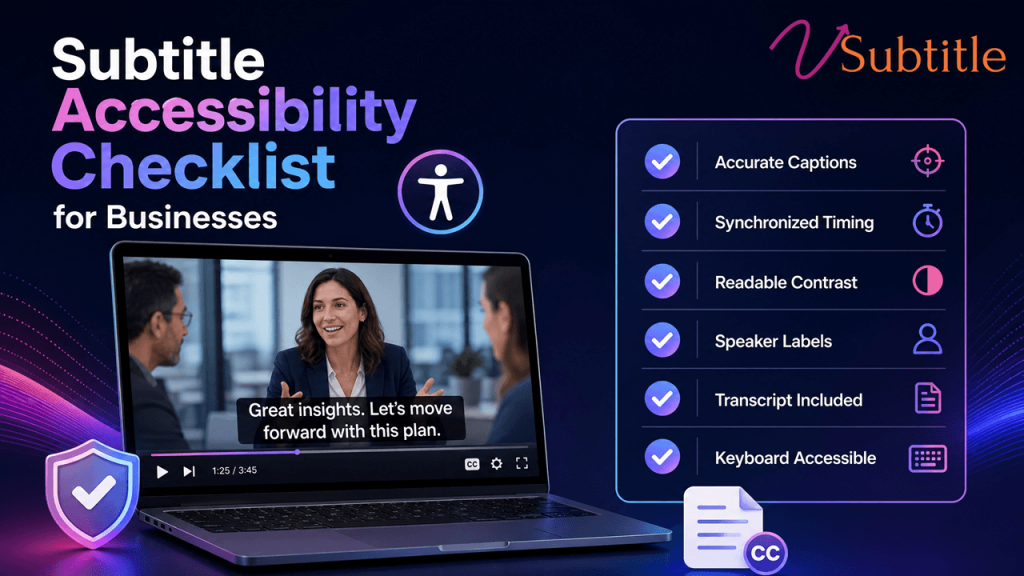
A practical, non-legalese checklist for making sure every video your business publishes actually meets 2026’s accessibility bar. Digital accessibility lawsuits have been climbing sharply year over year, and video content — specifically, video without accurate captions — is an increasingly common target. Courts have consistently treated business websites and the video on them as places of public accommodation under the ADA, and the compliance deadlines tied to WCAG 2.1 Level AA are no longer a distant future concern: public entities serving larger populations already faced an April 2026 deadline, with smaller entities and private organizations close behind on a staggered timeline through 2027 and 2028. None of this needs to feel like a legal minefield. Most of what “accessible subtitles” actually requires is concrete and checkable: accurate text, correct timing, the right file format, and a few structural details many teams simply haven’t been told to look for. This checklist walks through exactly what a business needs to verify, organized the way a real audit would be run, rather than as an abstract summary of regulations. Why This Belongs on Every Business’s Checklist Now Two separate forces are pushing accessible video from a nice-to-have into a standard operating requirement. The legal side is straightforward: digital accessibility lawsuits were tracking substantially higher in 2025 than the year before, and video without captions is a common, easily identifiable target for a complaint. The business side is arguably even more persuasive on its own: a large majority of people say they’re more likely to watch a video through to the end when captions are available, and a meaningful share of viewers use captions regularly regardless of hearing ability — driven as much by sound-off viewing habits as by any accessibility need. Factor What It Means for a Business Digital accessibility lawsuits rising sharply year over year Video without captions is an easy, identifiable compliance gap for a complaint to target WCAG 2.1/2.2 Level AA deadlines for public entities phasing in through 2026–2028 Government, education, and healthcare organizations face hard legal deadlines, not just best-practice guidance Private businesses treated as “places of public accommodation” under ADA Title III in multiple court rulings Even without a specific statutory deadline, private businesses face active litigation risk today ~87% of Americans use captions at least sometimes Captions are now a mainstream viewing preference, not a narrow accommodation A large majority of viewers report being more likely to finish a captioned video Accessibility work and engagement performance point in the same direction, not opposite ones The Legal Frameworks in Plain Terms A business doesn’t need to become a compliance expert to act correctly here, but knowing which framework applies helps set the right bar: For a broader walkthrough of how these frameworks fit together and what “accessible” actually means in practice, our ultimate guide to video accessibility covers the full landscape in more depth than this checklist alone. The Core Subtitle Accessibility Checklist Content Accuracy Timing and Synchronization Format and Technical Delivery If your team is still deciding between subtitle file formats for different delivery contexts, our SRT vs VTT vs ASS format guide breaks down which format fits which use case. SDH and Non-Dialogue Audio For a deeper look at what distinguishes SDH from plain subtitles and why that distinction matters for genuine accessibility, our guide to making video content deaf-friendly covers this in detail. Supplementary Materials Multilingual and Global Considerations Process and Documentation The Cost of Getting This Wrong vs. Getting It Right It’s worth being direct about the numbers on both sides of this decision. Digital accessibility litigation frequently results in settlement and remediation costs well into five figures per incident, before accounting for legal fees, reputational impact, or the cost of the remediation work a court or settlement agreement may require anyway. Against that, captioning a video library with modern AI-assisted transcription tools costs a small fraction of that per video, and the same investment simultaneously improves watch-through, search visibility, and usability for the large share of viewers who use captions by preference rather than necessity. Framed this way, subtitle accessibility isn’t really a compliance line item competing against other budget priorities — it’s closer to an unusually cheap insurance policy that also happens to improve the core metrics most video content is already trying to move. Organizations that treat it as a standard part of the publishing workflow, rather than a separate remediation project revisited only after a complaint, consistently spend less overall than those that wait. Prioritizing a Large or Backlogged Video Library Most businesses discover the same problem when they start this process: dozens or hundreds of existing videos with no captions at all, and no realistic way to fix all of them at once. A phased approach works better than an attempt to remediate everything simultaneously: Compliance Gaps Businesses Commonly Miss Making This Checklist Realistic to Execute The technical requirements above are straightforward individually, but doing them consistently — across every new upload and an existing backlog — is where most organizations fall behind, especially without a dedicated accessibility or localization team. vSubtitle’s AI subtitle generator is built to close that gap: it produces accurate, editable captions directly from a video’s audio, supports the review pass needed to hit the 97%+ accuracy threshold this checklist calls for, and exports to SRT, VTT, TXT, and DFXP — covering the closed-caption delivery formats most compliance frameworks expect. Translation into 100+ languages extends the same workflow to multilingual and EAA-relevant content without a separate production pass for each language. For teams building this process from the ground up, our beginner’s guide to AI subtitling is a useful starting point before tackling a full accessibility audit. Key Takeaways None of this requires an enterprise compliance budget to get right. It requires a checklist, a prioritized plan for the backlog, and a workflow that keeps every new video accessible by default — treating captioning as a standard step in publishing, not a remediation project perpetually pushed to next quarter. Frequently Asked Questions (FAQs)

Scroll to Top