
vSubtitle

New Here? Get Your First 30 Minutes FREE - Limited Time Only!

Subtitling Standards

open-captions-vs-closed-captions-vs-sdh
Subtitling Standards, Accessibility & Compliance, Video SEO

Open Captions vs Closed Captions vs SDH

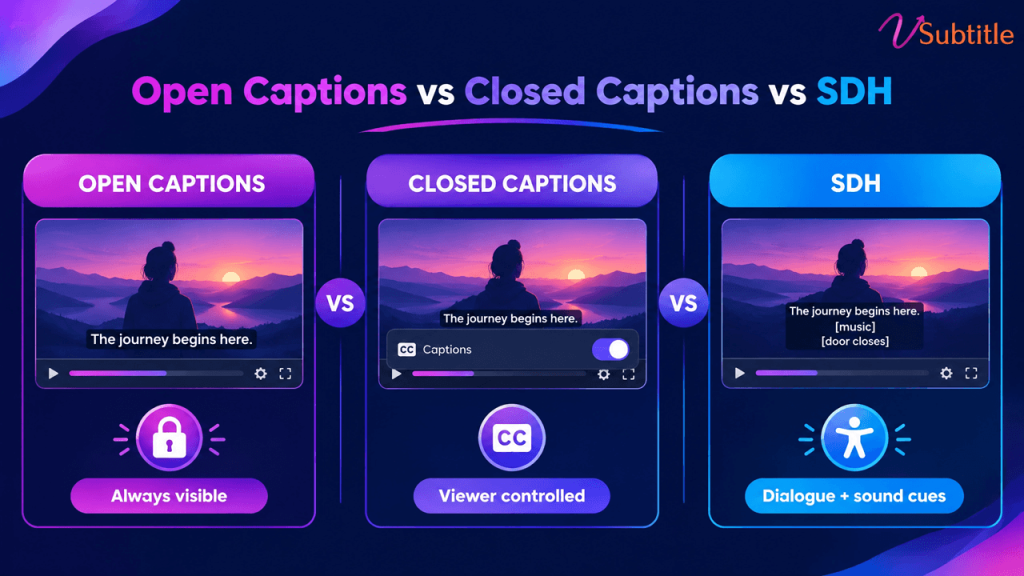
Open a streaming menu and you’ll see “English,” “English [CC],” and “English SDH” listed like three flavors of the same thing. They’re not — and mixing them up in a delivery brief is one of the more expensive mistakes in video production. “Captions,” “subtitles,” and “SDH” get used interchangeably in everyday conversation, but they describe genuinely different things — different content, different technical delivery, and in many cases, different legal requirements. The confusion isn’t just semantic. Deliver translated subtitles when a broadcaster specifically asked for closed captions, and the file gets rejected, because it’s missing the non-speech audio information a deaf viewer actually needs. Caption use overall has grown enormously in recent years — by some measures over 500% since 2021 — which means more teams than ever are producing these files without necessarily knowing which one they’re supposed to be making. This guide breaks the three terms apart cleanly: what each one actually contains, how each is technically delivered, when each is legally required, and how to decide which one a given piece of content actually needs. Two Separate Questions Hiding Inside These Labels Most of the confusion clears up once it’s clear that “open vs. closed” and “captions vs. subtitles vs. SDH” are actually answering two different questions: These two questions are independent of each other. A file can be closed (toggleable) and contain subtitle-only content, or closed and contain full caption-level detail, or — as with SDH — be delivered as a subtitle-style file that actually carries caption-level content. Keeping the two questions separate is the single fastest way to stop the terms from blurring together. Open Captions Open captions are burned permanently into the video image itself. There’s no separate track and no toggle — the text is part of the picture, indistinguishable from the rest of the frame to the video player. Whoever watches the video sees the captions; there’s no way to turn them off. This is the format used almost universally across TikTok, Reels, and YouTube Shorts content, precisely because it guarantees the text shows up regardless of device, app, or whether a viewer even knows captions exist as a feature to enable. For a format built around muted, scroll-past viewing, that guarantee is the entire point — a viewer who scrolls past with the sound off sees the text immediately, with zero extra steps. Open captions are also gaining ground beyond social video specifically: several US states and cities have passed legislation requiring movie theaters to offer a set number of open-caption screenings, reflecting a push to make accessibility the default experience in at least some showings rather than something that requires a special device. For creators producing vertical social content where open captions are standard, our Instagram Reel caption generator is built specifically around this burned-in format and the safe-zone placement it requires. Closed Captions (CC) Closed captions are stored as a separate track from the video and decoded on request — the viewer can toggle them on or off, and they’re delivered as caption data rather than baked into the video image. Content-wise, closed captions are built for viewers who can’t hear the audio at all: they include not just dialogue, but speaker identification, sound effects, and music cues — everything a hearing viewer would otherwise pick up from the audio track itself. Closed captions carry real legal weight in the US specifically. The 21st Century Communications and Video Accessibility Act (CVAA) requires that video previously aired on television include closed captions when distributed online, following broadcast technical standards like CEA-608 or CEA-708, enforced by the FCC. This is distinct from WCAG-driven web accessibility requirements, which apply more broadly to any prerecorded video with synchronized audio, regardless of broadcast history. SDH: Subtitles for the Deaf and Hard of Hearing SDH is where the content question and the delivery question intersect in a way that trips people up the most. SDH delivers caption-level content — dialogue, sound effects, speaker labels — inside a subtitle-style file format, rather than through a broadcast-style closed-caption track. It was created specifically to bridge a gap traditional subtitles couldn’t fill: subtitles assume the viewer can hear everything except the dialogue, while SDH assumes the viewer can’t hear any of it, but still gets delivered in the more flexible, easily portable subtitle file format. This is why streaming platforms overwhelmingly use SDH rather than traditional broadcast-style closed captions: subtitle files travel far more easily across different streaming apps and devices than a broadcast CC signal does, and SDH — unlike traditional closed captions — can also be translated into other languages while retaining its full caption-level content. On a service like Netflix, what’s often labeled “English [CC]” in the menu is, technically, SDH. For a deeper look at why this distinction matters for genuine accessibility — not just technical compliance — our guide to making video content deaf-friendly covers what separates a merely-present caption track from one that actually serves a deaf or hard-of-hearing viewer well. Side-by-Side Comparison Factor Open Captions Closed Captions (CC) SDH Can the viewer turn it off? No — burned into the video Yes — separate toggleable track Yes — separate toggleable track Content included Varies by use — often dialogue only Dialogue, speaker IDs, sound effects Dialogue, speaker IDs, sound effects Can it be translated? Rarely, without a new burned-in version Not typically Yes — a key advantage over traditional CC Common file formats Burned-in MP4 (no separate file) SCC, CEA-608/708 TTML, SRT, VTT (subtitle-style formats) Typical use case Social video (TikTok, Reels, Shorts), some theater screenings US broadcast and previously-aired content distributed online Streaming platforms (Netflix, Amazon Prime Video, and similar) Governed by Platform norms, some local theater legislation CVAA / FCC (for prior-broadcast content) Platform-specific delivery specs; WCAG-aligned Which One Do You Actually Need? The right choice depends on the platform, the audience, and — increasingly — the specific legal framework the content falls under, rather than a single universal answer: For a fuller walkthrough of how these accessibility
subtitle-accessibility-checklist-for-businesses
Accessibility & Compliance, Business Guides, Subtitling Standards

Subtitle Accessibility Checklist for Businesses

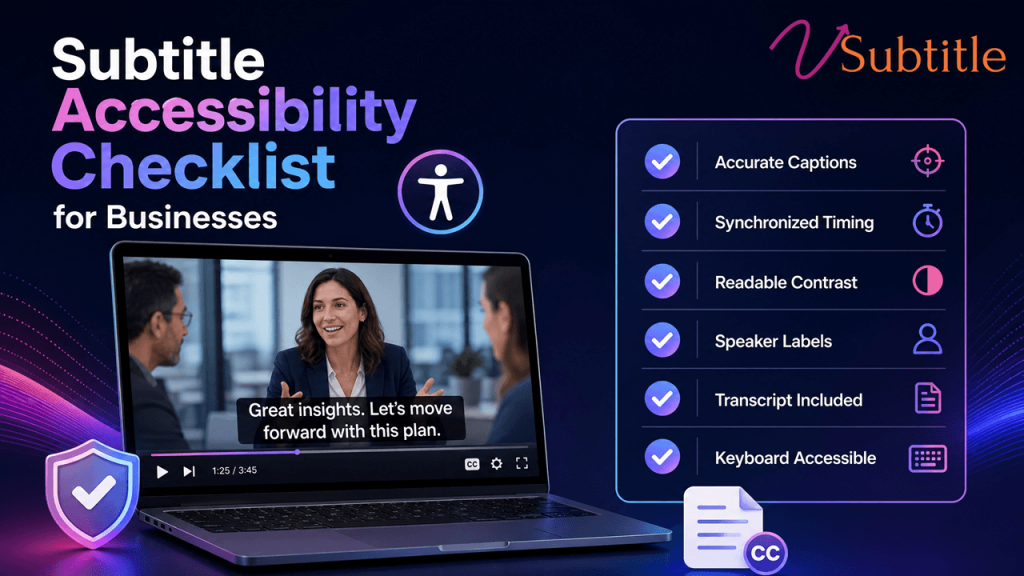
A practical, non-legalese checklist for making sure every video your business publishes actually meets 2026’s accessibility bar. Digital accessibility lawsuits have been climbing sharply year over year, and video content — specifically, video without accurate captions — is an increasingly common target. Courts have consistently treated business websites and the video on them as places of public accommodation under the ADA, and the compliance deadlines tied to WCAG 2.1 Level AA are no longer a distant future concern: public entities serving larger populations already faced an April 2026 deadline, with smaller entities and private organizations close behind on a staggered timeline through 2027 and 2028. None of this needs to feel like a legal minefield. Most of what “accessible subtitles” actually requires is concrete and checkable: accurate text, correct timing, the right file format, and a few structural details many teams simply haven’t been told to look for. This checklist walks through exactly what a business needs to verify, organized the way a real audit would be run, rather than as an abstract summary of regulations. Why This Belongs on Every Business’s Checklist Now Two separate forces are pushing accessible video from a nice-to-have into a standard operating requirement. The legal side is straightforward: digital accessibility lawsuits were tracking substantially higher in 2025 than the year before, and video without captions is a common, easily identifiable target for a complaint. The business side is arguably even more persuasive on its own: a large majority of people say they’re more likely to watch a video through to the end when captions are available, and a meaningful share of viewers use captions regularly regardless of hearing ability — driven as much by sound-off viewing habits as by any accessibility need. Factor What It Means for a Business Digital accessibility lawsuits rising sharply year over year Video without captions is an easy, identifiable compliance gap for a complaint to target WCAG 2.1/2.2 Level AA deadlines for public entities phasing in through 2026–2028 Government, education, and healthcare organizations face hard legal deadlines, not just best-practice guidance Private businesses treated as “places of public accommodation” under ADA Title III in multiple court rulings Even without a specific statutory deadline, private businesses face active litigation risk today ~87% of Americans use captions at least sometimes Captions are now a mainstream viewing preference, not a narrow accommodation A large majority of viewers report being more likely to finish a captioned video Accessibility work and engagement performance point in the same direction, not opposite ones The Legal Frameworks in Plain Terms A business doesn’t need to become a compliance expert to act correctly here, but knowing which framework applies helps set the right bar: For a broader walkthrough of how these frameworks fit together and what “accessible” actually means in practice, our ultimate guide to video accessibility covers the full landscape in more depth than this checklist alone. The Core Subtitle Accessibility Checklist Content Accuracy Timing and Synchronization Format and Technical Delivery If your team is still deciding between subtitle file formats for different delivery contexts, our SRT vs VTT vs ASS format guide breaks down which format fits which use case. SDH and Non-Dialogue Audio For a deeper look at what distinguishes SDH from plain subtitles and why that distinction matters for genuine accessibility, our guide to making video content deaf-friendly covers this in detail. Supplementary Materials Multilingual and Global Considerations Process and Documentation The Cost of Getting This Wrong vs. Getting It Right It’s worth being direct about the numbers on both sides of this decision. Digital accessibility litigation frequently results in settlement and remediation costs well into five figures per incident, before accounting for legal fees, reputational impact, or the cost of the remediation work a court or settlement agreement may require anyway. Against that, captioning a video library with modern AI-assisted transcription tools costs a small fraction of that per video, and the same investment simultaneously improves watch-through, search visibility, and usability for the large share of viewers who use captions by preference rather than necessity. Framed this way, subtitle accessibility isn’t really a compliance line item competing against other budget priorities — it’s closer to an unusually cheap insurance policy that also happens to improve the core metrics most video content is already trying to move. Organizations that treat it as a standard part of the publishing workflow, rather than a separate remediation project revisited only after a complaint, consistently spend less overall than those that wait. Prioritizing a Large or Backlogged Video Library Most businesses discover the same problem when they start this process: dozens or hundreds of existing videos with no captions at all, and no realistic way to fix all of them at once. A phased approach works better than an attempt to remediate everything simultaneously: Compliance Gaps Businesses Commonly Miss Making This Checklist Realistic to Execute The technical requirements above are straightforward individually, but doing them consistently — across every new upload and an existing backlog — is where most organizations fall behind, especially without a dedicated accessibility or localization team. vSubtitle’s AI subtitle generator is built to close that gap: it produces accurate, editable captions directly from a video’s audio, supports the review pass needed to hit the 97%+ accuracy threshold this checklist calls for, and exports to SRT, VTT, TXT, and DFXP — covering the closed-caption delivery formats most compliance frameworks expect. Translation into 100+ languages extends the same workflow to multilingual and EAA-relevant content without a separate production pass for each language. For teams building this process from the ground up, our beginner’s guide to AI subtitling is a useful starting point before tackling a full accessibility audit. Key Takeaways None of this requires an enterprise compliance budget to get right. It requires a checklist, a prioritized plan for the backlog, and a workflow that keeps every new video accessible by default — treating captioning as a standard step in publishing, not a remediation project perpetually pushed to next quarter. Frequently Asked Questions (FAQs)

disney-plus-vs-amazon-prime-video-subtitle-standards
Subtitling Standards, Streaming & OTT, Video Localization

Disney+ Subtitle Standards vs Amazon Prime Video: What’s Actually Different

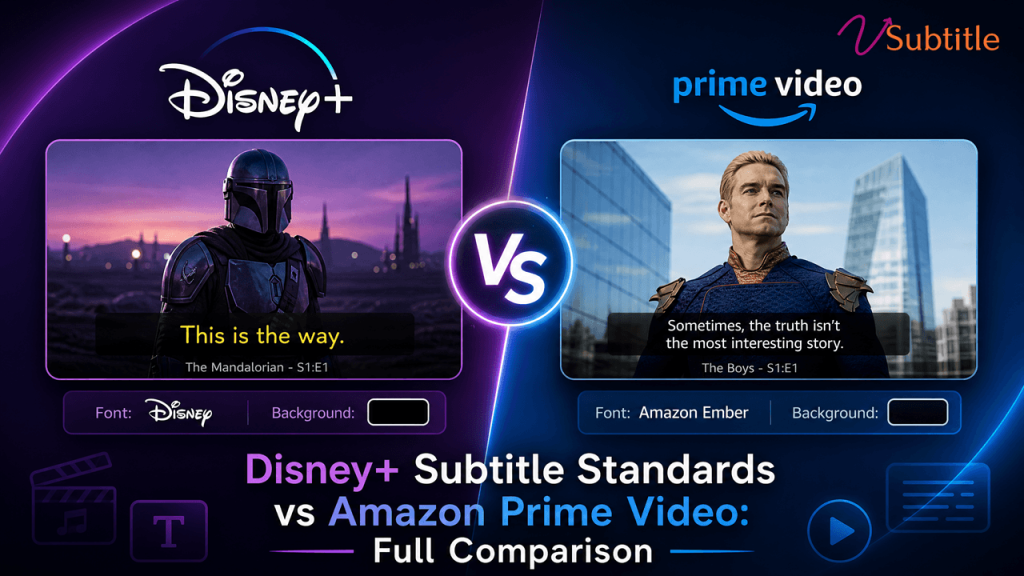
Both platforms agree on how fast a viewer should read. They disagree on almost everything about how that text has to be delivered. Streaming platforms don’t just accept subtitle files — they enforce detailed technical specifications, and a file built for one platform routinely fails automated quality control on another. Disney+ and Amazon Prime Video are a useful pair to compare because they sit close together on the fundamentals that actually affect how a subtitle reads — speed, line length, duration — while diverging sharply on the formats, delivery mechanics, and territory rules that determine whether a technically correct file is even accepted in the first place. This comparison breaks down exactly where Disney+ and Amazon Prime Video align, where they differ, and what that means in practice for anyone delivering subtitles to either platform — whether that’s a studio localization team, an independent filmmaker using Prime Video Direct, or a production house preparing deliverables for both at once. It’s worth noting up front that neither platform publishes every detail of its specification as openly as Netflix does with its Timed Text Style Guide. Disney+ manages much of its documentation through approved vendor relationships, and Amazon’s Video Central portal is the authoritative source for delivery partners rather than a single public style guide. The comparison below reflects the technical specifications and requirements that are documented and consistently reported across industry sources, and any team preparing an actual delivery should confirm current details directly with the platform or an approved vendor before submission, since these specifications are updated periodically. Why the Differences Matter A subtitle file is typically rejected before a human reviewer ever sees it. Automated quality-control systems check format compliance, encoding, timing, and reading speed against the platform’s exact specification, and a mismatch — the wrong container format, a timecode that doesn’t start where the platform expects, an unsupported character — fails the file outright, regardless of how accurate or well-timed the translation is. Understanding precisely where Disney+ and Amazon’s requirements diverge is what prevents a deliverable built for one platform from bouncing off the other’s QC system on the first submission. File Format: The Biggest Practical Difference This is where the two platforms differ most. Disney+ standardizes on IMSC 1.1, a TTML profile purpose-built for subtitle and caption delivery, as its primary format across most content. Amazon Prime Video takes a broader approach, accepting several formats depending on whether the file is a closed caption or a dialogue-only subtitle: DFXP/TTML, SRT, and iTT for subtitles, with STL, DFXP, SCC, and SRT accepted for closed captions. That flexibility on Amazon’s side is convenient but comes with a caveat worth flagging clearly: SCC is accepted for captions only and will be rejected if submitted as a standard subtitle file. Disney+, by contrast, offers far less format flexibility — content built outside the IMSC 1.1 profile generally needs to be reconformed before it will pass Disney’s delivery pipeline. Japanese content adds another layer of divergence. Disney+ publishes its own Japanese Subtitles IMSC 1.1 specification, keeping Japanese inside the same TTML family used for its other languages. Amazon instead requires Japanese timed text to be delivered as Lambda Cap (.cap) — a distinct format with no equivalent requirement on Disney+. Side-by-Side: Core Technical Requirements Requirement Disney+ Amazon Prime Video Primary format IMSC 1.1 DFXP/TTML, SRT, or iTT (subtitles); STL, DFXP, SCC, or SRT (captions) Japanese format IMSC 1.1 (Disney’s own Japanese spec) Lambda Cap (.cap) — required, no alternative Minimum duration 1 second 1 second Maximum duration 7 seconds 7 seconds Max reading speed 20 CPS 20 CPS Max characters per line 42 42 Max lines per event 2 2 (up to 3 for closed captions) Encoding UTF-8 UTF-8 (mandatory, no alternative accepted) Timecode start Platform-conformed via approved vendors Must start at 00:00:00:00 — no offset supported SDH / captions Required for accessibility Preferred over standard subtitles; mandatory in the US Where Disney+ and Amazon Actually Agree Strip away the formatting and delivery mechanics, and the two platforms are nearly identical on the metrics that determine how a subtitle actually reads on screen: This convergence isn’t a coincidence — it reflects a broader industry standardization around what makes subtitles genuinely readable, largely shaped by the same research and viewer-testing that produced Netflix’s widely referenced Timed Text Style Guide. Where the platforms diverge is almost entirely in delivery mechanics rather than the reading experience itself. Amazon’s Territory-Specific Rules Amazon Prime Video’s requirements shift by region in a way Disney+’s published specifications don’t emphasize to the same degree: Amazon also requires a separate Forced Narrative file for every dubbed audio track included in a multi-audio package — text that displays automatically based on the viewer’s audio selection, not as an optional subtitle. The locale of that file has to match the corresponding audio track exactly; a mismatch means it silently fails to appear when subtitles are turned off, a notoriously hard failure to catch after the fact. What’s Distinctive About Disney+’s Requirements Disney+’s public-facing documentation is comparatively narrower than Amazon’s — delivery specifications are managed primarily through its network of approved vendors rather than a broadly published self-serve technical portal. In practice, this means: The net effect is a platform that’s less flexible on format but, once a vendor is aligned with its IMSC 1.1 pipeline and style guide, highly consistent — precisely because there are fewer accepted variants to manage in the first place. Where Deliverables Most Often Go Wrong A Practical Approach for Delivering to Both Platforms Teams preparing subtitles for both Disney+ and Amazon Prime Video generally get the best results by building once against the strictest shared baseline, then branching for platform-specific delivery rather than starting from scratch for each: vSubtitle supports this exact branch-once, deliver-many workflow. It generates accurate source captions and translations across 100+ languages, keeps every event’s timing intact through the translation process, and exports to the SRT, VTT, TXT, and DFXP formats that cover the bulk of Amazon’s accepted formats and the reformatting starting point

Scroll to Top