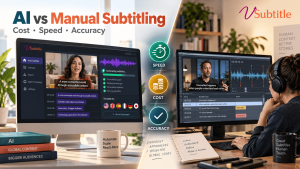
If you publish video regularly, you have probably asked the question every content team eventually faces: should we type, time and proofread every subtitle by hand, or let an AI subtitle generator do the heavy lifting? Both approaches work, but they solve different problems, and the gap between them has changed dramatically in the last few years.
Manual subtitling gives you human judgment and editorial polish, but it is slow and expensive to scale. An AI subtitle generator such as vSubtitle turns a finished video into editable, time-coded subtitles in minutes and at a fraction of the price, though high-stakes content still deserves a careful review step.
In this guide we compare AI subtitle generators and manual subtitling on the three factors that matter most: cost, speed and accuracy. We also cover where each method breaks down, when a hybrid workflow is the smartest option, and how to decide for your own videos.
Key Takeaways
| Cost: Manual subtitling is typically billed per media minute and multiplies with every extra language. An AI subtitle generator usually costs a small fraction of that, which makes multilingual publishing realistic for small teams. Speed: A human subtitler may need several hours of work for every hour of video. AI delivers a first draft in minutes, and reviewing a draft is far quicker than typing from scratch. Accuracy: Skilled human subtitlers are generally benchmarked at 99% or higher. AI is strongest with clear audio. vSubtitle reports up to 97.8% accuracy, which is excellent for a first draft but still benefits from a quick review. Manual still wins for legal evidence, broadcast and film, medical content, and creative translation where tone, humour and nuance matter most. The hybrid workflow wins for most teams: let AI generate the subtitles, then have a human fix names, jargon and numbers. You keep most of the speed and savings while closing most of the accuracy gap. Match the method to the risk: use AI-first for social clips, courses, webinars and internal training; use human-led or human-verified work where an error could cause legal, financial or safety problems. |
What Is Manual Subtitling, and What Is an AI Subtitle Generator?
Before comparing them, it helps to define both methods clearly, because “manual” can mean anything from a solo freelancer to a full agency pipeline.
Manual subtitling means a person listens to the audio, transcribes every line, splits the text into readable subtitle blocks, sets in and out timecodes, and checks reading speed and line breaks. For foreign-language subtitles, a translator is added to the chain. Professional teams often use separate people for transcription, timing and quality review, which improves quality but also adds time and cost.
An AI subtitle generator uses speech recognition to convert audio into text, aligns that text to the video automatically, and can translate the result into other languages. You upload a file, choose your language and style, and receive an editable subtitle file. With vSubtitle, that means support for 100+ languages, a built-in editor for timing and styling, and exports in SRT, VTT and JSON. You can try the workflow with the auto subtitle generator or the auto caption generator.
If you are new to the technology, our beginner-friendly guide to AI subtitling explains how the process works step by step.
Cost: How Much Does Each Approach Really Cost?
Cost is usually the first reason teams look at AI, and for good reason. The two methods are priced in completely different ways.
What manual subtitling costs
Professional human captioning is commonly priced per media minute, often somewhere in the range of $1 to $3 or more, depending on turnaround and quality level. Subtitle translation is usually quoted per minute for each target language, and human translation often runs several dollars per minute per language. Rush delivery, specialised terminology and difficult audio typically add surcharges. Freelancers can be cheaper, but quality and availability vary from project to project.
There are also hidden costs. Every revision round, every change to the video and every new language triggers more billable work, and someone on your team has to manage briefs, files and feedback.
What an AI subtitle generator costs
AI pricing is built around usage rather than labour. On vSubtitle, billing is based on output minutes, and once a set of captions or translations has been generated, downloading it again is free. You can also start with free minutes on a new account, so you can test accuracy on your own videos before spending anything. The real cost to plan for is the reviewer’s time, and that is much smaller than the time needed to transcribe from scratch.
An illustrative example
The figures below are illustrative estimates using typical market ranges. They show how quickly manual costs multiply, not a quote from any provider. Imagine a company with 10 hours (600 minutes) of training videos that it wants subtitled in English plus four other languages.
| Scenario | Manual subtitling (illustrative) | AI subtitle generator |
|---|---|---|
| English subtitles, 600 min | $900 to $1,800 at about $1.50 to $3 per minute | A small fraction of the manual cost, plus light review time |
| Four extra languages | About $9,600 to $19,200 at roughly $4 to $8 per minute per language | Translation generated in the same workflow, plus a native-speaker spot check where needed |
| Total (approx.) | $10,500 to $21,000 | Typically a small percentage of the manual total |
| Update after a video edit | Often re-quoted or billed as a revision | Re-generate or edit the file directly in the subtitle editor |
When the cost gap narrows
For a single 90-second brand film that will run on national television, paying a premium for human craftsmanship is a small line item compared with the media spend behind it. The cost advantage of AI grows with volume, with the number of languages, and with how often your content changes. That is why course creators, marketing teams and training departments feel the difference most.
Speed: Minutes vs Days
Speed is where the gap is widest. Subtitling by hand is skilled, detailed work, and it does not compress easily.
A commonly cited rule of thumb is that careful manual transcription takes several hours of effort for every hour of audio, and timing, line-breaking and quality checks add more on top. Agencies often quote turnaround in days rather than hours, and translation into several languages can stretch that further. Rush options exist, but they cost more.
An AI subtitle generator works on a different scale. vSubtitle’s cloud processing is built to handle hours of footage in minutes, and the platform reports processing that is about three times faster than traditional methods. You get a complete first draft quickly, then spend your time on the part that actually needs a human: checking and polishing.
Speed matters for more than convenience. If you publish daily, react to news, or record a weekly webinar, waiting two days for subtitles means the content is already stale. It also affects performance: videos that go live with captions from the start tend to be more watchable in sound-off environments. Our guide on adding subtitles to Zoom and Teams recordings shows how fast turnaround helps with retention.
| Task | Manual subtitling | AI subtitle generator |
|---|---|---|
| First draft of 60-minute video | Several hours of work; often 1 to 3 days turnaround | Typically minutes |
| Timing and sync | Set by hand or semi-manually | Auto-aligned to speech |
| Adding a new language | New translation job, often days | Generated in the same workflow |
| Fixing a mistake | Send back to the vendor or fix manually | Edit directly in the editor |
Accuracy: Where Humans Lead and Where AI Has Caught Up
Accuracy is the most debated of the three factors, so it deserves a careful look rather than a slogan.
What the numbers mean
Professional human captioning is generally benchmarked at 99% accuracy or higher, which is also the level most accessibility guidance points to. AI accuracy varies much more with the recording. On clean, single-speaker audio, modern speech recognition performs very well, while background noise, strong accents, overlapping voices and technical vocabulary pull the number down.
vSubtitle reports accuracy of up to 97.8%. In plain terms, that is roughly two errors in every 100 words, which is a strong starting point, but a 30-minute interview contains several thousand words, so a handful of errors will still need fixing. Always test any tool on your own typical footage before committing.
Where AI struggles
- Proper nouns and brand names: unusual names, product names and acronyms are often misheard.
- Homophones and context: words that sound identical can be swapped when the surrounding sentence is ambiguous.
- Non-speech information: sound cues such as [applause] or [door slams], and speaker labels, often need a human touch for full accessibility.
- Heavy jargon: medical, legal and scientific terms need verification. See how this plays out in our articles on medical educators and complex terminology and AI subtitling for legal depositions.
Where humans struggle
Humans are not flawless either. Fatigue causes typos and missed lines on long files, style choices drift between different subtitlers on the same series, and timing can slip across hours of footage. AI is consistent: it applies the same rules to minute 1 and minute 600. That consistency is why many teams find AI plus review produces a more uniform result across big libraries than a rotating cast of freelancers.
Translation quality
Machine translation has improved a lot, but idioms, humour, cultural references and brand voice remain a human strength. For marketing content that will be judged by native speakers, a quick review by a fluent reviewer is a worthwhile safeguard. For informational content such as tutorials, product demos and lectures, AI translation is usually a practical, accurate foundation. Our post on multilingual captions and YouTube watch time shows why the reach gained is often worth it.
AI Subtitle Generator vs Manual Subtitling: Side-by-Side
| Factor | AI subtitle generator | Manual subtitling | Edge |
|---|---|---|---|
| Cost | Low per minute; scales cheaply across languages | Higher per minute; multiplies per language | AI |
| Speed | Minutes | Hours to days | AI |
| Raw accuracy | Strong on clear audio (vSubtitle up to 97.8%) | Typically 99%+ with skilled reviewers | Manual |
| Consistency | Same rules applied across every video | Varies by person and fatigue | AI |
| Nuance and creativity | Needs review for tone and idiom | Excellent editorial judgment | Manual |
| Scalability | Handles large libraries easily | Limited by people and budget | AI |
| Revisions | Instant edits and re-exports | Usually another job or fee | AI |
When Manual Subtitling Is Still the Better Choice
AI is not the right answer for every project, and being honest about that is what makes a good decision. Manual or human-led work remains the safer path when:
- Errors carry legal or financial risk, such as court recordings, depositions, compliance training or regulated disclosures.
- You are subtitling film, TV or premium broadcast content where reading rhythm, artful line breaks and strict style guides define quality.
- The audio is very difficult: several people talking over each other, heavy dialect, low-quality field recordings or music-heavy scenes.
- Creative translation is the point, for example comedy, poetry, advertising slogans or storytelling that must feel native in each market.
- A certified transcript is required by an institution, court or regulator.
Even in these cases, AI can still shorten the job. Many professionals now start from an AI draft and apply their expertise on top of it.
The Hybrid Workflow: AI Speed With Human Judgment
For most organisations, the best answer is not AI or manual, but AI first and human second. This approach captures most of the speed and savings while closing most of the accuracy gap. Here is how it works in practice with vSubtitle:
- Upload your video to the vSubtitle platform and pick the source language and the subtitle style you need.
- Generate the subtitles and translations. The AI produces time-coded text and, if you choose, additional languages in the same run.
- Review in the editor. Focus on names, numbers, product terms and anything technical. Do not re-read everything word by word; scan with the audio playing and fix what stands out.
- Add a specialist check where it counts. Have a native speaker skim translated versions of customer-facing or brand-critical videos. Teams can use the review workflow and real-time collaborative editing to share this work.
- Export the right format. Download SRT or VTT for most platforms, or JSON for custom pipelines. If you are unsure which to choose, our SRT vs VTT vs ASS format guide breaks down the differences.
A useful habit is to keep a short glossary of brand names, people and technical terms. Reviewers can then fix recurring misspellings quickly, and each project becomes faster than the last.
How to Choose: A Practical Guide by Use Case
- Creators and social teams: AI-first. Speed and volume matter, and a light edit is enough. Our guide to adding captions to TikTok videos is a good place to start.
- Online courses and e-learning: AI-first with review. Accessibility expectations are rising, so read about the legal requirements for captions in online courses and see how vSubtitle supports subtitles for online courses.
- Corporate training and internal comms: AI-first, multilingual by default. Explore subtitles for corporate training videos to see how teams roll out content across regions.
- Global marketing and product videos: hybrid. Use the AI video translator for speed, then add native-speaker review for tone.
- Legal, medical and regulated content: human-verified. Use AI for the draft and expert reviewers for sign-off.
- Film and broadcast: human-led, with AI assisting at the transcription stage.
Whichever route you choose, remember that subtitles are also an accessibility tool. Our ultimate guide to video accessibility explains how accurate captions help deaf and hard-of-hearing viewers as well as people watching without sound.
Final Thoughts: Which Should You Choose?
The AI subtitle generator vs manual subtitling debate is less of a contest than it looks. AI wins decisively on cost and speed, and it is closing the accuracy gap every year. Manual work still leads when nuance, certification or zero-error tolerance is required. For the majority of everyday video, the hybrid approach gives you the best balance: fast, affordable and accurate enough to publish with confidence.
If you want to see the difference on your own footage, vSubtitle lets you create a free account and test the workflow on a real video. At the time of writing, new users can claim their first 30 minutes free. Start for free here and judge the accuracy, speed and editing experience for yourself.
Frequently Asked Questions (FAQs)
Is an AI subtitle generator as accurate as manual subtitling?
On clear audio, a good AI subtitle generator can come close, and vSubtitle reports up to 97.8% accuracy. Skilled human subtitlers are generally benchmarked at 99% or higher, so AI is best treated as a fast first draft that you review, especially for technical or high-stakes content.
How much cheaper is AI subtitling than manual subtitling?
AI subtitling is typically a small fraction of the cost of human work, and the gap widens with every extra language. Manual services are usually billed per media minute, and translation is billed again per language, while AI platforms generate multiple languages in one workflow.
How long does manual subtitling take compared with AI?
Manual subtitling often takes several hours of work for each hour of video, and agency turnaround is commonly measured in days. An AI subtitle generator produces a full first draft in minutes, leaving only the review step.
Can AI subtitles be used for accessibility compliance?
AI subtitles can form the basis of accessible captions, but accessibility standards expect high accuracy and complete information, including speaker identification and meaningful sound cues. Review and correct the AI draft before publishing, particularly for education, government or legal content.
When should I use human subtitlers instead of AI?
Choose human-led work for legal evidence, broadcast and film, medical or regulated content, very poor audio, and creative translation where tone and culture are critical. Even then, starting from an AI draft can reduce time and cost.
What is the best way to combine AI and manual subtitling?
Generate subtitles with AI, review names, numbers and jargon in an editor, and add a native-speaker check for translations that face customers. This hybrid workflow keeps most of the speed and savings while improving accuracy.
Which subtitle file formats does vSubtitle support?
vSubtitle lets you export subtitles as SRT and VTT files, as well as JSON, and you can embed captions directly into your videos. SRT and VTT work on most video platforms and players.
Relevant Articles
Keep exploring with these related guides from the vSubtitle blog:
- AI vs Human Captioning in 2026 – A broader look at how AI and human captioners compare.
- AI Subtitles vs YouTube Auto Captions – See how dedicated AI subtitling compares with built-in auto captions.
- Rev vs Otter vs vSubtitle: AI Captioning Comparison – A side-by-side look at popular AI captioning tools.
- Best Free Subtitle Generator 2026 – Free options and what to expect from them.
- How to Add Subtitles to a Video for Free – A simple walkthrough for adding subtitles at no cost.
- Top 10 AI Subtitling Tools – A shortlist of tools worth comparing.
- Subtitles Increase Time on Page and SEO – How subtitles support engagement and search performance.