

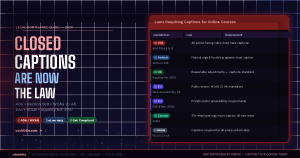
If you create, sell, or host online courses, this is the compliance update you cannot afford to ignore.
Across the United States, the United Kingdom, the European Union, and beyond, accessibility laws have been updated, enforced, and in many cases strengthened in recent years. For online course creators and eLearning platforms, the message is now unambiguous: closed captions are not optional. They are a legal requirement.
Lawsuits against universities, eLearning platforms, and individual course creators have multiplied. Regulatory bodies are issuing compliance notices. Courts have consistently ruled that inaccessible digital content — including video courses without captions — constitutes unlawful discrimination under disability law.
The good news: compliance is faster and more affordable than it has ever been. This guide covers the legal landscape clearly, explains exactly who is affected, and shows you how to get compliant using vSubtitle — in a fraction of the time you might expect.
| ⚠️ Legal disclaimer: This article provides general educational information about accessibility laws. It is not legal advice. If you have specific compliance questions or face legal proceedings, consult a qualified accessibility lawyer or compliance professional. |
1. The Legal Landscape: Laws That Require Captions for Online Courses
Captioning requirements for online courses don’t come from a single law — they flow from multiple overlapping legal frameworks across different jurisdictions. Here’s what applies and to whom:
| Jurisdiction | Law / Standard | Caption Requirement | Non-Compliance Risk |
| USA | ADA (Title II & III) | All pre-recorded video must have accurate closed captions | Lawsuits, OCR complaints, injunctions, fines |
| USA (Federal) | Section 508 | Federal agencies & federally funded orgs must caption all video content | Loss of federal funding, compliance orders |
| USA (Education) | IDEA / HEA | Educational institutions receiving federal funds must provide accessible content | Loss of federal education funding |
| UK | Equality Act 2010 | Reasonable adjustments required; captioned video is standard expectation | Tribunal claims, compensation orders |
| EU | Web Accessibility Directive | Public sector bodies must meet WCAG 2.1 AA — captions mandatory for all pre-recorded video | Enforcement action, public reporting |
| EU | European Accessibility Act (EAA) | Private sector companies must meet accessibility standards from June 2025 | Fines, market access restrictions |
| Global | WCAG 2.1 AA | Captions required for all pre-recorded audio/video content | Referenced in most national laws globally |
| Canada | AODA | Organisations with 50+ employees must caption all new video content | Fines up to CAD $100,000/day |
| ⚖️ The trend across all jurisdictions is unmistakeable: captions are moving from ‘best practice’ to ‘legal obligation’ — and enforcement is increasing year over year. |
2. Who Is Affected — Are You Required to Caption?
One of the most common questions course creators ask is: “Does this apply to me?” The answer depends on your organisation type, funding, and audience — but the scope is broader than most people assume.
Universities and Higher Education Institutions
Any university or college that receives federal funding in the US — which covers virtually all accredited institutions — is legally required to provide accessible course content under Section 504 of the Rehabilitation Act, the ADA, and the Higher Education Act. This includes all online courses, recorded lectures, and video-based learning materials. The Department of Education’s Office for Civil Rights (OCR) has issued hundreds of resolution agreements with universities over accessibility failures, with captioning consistently cited as a primary concern.
| ⚠️ Dozens of US universities — including Harvard, MIT, and major state systems — have faced OCR complaints and legal action over uncaptioned course video content. Settlements have included commitments to retrospectively caption thousands of hours of existing content. |
K-12 Schools and School Districts
Public schools receiving federal funding are covered by Section 504 and the Individuals with Disabilities Education Act (IDEA). Any video-based instructional content — including content assigned for homework, remote learning, or supplemental study — must be accessible to students with hearing disabilities. This obligation extends to third-party video content assigned by teachers if the school directs students to watch it.
Commercial eLearning Platforms and Course Marketplaces
Platforms like Teachable, Kajabi, Thinkific, Udemy, and Coursera — and the individual instructors who sell courses through them — are increasingly subject to ADA Title III requirements, which apply to places of public accommodation. Multiple federal courts have ruled that websites and online services qualify as places of public accommodation under the ADA. This means commercial course platforms and their content must meet accessibility standards.
| 📌 ADA Title III applies to any business that serves the public — including online course creators who sell to the general public. You do not need to be a large organisation or receive government funding for these obligations to apply. |
Corporate Training Departments
Section 508 of the Rehabilitation Act applies to federal agencies and organisations that receive federal contracts or funding. For any organisation that creates internal training video content and receives federal funding — including contractors, grantees, and many private sector organisations — captioning of all video training materials is a legal requirement, not a recommendation.
Individual Course Creators and Freelancers
If you sell online courses to the public — whether through a marketplace or your own platform — ADA Title III increasingly applies to your content. While enforcement against individual creators has historically been lower than against large institutions, this is changing. Class-action accessibility lawsuits targeting online businesses have increased significantly, and course creators with substantial audiences are increasingly named in complaints.
| ⚠️ A ‘small creator’ defence does not provide reliable legal protection under the ADA. Courts have found that the ADA applies regardless of business size when a service is offered to the public. |
3. What the Law Actually Requires — The Technical Standard
Understanding that captions are required is step one. Understanding what the law considers acceptable captions is equally important — because not all captions meet the legal standard.
WCAG 2.1 AA: The Benchmark
The Web Content Accessibility Guidelines (WCAG) 2.1 Level AA is the internationally recognised technical standard referenced in most accessibility laws. For video, the relevant criteria are:
- Success Criterion 1.2.2 (Captions — Prerecorded): Captions are provided for all prerecorded audio content in synchronised media.
- Success Criterion 1.2.4 (Captions — Live): Captions are provided for all live audio content in synchronised media.
- Success Criterion 1.2.9 (Audio-only — Live): Alternatives for time-based media for live audio-only content.
Crucially, WCAG 2.1 AA defines what counts as adequate captions. Auto-generated captions that haven’t been reviewed and corrected do not reliably meet this standard. The key requirements are:
| Requirement | What It Means in Practice |
| Accuracy | Captions must accurately reflect the spoken content. Errors that impede comprehension constitute a failure. Auto-captions with uncorrected errors don’t meet this bar. |
| Synchronisation | Captions must appear and disappear in sync with the audio they represent. Significant timing errors constitute a failure. |
| Completeness | All spoken dialogue and relevant non-speech audio (sound effects, music cues) must be captioned. |
| Proper identification | When multiple speakers are present, it must be clear who is speaking. |
| No obstruction | Captions must not permanently obscure important visual content in the video. |
| ✅ Key compliance point: YouTube’s auto-generated captions — and most unreviewed AI captions — do not reliably meet WCAG 2.1 AA accuracy standards. For legal compliance, captions must be reviewed, corrected, and meet the accuracy threshold. vSubtitle’s AI achieves 95%+ accuracy and provides a full editor to correct any remaining errors. |
4. The Real Consequences of Non-Compliance
Many course creators are aware that captioning requirements exist but assume enforcement is rare or targeted only at large institutions. This assumption is increasingly incorrect.
OCR Complaints and Investigations
The US Department of Education’s Office for Civil Rights received a record number of accessibility complaints in 2023 and 2024. The majority of these complaints are filed by individuals or disability advocacy organisations — not government regulators — meaning any student or viewer with a hearing disability can initiate a formal investigation of your course content. OCR investigations typically result in resolution agreements that require remediation of all content and ongoing compliance monitoring.
ADA Lawsuits
Litigation under ADA Title III for digital accessibility has grown dramatically over the past five years. Law firms specialising in accessibility litigation have developed efficient models for filing large volumes of complaints against online businesses — including course creators and eLearning platforms. Settlement costs typically range from $5,000 to $50,000 for small creators, and significantly more for larger platforms, before accounting for the cost of remediation.
Loss of Platform Access
Major eLearning platforms and corporate clients increasingly require accessibility compliance as a condition of listing or contracting. If your content doesn’t meet captioning standards, you may be removed from a platform’s marketplace or lose access to corporate clients who have their own accessibility obligations to meet.
Reputational Damage
Beyond legal consequences, being publicly identified as a course creator who doesn’t provide accessible content carries reputational risk. Disability advocacy communities are active online, and public callouts of inaccessible content can affect sales and platform standing significantly — particularly as accessibility expectations among consumers continue to rise.
| 💰 The cost of captioning your existing content with vSubtitle — even for a back catalogue of 50 hours — is a fraction of the cost of a single ADA lawsuit settlement. This is one of the clearest cost-benefit cases in digital compliance. |
5. What Major eLearning Platforms Now Require
Beyond legal frameworks, the major platforms where online courses are sold and hosted have updated their own accessibility requirements. Here’s where they stand:
| Platform | Current Caption Policy |
| Coursera | Requires closed captions on all video content. Courses without captions may be removed or flagged. Partners must meet WCAG 2.1 AA. |
| edX / 2U | Mandatory captions on all course video. Accessibility is a condition of the partnership agreement. |
| Udemy | Strongly recommends captions; courses with captions receive accessibility badges and rank higher in search. Compliance requirements tightening in 2025–2026. |
| Teachable | Platform meets WCAG 2.1 AA. Instructors are responsible for their own video content accessibility. |
| Kajabi | Platform accessible; instructor content compliance is the creator’s responsibility under their terms. |
| Thinkific | WCAG 2.1 AA platform compliance. Creator content accessibility is the instructor’s obligation. |
| LinkedIn Learning | All content must have accurate closed captions as a condition of the content partnership. |
| Skillshare | Captions required for all video lessons. Auto-generated captions must be reviewed and corrected. |
| 📋 Even platforms that don’t yet strictly enforce captioning requirements are moving in that direction. Building a captioning workflow now means you won’t be scrambling to retrofit compliance when enforcement increases. |
6. How to Get Compliant Fast — Using vSubtitle
For many course creators, the daunting part isn’t understanding the requirement — it’s facing a back catalogue of hours of existing video content that needs to be captioned. This is where vSubtitle makes the biggest difference.
vSubtitle is purpose-built for exactly this workflow: high-volume, accurate AI captioning with a fast review process, flexible export options, and — critically — no watermark and no credit card required to get started.
| 🚀 Compliance Workflow: Step-by-Step |
| 🎁 vSubtitle gives you 100 free minutes of AI captioning to start. For a back catalogue remediation project, volume plans are available at transparent pay-as-you-go rates — far more affordable than manual captioning services. |
Step 1: Audit Your Existing Content
Before captioning, take stock of what needs to be done. List all video content you publish — course lectures, intro videos, bonus content, webinar recordings. Prioritise by: content that is actively being sold or enrolled in first, followed by archived content.
Step 2: Upload Video Files to vSubtitle
Create a free account at vsubtitle.com and upload your video files (MP4, MOV, AVI, MKV) or paste YouTube URLs for content already hosted there. You can batch multiple videos in your queue to process them sequentially.
Step 3: Generate AI Captions
Select the spoken language of your video and generate captions. vSubtitle’s AI processes video at 2–3x real time — a 30-minute lecture takes around 10–15 minutes to process. At 95%+ accuracy, the output is close to compliance-ready before you make a single edit.
Step 4: Review and Correct for Accuracy Compliance
This is the step that separates legally compliant captions from auto-generated captions that don’t meet the standard. Use vSubtitle’s built-in timeline editor to review each caption line. Focus on:
- Proper nouns, instructor names, and course-specific terminology
- Technical terms and subject-specific vocabulary
- Any fast-paced sections or sections with background noise
- Checking that no caption lines are too long or display too briefly
For a 30-minute lecture with clean audio, this review pass typically takes 10–15 minutes. For a full hour of content, allow 20–30 minutes of review time.
Step 5: Export in the Right Format
Export your caption file in the format required by your platform:
- SRT file — accepted by Teachable, Kajabi, Thinkific, Vimeo, YouTube, LinkedIn Learning, and most LMS platforms
- VTT file — required by some web-based players and Coursera/edX platform integrations
- Burned-in MP4 — for platforms that don’t support separate caption files, or for video previews distributed on social media
Step 6: Upload Caption Files to Your Platform
Log into your course platform and upload the SRT or VTT file to each video. Most platforms have a straightforward caption upload interface in the video settings. Once uploaded, test that the captions display correctly, are toggle-able, and sync accurately with the audio.
Step 7: Document Your Compliance
Keep records of when captions were added, the tool used, and any review process you followed. This documentation can be important if you ever face an accessibility complaint — demonstrating a good-faith compliance effort matters in regulatory proceedings.
7. Beyond Compliance: The Learning Benefits of Captions
Legal compliance is the floor, not the ceiling. Captions in online courses deliver significant learning benefits that go well beyond accessibility requirements:
Better Learning Outcomes
Research consistently shows that students who have access to captions perform better on comprehension tests — regardless of whether they have hearing disabilities. Captions reduce cognitive load by providing a second modality for processing information. For dense academic content, technical subjects, or courses where the instructor speaks quickly, captions can significantly improve student outcomes.
Higher Course Completion Rates
Students who struggle with audio comprehension — including non-native speakers, students with attention difficulties, and those in noisy environments — are more likely to complete courses that have captions. Completion rate is one of the metrics that most directly affects your course ratings and marketplace rankings.
Global Reach and Enrolment
As we covered in our guide on multilingual captions, adding caption files in additional languages multiplies your course’s reach to non-English-speaking learners. For course creators, this translates directly to higher enrolment and revenue from international markets — without creating any new content.
Better Reviews
Accessibility is increasingly mentioned in course reviews. A caption-enabled course signals professionalism and care for the learner experience — factors that show up in five-star reviews and word-of-mouth recommendations.
8. Frequently Asked Questions
Do captions apply to live courses or only pre-recorded content?
WCAG 2.1 AA requires captions for both pre-recorded content (Success Criterion 1.2.2) and live content (Success Criterion 1.2.4). For live webinars and live-streamed courses, real-time captioning is required. Many platforms (Zoom, Microsoft Teams, Google Meet) offer built-in live captioning — but the accuracy should be reviewed and a corrected transcript provided after the session for archive viewers.
Are auto-generated captions from my course platform legally compliant?
In most cases, no. Auto-generated captions are a useful starting point but do not reliably meet the accuracy standard required by WCAG 2.1 AA. Platform auto-captions typically achieve 70–85% accuracy — which courts and regulators have found insufficient. For legal compliance, captions must be reviewed and corrected to accurately reflect the spoken content. vSubtitle’s AI achieves 95%+ accuracy, significantly reducing the editing burden.
I’m a solo creator selling courses independently. Does the ADA apply to me?
Increasingly, yes. ADA Title III has been applied by courts to websites and online services offered to the public — regardless of the size of the business. While large institutions face higher enforcement priority, class-action accessibility litigation against smaller online businesses is growing. The safest approach is to treat captioning as a standard part of your course production workflow rather than waiting for a compliance issue to arise.
How long does it take to caption a 1-hour course video?
With vSubtitle, generating AI captions for a 1-hour video takes approximately 20–30 minutes of processing time. A compliance-level review and correction pass takes a further 20–30 minutes for a typical lecture with clean audio. Total time to produce a compliant, reviewed caption file for a 1-hour video: approximately 45–60 minutes. For a 10-hour course, budget approximately 8–10 hours of review work spread over a few sessions.
What format should I export my captions in for my course platform?
SRT is the most universally accepted format — it works on Teachable, Kajabi, Thinkific, Vimeo, YouTube, and most LMS platforms. VTT is required by some web-based players and platforms including certain Coursera and edX integrations. When in doubt, export both and check your platform’s documentation for the preferred format. vSubtitle exports both SRT and VTT from the same project.
Do I need to retroactively caption old course content?
Under most accessibility laws — including the ADA — yes. Organisations are generally required to make all publicly available content accessible, not just new content. This is why back catalogue remediation is such an important part of eLearning accessibility compliance. The good news is that vSubtitle’s batch processing workflow makes retroactive captioning significantly faster than manual methods.
Compliance Is No Longer Optional — But It Is Now Fast
The legal case for captioning online course content is clear, global, and growing. Whether you’re a university administrator, a corporate training manager, an eLearning platform, or a solo course creator, the obligations are real and enforcement is increasing.
But compliance doesn’t have to be painful. With vSubtitle, the workflow is:
- Upload your course video
- Generate AI captions at 95%+ accuracy
- Review and correct in the built-in editor
- Export SRT or VTT file
- Upload to your course platform
For a 30-minute lecture, that’s under 30 minutes of work. For your entire back catalogue, a focused weekend is all it takes to move from non-compliant to fully captioned.
The cost of compliance with vSubtitle is a fraction of the cost of a single ADA complaint. The benefits — for your learners, your search rankings, your completion rates, and your peace of mind — last for the entire lifetime of your course.
| 🎓 Start Captioning Your Course Content — Free100 free minutes. No watermark. No credit card. Compliance-ready captions in minutes.Create your free account at vsubtitle.com |
