

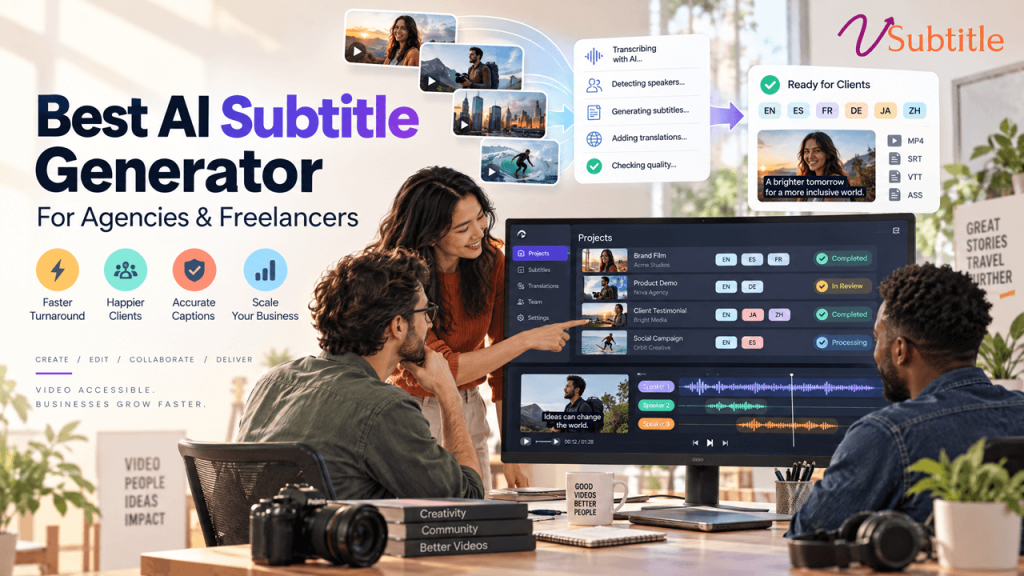
Best AI Subtitle Generator for Video Agencies and Freelancers
Clients used to treat subtitles as a nice extra. Now they treat them as standard. Social videos, ads, product demos, training modules and corporate films are all expected to arrive with accurate captions, and often in more than one language. For a video agency or freelance editor, that is both an opportunity and a pressure: more work to deliver, usually on the same deadline and the same budget. The right tool makes the difference between subtitles that eat your margin and subtitles that become a profitable service. In this guide we explain what agencies and freelancers should look for, how AI subtitling fits into a client workflow, and why vSubtitle is a strong choice for the best AI subtitle generator for video agencies and freelancers. Key Takeaways Why Subtitles Matter for Agencies and Freelancers Whether you run a studio of twenty or work alone, subtitles touch almost every type of project you deliver. The Real Challenges of Subtitling Client Work Subtitling for clients is different from subtitling your own videos. The pressure points are specific. What to Look for in a Subtitle Generator for Client Work Criteria Why it matters for agencies and freelancers Accuracy Fewer errors mean less editing time per project and fewer embarrassing mistakes in front of clients. Turnaround speed Subtitles should never be the reason a delivery slips. Editor with styling control You need to fix text, timing and design quickly, and match each client’s brand. Language coverage Translation lets you offer multilingual subtitles as a paid upgrade. Export options SRT and VTT for platforms, plus embedded captions for social clips and finished masters. Collaboration Editors, producers and translators should be able to work on the same project. Predictable pricing Usage-based billing helps you quote accurately and protect your margin. Security and terms Check how the platform handles uploaded videos and confirm its terms allow commercial client work. If you want a wider market view while you decide, our roundups of the top 10 AI captioning tools and the best AI subtitling software apply similar criteria across more products. Why vSubtitle Is Built for Agencies and Freelancers vSubtitle is an AI subtitling and captioning platform designed for people who produce video regularly. Here is how its features line up with client work. 1. Accuracy that reduces your editing time vSubtitle reports up to 97.8% accuracy, using neural models that understand context instead of matching sounds alone. For you, that means a strong first draft on most client videos, so your time goes into polishing names and terminology instead of typing from scratch. Accuracy always depends on audio quality, so test it on a few typical client files before you commit. 2. Speed that protects deadlines The platform processes hours of footage in minutes and reports about three times faster processing than traditional methods. Because processing runs in the cloud, you can start the next task while subtitles are generating, which is exactly what you need when several projects are due at once. 3. A customizable editor for client revisions Clients will always have changes. vSubtitle’s editor lets you adjust text, timing, styling and formatting in one place, so fixing a misspelled product name or applying a client’s preferred caption style takes minutes rather than a full re-export from your editing software. 4. 100+ languages to upsell multilingual delivery With support for more than 100 languages, you can offer translated subtitles as an add-on service. Generate the original-language subtitles, add target languages in the same workflow, and have a native speaker review anything customer-facing. Our AI video translator page explains the translation side in more detail. 5. Flexible exports for every client request Export SRT or VTT for platforms and players, JSON for custom workflows, or embed captions directly into the video when a client wants them permanently visible. Our SRT vs VTT vs ASS guide explains which format suits which delivery. 6. Collaboration for production teams Agencies rarely work alone. vSubtitle supports review workflows and real-time collaborative editing, so an editor, a producer and a translator can all work on the same subtitles without sending files back and forth. 7. Minute-based billing that supports accurate quotes Billing is based on output minutes, and re-downloading a set you have already generated does not use extra minutes. That makes it straightforward to work out the subtitling cost of a project, whether it is a 30-second ad or a one-hour corporate film. New users can currently start with their first 30 minutes free, enough to run a real client job through the process before spending anything. Before you roll it out across a team, check the current plans and terms for details on team use and commercial projects. You can try the workflow with the auto subtitle generator or the auto caption generator, and the YouTube video caption generator is handy for client channels. A Client-Ready Subtitle Workflow Here is a repeatable process that works for freelancers and scales to agency teams. If you manage many videos at once, our guide on how to batch process subtitles for multiple videos shows how to keep large projects organised. The Business Case: Time, Margin and Capacity Tools should pay for themselves, so it helps to look at the numbers. The following example uses simple, illustrative assumptions rather than guaranteed results, and your own figures will vary with audio quality and project type. Task (60-minute client video) Manual subtitling AI draft plus review Transcription and timing Roughly 4 to 6 hours of editor time Minutes of processing Review and polish Included above, plus a proofreading pass Often around 1 to 2 hours, depending on audio Translation into extra languages Separate job per language, often outsourced Generated in the same workflow, plus a native-speaker check if needed Client revisions Re-timing and re-exporting by hand Edit directly and re-export If a project that once took five hours of subtitle work now takes about two, you have freed three hours to bill elsewhere, or to take on another client. Across a month of projects,