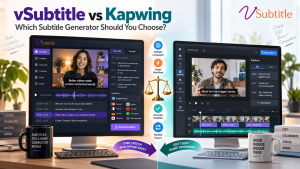
Kapwing is one of the best-known names in online video creation, especially among social media teams who love its trendy caption styles. vSubtitle is a newer, more focused option: an AI subtitling and captioning platform built around producing accurate, editable, multilingual subtitles. Both can turn a video into subtitles in minutes, but they are built for different kinds of work.
In this comparison of vSubtitle vs Kapwing, we look at accuracy, languages, styling, exports, pricing models and workflow. We explain where each tool is strongest, including where Kapwing has the edge, and give you a simple method to test both on your own videos before you decide.
Information about Kapwing in this article comes from Kapwing’s public website at the time of writing. Features, limits and prices change often, so please confirm current details on Kapwing’s own pages before you decide.
Key Takeaways
- Kapwing is a full online video editor with a subtitle tool, a large library of caption styles and extras like dubbing. vSubtitle is a dedicated subtitling platform focused on generating, reviewing, translating and exporting subtitles.
- Accuracy claims are vendor claims. Kapwing advertises 99% accurate subtitles, while vSubtitle reports up to 97.8%. Both depend heavily on your audio, so compare them on your own footage.
- Kapwing is stronger on creative styling with 100+ preset styles, animated captions and a brand kit. vSubtitle is stronger as a focused workflow: a dedicated subtitle editor, collaborative review, SRT, VTT and JSON exports and output-minute billing.
- Both support translation: Kapwing advertises subtitle translation into 100+ languages, and vSubtitle supports 100+ languages for transcription and translation.
- Choose Kapwing if you want to edit and creatively style videos in one browser tool. Choose vSubtitle if subtitles are your main job, you edit elsewhere, or you work in a team or agency that needs a repeatable subtitle process.
- The best decision comes from a small test. vSubtitle gives new users their first 30 minutes free at the time of writing, so you can try a real video straight away.
Quick Comparison: vSubtitle vs Kapwing at a Glance
| Question | Kapwing | vSubtitle |
|---|---|---|
| What is it? | A browser-based video editor with a subtitler and many AI tools | An AI subtitling and captioning platform built for subtitle workflows |
| Best for | Creators and social teams who want to edit, caption and style in one place | Creators, teams and agencies who want a focused, repeatable subtitle workflow |
| Advertised accuracy | 99% (Kapwing’s claim) | Up to 97.8% (vSubtitle’s claim) |
| Translation | Subtitles into 100+ languages; separate AI dubbing in 40+ languages | 100+ languages for transcription and translation |
| Subtitle exports | SRT, VTT, TXT, or video with hardcoded subtitles | SRT, VTT, JSON, or captions embedded into video |
| Styling | 100+ presets, animation, brand kit, custom fonts | Customizable styling within a subtitle-focused editor |
| Pricing model | Free to try with limited minutes and watermarked free exports; paid plans extend minutes | Output-minute billing; first 30 minutes free for new users |
| Standout strength | Creative caption styling inside a full editor | Dedicated editor, collaborative review and simple minute-based costs |
What Is Kapwing?
Kapwing is an online video editing platform that runs in the browser. Its Subtitler lets you upload a video or audio file, or paste a link, and generates word-by-word subtitles with an editable transcript. According to Kapwing’s website, it advertises 99% accuracy, detects multiple speakers, supports closed captions with speaker labels and non-speech sounds, and lets you adjust timing or upload your own SRT or VTT file to restyle it.
Where Kapwing shines is creative control. It offers over 100 preset caption styles, animations, custom fonts and a brand kit for consistent looks across a team. It can also translate subtitles into 100+ languages and offers separate AI dubbing, voice cloning and lip-sync tools for localisation. You can download SRT, VTT or TXT files, or export the video with hardcoded subtitles.
What Is vSubtitle?
vSubtitle is an AI subtitling and captioning platform designed around subtitle work. You upload a video, choose the spoken language and any target languages, and the platform generates time-coded subtitles that you review in a customizable editor. It reports up to 97.8% accuracy, supports 100+ languages, processes hours of footage in minutes, and exports SRT, VTT and JSON files or embeds captions into video. It supports review workflows and real-time collaborative editing, and billing is based on output minutes with the first 30 minutes free for new users at the time of writing.
vSubtitle is not a general video editor. It is designed to do the subtitle step well and then hand you files that work wherever you publish. You can see the approach in the auto subtitle generator and the auto caption generator.
Accuracy: Look Beyond the Headline Number
Kapwing advertises 99% accurate subtitles, and vSubtitle reports up to 97.8%. On paper, Kapwing’s number is higher. But comparing these figures directly is misleading for several reasons.
- Both are vendor claims. They are usually measured on favourable audio with clear speech and little background noise.
- Your content is the real test. Accents, music, overlapping voices, jargon and brand names affect every AI tool.
- Correction time matters more. A tool that is slightly more accurate on paper but harder to edit may cost you more time in practice.
- Names and terms always need review. No AI subtitle generator is perfect on proper nouns and specialist vocabulary.
Our recommendation is to ignore the headline and run your own test, using the method later in this guide. For a wider view of where AI accuracy stands, read AI vs human captioning.
Caption Styling and Creative Control
This is where Kapwing is genuinely strong, and it is worth being clear about that. If you make short-form social videos and want trendy, animated, word-by-word captions with preset styles, Kapwing gives you a lot to play with, plus a brand kit to keep styles consistent across a team.
vSubtitle’s editor lets you adjust text, timing, styling and formatting too, with the video playing alongside, but it is oriented toward getting subtitles right and exporting them rather than toward creative effects. If your priority is accurate, readable subtitles for tutorials, interviews, courses and training, and you finish your visual style in another editor, vSubtitle’s focused approach is a good match. For social-first creators, our post on adding captions to TikTok videos covers the style side.
All-in-One Editor vs Dedicated Subtitle Platform
The biggest difference is philosophy.
Kapwing is a place to make the whole video. You can trim, resize, add effects, generate subtitles, dub and export without leaving the browser. That is valuable for solo creators and small social teams who want one tool.
vSubtitle is a place to finish the subtitles. Many editors and agencies already work in Premiere Pro, Final Cut, DaVinci Resolve or CapCut, and they only need the subtitle step handled well. A dedicated platform avoids duplicating tools you already have, and it fits neatly into the final stage of delivery. See our guide to the best AI subtitle generator for video agencies and freelancers for how this works with client projects.
Languages, Translation and Dubbing
Both platforms support translation into more than 100 languages for subtitles. Kapwing also advertises a separate dubbing workflow in 40+ languages with AI voices, voice cloning and lip sync, which goes beyond subtitles into full audio localisation. If AI dubbing is part of your plan, that is a clear Kapwing advantage.
If your goal is subtitle translation, both cover the major languages most creators, educators and businesses need. Check that your specific languages are supported for both transcription and translation on each tool, and test quality on your own recordings, since quality varies by language in every AI product. For a deeper look at the process, see our guides on how to translate video subtitles automatically and how to create multilingual subtitles for one video, and the AI video translator page.
Exports, File Types and Portability
Kapwing lets you download SRT, VTT or TXT files, or export a video with hardcoded subtitles. It also accepts audio files as input and lets you upload an existing SRT or VTT file to restyle or fix. vSubtitle exports SRT, VTT and JSON files, and can embed captions directly into the video.
For most video platforms, SRT and VTT are all you need, so both tools cover the standard cases. JSON from vSubtitle can be useful if you want structured, time-coded text for transcripts or custom workflows. If you are unsure which format to choose, read our SRT vs VTT vs ASS format guide and our tutorial on how to create an SRT file automatically. Before you commit, confirm whether the input file types you use, such as audio-only files, are supported by each tool.
Speed and Workflow
Both tools process in the cloud and return subtitles quickly. Kapwing says short videos take a minute or two and long videos a few minutes, and vSubtitle reports processing hours of footage in minutes and about three times faster than traditional methods. In practice, both are fast enough that review time, not generation time, becomes your main cost.
Where workflow differs is what happens next. In Kapwing, you typically keep working inside the editor and export the finished video. In vSubtitle, you review the subtitles in the editor, download the files and publish them with your video. If you handle many videos, a repeatable subtitle-only process pays off. Our guide on how to batch process subtitles for multiple videos explains how teams do it.
Pricing Models: Plans vs Output Minutes
- Kapwing is free to try with a limited number of minutes, and Kapwing states that exports from a free account include a watermark. Paid plans extend monthly minutes for subtitles, translation and dubbing. Plans and limits change over time, so check Kapwing’s pricing page for current details.
- vSubtitle bills by output minutes. Once you generate and download a set of captions or translations, re-downloading that set does not use extra minutes. Monthly plans suit steady schedules, and annual plans let you use minutes flexibly across the year. New users can currently start with their first 30 minutes free.
A plan that bundles an editor and other creative tools is good value if you use them all. Minute-based billing is easier to forecast if you mainly need subtitles, because cost follows how much you caption and translate. Estimate your monthly minutes and compare both on that basis.
Collaboration and Team Use
vSubtitle supports review workflows and real-time collaborative editing, so editors, producers and translators can work on the same subtitles without passing files around. Kapwing also positions itself for teams, with features such as a shared brand kit. Whichever tool you consider, check the current team features and plans, and confirm that the terms cover commercial and client work.
vSubtitle vs Kapwing: Detailed Comparison Table
| Factor | Kapwing | vSubtitle |
|---|---|---|
| Core focus | All-in-one online video editor with a subtitler and AI tools | Dedicated AI subtitling and captioning |
| Accuracy (vendor claim) | 99% | Up to 97.8% |
| Subtitle translation | 100+ languages | 100+ languages |
| AI dubbing and lip sync | Yes, dubbing in 40+ languages | Not the focus; see the AI video translator page for current options |
| Creative styling | 100+ presets, animation, brand kit, custom fonts | Customizable styling in a subtitle-focused editor |
| Input types | Video, audio and YouTube links; can upload SRT or VTT | Video upload; check the upload page for other supported types |
| Export options | SRT, VTT, TXT, hardcoded video | SRT, VTT, JSON, embedded captions |
| Collaboration | Team features and brand kit; check current plans | Review workflows and real-time collaborative editing |
| Pricing approach | Free tier with limits and watermark; paid plans | Output-minute billing; first 30 minutes free for new users |
| Ideal user | Social creators editing and captioning in one browser tool | Creators, agencies and teams running a subtitle workflow |
Which One Should You Choose?
Choose Kapwing if…
- You want to edit, caption and export in a single browser-based tool.
- Eye-catching, animated caption styles are central to your content.
- You plan to use AI dubbing, voice cloning or lip sync alongside subtitles.
Choose vSubtitle if…
- Subtitles and captions are your main task, and you edit video in another tool.
- You want a dedicated subtitle editor with a clear review step for names, numbers and timing.
- You work with a team, agency or clients and want collaborative review.
- You publish tutorials, courses, interviews or training where readable, accurate subtitles matter more than effects. See subtitles for online courses and how to caption interview videos automatically.
- You prefer to budget by output minutes, and want JSON output as well as SRT and VTT.
You can also combine them. For example, some creators generate and review accurate, multi-language subtitles in vSubtitle and then use another editor for creative styling, or the other way round.
How to Test vSubtitle and Kapwing on Your Own Videos
- Choose three representative videos: one with clean audio, one with an accent or guest, and one with technical terms or brand names.
- Run the same files through both tools, using the free allowances. New vSubtitle users can create a free account and use the first 30 minutes free.
- Count the corrections you needed in a two-minute section of each video.
- Time the full workflow from upload to a finished, correct file, including review and export.
- Check the output you actually need, such as a clean SRT file or a styled video, and test it on your real platform.
- Test translation by generating one language and asking a native speaker to rate it.
- Compare costs by estimating your monthly minutes, and note any watermark or export limits on free plans.
Score each tool from 1 to 5 on accuracy, editing speed, styling, exports and cost, and weight the scores by what matters most to you.
More Comparisons and Options
If you are building a wider shortlist, see our comparison of vSubtitle vs VEED, our Rev vs Otter vs vSubtitle comparison, our guide to CapCut alternatives for professional AI captions, and our roundups of the top 10 AI captioning tools and best AI subtitling software. For free options, see the best free subtitle generator roundup.
Final Verdict
There is no single winner in the vSubtitle vs Kapwing choice. Kapwing is a strong pick if you want one browser tool for editing, creative caption styling and even AI dubbing. vSubtitle is a strong pick if you want a dedicated subtitling platform with a focused editor, collaborative review, 100+ languages, flexible exports and straightforward output-minute billing.
The most reliable way to decide is to try both on your own content. Create a free vSubtitle account, use the free minutes available to new users on a real video, and compare the result with Kapwing or any other tool on your shortlist. Your own footage is the only benchmark that counts.
Frequently Asked Questions (FAQs)
What is the difference between vSubtitle and Kapwing?
Kapwing is an online video editor with a subtitle generator, a large library of caption styles and extras such as AI dubbing. vSubtitle is a dedicated AI subtitling platform focused on generating, reviewing, translating and exporting subtitles, with collaborative review and SRT, VTT and JSON exports.
Is vSubtitle a good Kapwing alternative?
It is a good alternative if subtitles are your main task and you already edit video elsewhere. It offers 100+ languages, a dedicated subtitle editor, collaborative review and output-minute billing. If you want creative caption animations and an all-in-one editor, Kapwing may suit you better.
Which is more accurate, vSubtitle or Kapwing?
Kapwing advertises 99% accuracy and vSubtitle reports up to 97.8%, but both are vendor claims measured under different conditions. Real accuracy depends on your audio, accents and vocabulary, so test both with your own videos.
Does Kapwing add a watermark?
According to Kapwing, exports from a free account include a watermark, and paid plans extend monthly minutes. Check Kapwing’s pricing page for current limits. vSubtitle gives new users their first 30 minutes free.
Can both tools translate subtitles?
Yes. Kapwing advertises subtitle translation into 100+ languages, and vSubtitle supports more than 100 languages. Check that your specific languages are supported and have a native speaker review important translations.
Can I use vSubtitle and Kapwing together?
Yes. Some creators generate reviewed, multi-language subtitle files in one tool and apply creative styling or editing in another. SRT and VTT files make it easy to move subtitles between tools.
Can I try vSubtitle for free before choosing?
New users can currently start with their first 30 minutes free, enough to run a few real videos through the workflow. Offers can change, so check the registration page for the latest details.
Relevant Articles
Keep exploring with these related guides from the vSubtitle blog:
- vSubtitle vs VEED: Which AI Subtitle Tool Is Better? – Another head-to-head comparison.
- Rev vs Otter vs vSubtitle: AI Captioning Comparison – A side-by-side look at popular captioning tools.
- Best CapCut Alternatives for Professional AI Captions – Options for creators who want more control.
- Top 10 AI Captioning Tools Guide 2026 – A shortlist of tools worth comparing.
- Best AI Subtitling Software – What to look for in subtitling software.
- Best Free Subtitle Generator 2026 – Free options and what to expect from them.
- AI Subtitles vs YouTube Auto Captions – How dedicated tools compare with built-in captions.