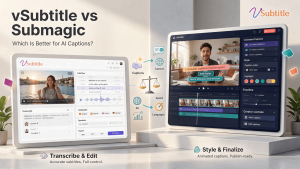
Submagic has become one of the most talked-about AI caption tools among short-form creators. Its animated, word-by-word captions are everywhere on TikTok, Reels and Shorts. vSubtitle takes a different route: it is an AI subtitling and captioning platform built to produce accurate, editable, multilingual subtitles for videos of any kind and length.
So which is better for AI captions? That depends entirely on what kind of captions you need. In this comparison of vSubtitle vs Submagic, we look at accuracy, languages, styling, exports, pricing models and workflow, explain where each tool is strongest, and give you a simple way to test both before you commit.
Information about Submagic in this article comes from Submagic’s public website at the time of writing. Features, limits and prices change often, so please confirm current details on Submagic’s own pages before you decide.
Key Takeaways
- Submagic is a short-form video tool. It combines animated captions with AI editing extras such as silence removal, auto-zoom, B-roll and clip creation. vSubtitle is a dedicated subtitling platform focused on generating, reviewing, translating and exporting subtitles.
- They solve different problems. Submagic is built to make viral-style social clips look engaging. vSubtitle is built to deliver accurate, readable subtitles for tutorials, interviews, courses, webinars, marketing videos and long-form content.
- Languages are comparable at the top end. Submagic advertises up to 118 caption languages, and vSubtitle supports 100+ languages for transcription and translation. Check that your own languages are covered on both.
- Choose Submagic if your priority is eye-catching animated captions and fast social editing. Choose vSubtitle if you need accurate subtitle files, a dedicated review editor, team collaboration and output-minute billing.
- Many creators can use both: vSubtitle for accurate, reviewed subtitle files and translations, and a creative tool for styled social cuts.
- Test with your own videos. vSubtitle gives new users their first 30 minutes free at the time of writing, which makes a side-by-side trial easy.
Quick Comparison: vSubtitle vs Submagic at a Glance
| Question | Submagic | vSubtitle |
|---|---|---|
| What is it? | An AI short-form video tool with animated captions, auto-zoom, B-roll and clip features | An AI subtitling and captioning platform built for subtitle workflows |
| Best for | Creators and social teams making short-form clips | Creators, teams, educators and agencies who need accurate, reviewed subtitles at any length |
| Caption languages | Up to 118 advertised | 100+ |
| Styling | Animated captions, templates, emojis, brand kit | Customizable styling in a subtitle-focused editor |
| Subtitle file export | SRT download (and video export) | SRT, VTT, JSON, or captions embedded into video |
| Extra editing tools | Silence and filler removal, auto-zoom, B-roll, clips, and more | Not the focus; use your preferred editor |
| Pricing model | Monthly plans with video and caption allowances | Output-minute billing; first 30 minutes free for new users |
| Standout strength | Scroll-stopping caption style plus AI editing for shorts | Accuracy-focused subtitle workflow, collaborative review, simple minute-based costs |
What Is Submagic?
Submagic is an AI video tool aimed at short-form creators and social teams. According to its website, you upload a video and it generates dynamic, animated captions, which you can style with templates, fonts, colours, emojis and a brand kit. Around the captions it layers a set of editing helpers: automatic removal of silences and filler words, auto-zoom, B-roll suggestions, sound effects, clip creation from longer videos, an AI video translator and an API for automation. It also lists team features such as multi-user collaboration and client approval workflows, and lets you download an SRT file alongside the finished video. Submagic advertises caption support in up to 118 languages.
Its strength is making social videos look polished and attention-grabbing very quickly. Submagic’s own materials position it around quick clips for platforms like TikTok, YouTube Shorts and Instagram Reels.
What Is vSubtitle?
vSubtitle is an AI subtitling and captioning platform designed around subtitle work. You upload a video, choose the spoken language and any target languages, and the platform generates time-coded subtitles that you review in a customizable editor. It reports up to 97.8% accuracy, supports 100+ languages, processes hours of footage in minutes, and exports SRT, VTT and JSON files or embeds captions into the video. It supports review workflows and real-time collaborative editing, and billing is based on output minutes with the first 30 minutes free for new users at the time of writing.
vSubtitle does not try to be your video editor. It does the subtitle step well and hands you files that work wherever you publish. See the approach in the auto caption generator and the auto subtitle generator.
Different Goals: Viral Captions vs Accurate Subtitles
The most important point in this comparison is that “AI captions” means two different things.
- Stylised captions are part of the creative. They appear word by word, with colour, emphasis and motion, to hold attention in a fast social feed. The goal is engagement.
- Accurate subtitles and captions are a faithful, readable text version of what is said, delivered as files or burned-in text. The goal is comprehension, accessibility and reach in other languages.
Many creators need both, at different stages. Submagic leans toward the first. vSubtitle leans toward the second. Understanding which one you need most will usually settle the decision. For the social side, see our guide to adding captions to TikTok videos and our post on how captions transform creator engagement.
Accuracy and Editing
vSubtitle reports up to 97.8% accuracy. Submagic describes its captions as accurate and precisely timed, but its main focus is how the captions look rather than subtitle review. As with every AI captioning tool, real accuracy depends on your audio, accents and vocabulary, and names and technical terms always need a check.
Where the tools differ is how you fix mistakes. vSubtitle’s editor is built for review: text, timing, styling and formatting in one place, with the video playing alongside, plus collaborative review for teams. Submagic’s editor is built for styling and polishing a short clip. If your videos are long, technical or need a careful proofreading pass by several people, a dedicated subtitle editor is a better fit. For a wider view on AI accuracy versus human work, read AI vs human captioning.
Video Length and Use Cases
Short-form tools are built around short videos, and plans commonly come with limits on video length and monthly video counts. Submagic’s own materials describe support for videos up to around 30 minutes and position the product for quick clips, so check its current limits against the length of your content.
Subtitle platforms handle the kinds of videos that short-form tools are not designed for: hour-long lectures, webinars, interviews, training modules and full-length YouTube videos. vSubtitle is built for those, and it processes hours of footage in minutes. Explore the use cases in our guides to subtitles for online courses, how to caption interview videos automatically and the best AI subtitle generator for podcasts.
Languages and Translation
Submagic advertises caption support in up to 118 languages and lists an AI video translator. vSubtitle supports more than 100 languages for transcription and subtitle translation. For most creators and businesses, both cover the major languages with large audiences. The numbers matter less than whether your specific languages are supported and how good the output is, so test each one on your own recordings. Language counts reported by different sources also vary, which is another reason to check the provider’s current list.
In both tools, translation is a fast first draft rather than a final product, so ask a native speaker to review brand-critical content. For the workflow, see our guides on how to translate video subtitles automatically and how to create multilingual subtitles for one video, and the AI video translator page.
Exports and Portability
Submagic lets you export the finished video and download an SRT file. vSubtitle exports SRT, VTT and JSON files, and can embed captions directly into a video. SRT and VTT cover nearly every video platform and player, so both handle the basic cases. JSON from vSubtitle can help if you want structured, time-coded text for transcripts or custom workflows. Not sure which format you need? Read our SRT vs VTT vs ASS format guide and our tutorial on how to create an SRT file automatically.
Pricing Models: Monthly Plans vs Output Minutes
- Submagic sells monthly plans that come with allowances, such as how many videos or auto-captions you can create, along with limits on video length and export quality at different tiers. Plans and prices change often and differ between sources, so check Submagic’s pricing page for current details.
- vSubtitle bills by output minutes. Once you generate and download a set of captions or translations, re-downloading that set does not use extra minutes. Monthly plans suit steady schedules, and annual plans let you use minutes flexibly across the year. New users can currently start with their first 30 minutes free.
If you make many short clips and want the editing extras, a plan with a video allowance may suit you. If you caption longer or more varied content, or you need to forecast costs by total minutes, output-minute billing is simpler to budget. Estimate your monthly volume and compare both on that basis.
Collaboration and Agency Use
Both products speak to teams. Submagic lists multi-user collaboration and client approval workflows for agencies producing social content. vSubtitle supports review workflows and real-time collaborative editing for subtitles, which suits editors, producers and translators working on the same files. Whichever you consider, check current team features and plans, and confirm that the terms cover commercial and client work. See our guide to the best AI subtitle generator for video agencies and freelancers for more.
vSubtitle vs Submagic: Detailed Comparison Table
| Factor | Submagic | vSubtitle |
|---|---|---|
| Core focus | Short-form social video with animated captions and AI editing | Dedicated AI subtitling and captioning |
| Caption look | Animated, word-by-word styles, emojis, templates | Customizable subtitle styling, readability first |
| Languages | Up to 118 advertised | 100+ |
| Subtitle files | SRT download | SRT, VTT, JSON, embedded captions |
| Editing extras | Silence and filler removal, auto-zoom, B-roll, clips | Not the focus; works with your editor |
| Best video types | Short clips for TikTok, Reels and Shorts | Tutorials, courses, interviews, webinars, long-form and marketing videos |
| Review workflow | Editing and client approval for social content | Subtitle review and real-time collaborative editing |
| Pricing approach | Monthly plans with video and caption allowances | Output-minute billing; first 30 minutes free for new users |
| Ideal user | Social creators and agencies producing viral-style clips | Creators, educators, agencies and teams who need accurate subtitles at scale |
Which One Should You Choose?
Choose Submagic if…
- Your content is short-form video for TikTok, Reels or Shorts.
- Animated, high-energy captions are central to your style.
- You want AI help with silence removal, auto-zoom, B-roll and clip creation in the same tool.
Choose vSubtitle if…
- You need accurate, readable subtitles for tutorials, courses, interviews, webinars or long-form videos.
- You want to review and correct subtitles carefully, ideally with teammates.
- You publish in several languages and need clean subtitle files for each. See the best AI subtitle generator for YouTube creators.
- You prefer to budget by output minutes, and want JSON as well as SRT and VTT.
- You edit video in another tool and only need the subtitle step handled well.
A practical workflow for many creators is to use both: generate and review accurate subtitles and translations in vSubtitle for your long-form and multilingual content, and use a short-form tool for stylised social cuts. If you are weighing editing-app options, read our guide to CapCut alternatives for professional AI captions.
How to Test vSubtitle and Submagic on Your Own Videos
- Pick three videos that match your real work: a short social clip, a longer talking-head or tutorial video, and one with names or technical terms.
- Run the same files through both tools, using the free trials or allowances. New vSubtitle users can create a free account and use the first 30 minutes free.
- Count the corrections you need in a two-minute section of each video.
- Time the whole workflow from upload to a finished result, including review and export.
- Check the output you need: a styled video, a clean SRT or VTT file, or both. Test on your real platform.
- Test a translation by generating one language and asking a native speaker to rate it.
- Compare costs by estimating your monthly volume, video lengths and the plan limits you would hit.
Score each tool from 1 to 5 on accuracy, editing speed, caption style, exports and cost, and weight the scores by what matters most to you.
More Comparisons and Options
If you are building a wider shortlist, see our comparisons of vSubtitle vs Kapwing and vSubtitle vs VEED, our Rev vs Otter vs vSubtitle comparison, and our roundups of the top 10 AI captioning tools and the best AI subtitling software. For a look at how dedicated tools compare with the platform’s own captions, read AI subtitles vs YouTube auto captions.
Final Verdict
There is no single winner in the vSubtitle vs Submagic debate, because they are built for different jobs. Submagic is a strong pick for short-form creators who want animated captions and fast AI editing. vSubtitle is a strong pick when you need accurate, reviewable subtitles in many languages for videos of any length, with flexible exports, collaborative review and straightforward output-minute billing.
The most reliable way to decide is to try both on your own content. Create a free vSubtitle account, use the free minutes available to new users on a real video, and compare the result with Submagic or any other tool on your shortlist. Your own footage is the only benchmark that counts.
Frequently Asked Questions (FAQs)
What is the difference between vSubtitle and Submagic?
Submagic is an AI short-form video tool that combines animated captions with editing helpers such as silence removal, auto-zoom and B-roll. vSubtitle is a dedicated AI subtitling platform focused on generating, reviewing, translating and exporting accurate subtitles, with collaborative review and SRT, VTT and JSON exports.
Is vSubtitle a good Submagic alternative?
It is a good alternative if you need accurate, editable subtitles and translations for tutorials, courses, interviews and long-form videos. If your main goal is animated captions and quick editing for TikTok, Reels or Shorts, Submagic may suit you better.
Which tool is better for short-form videos?
Submagic is designed around short-form video and animated captions. vSubtitle can caption short clips too, but its strength is accurate subtitles and files rather than creative effects.
Which supports more languages?
Submagic advertises up to 118 caption languages and vSubtitle supports 100+ languages. Both cover the major languages, so check that your specific languages are supported and test quality on your own recordings.
Can I export SRT files from both tools?
Submagic lets you download SRT files, and vSubtitle exports SRT, VTT and JSON, and can embed captions into video. Check each tool’s current export options for the formats you need.
Can I use vSubtitle and Submagic together?
Yes. Many creators generate reviewed subtitles and translations in one tool and create stylised social clips in another. SRT files make it easy to move subtitles between tools.
Can I try vSubtitle for free before choosing?
New users can currently start with their first 30 minutes free, enough to run a few real videos through the workflow. Offers can change, so check the registration page for the latest details.
Relevant Articles
Keep exploring with these related guides from the vSubtitle blog:
- vSubtitle vs Kapwing: Which Subtitle Generator Should You Choose? – Another head-to-head comparison.
- vSubtitle vs VEED: Which AI Subtitle Tool Is Better? – A comparison with an all-in-one online editor.
- Best CapCut Alternatives for Professional AI Captions – Options for creators who want more control.
- How to Add Captions to TikTok Videos – Caption short clips for silent autoplay feeds.
- Before and After: How Captions Transform Creator Engagement – What changes when creators add captions.
- Rev vs Otter vs vSubtitle: AI Captioning Comparison – A side-by-side look at popular captioning tools.
- Top 10 AI Captioning Tools Guide 2026 – A shortlist of tools worth comparing.