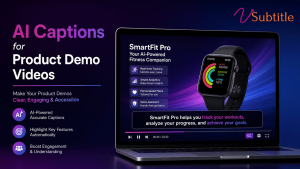
Most people evaluating your product will watch the demo with the sound off. If it isn’t captioned, they’re not watching a demo — they’re watching a silent screen recording.
A product demo video carries more weight in a buying decision than almost any other piece of content a company produces. Reports indicate a large majority of buyers say a demo video played a real role in convincing them to purchase, and websites featuring one see meaningfully higher conversion rates than those without. That’s exactly why it’s worth taking seriously a detail that gets treated as an afterthought on far too many demo videos: whether a viewer can actually follow it with the sound off.
The vast majority of mobile video is watched muted, and that habit carries directly into how prospects evaluate software — scrolling a homepage on a train, watching a shared demo link in an open-plan office, previewing a sales rep’s screen recording in a browser tab with the volume down. A demo video without captions isn’t just less accessible in the abstract; for most of its actual audience, it’s functionally unwatchable. This guide covers why captions matter specifically for product demo videos, what good captioning looks like for this format, and a practical workflow — using vSubtitle — for getting it right without adding hours to an already tight production timeline.
The Case for Captions on Every Demo Video
Product demo videos already carry outsized weight in the buyer journey. Industry surveys put the share of buyers who say a demo video influenced their purchase decision above 85%, and sites featuring demo video content report conversion rates dramatically higher than sites without one. Video-driven B2B SaaS campaigns are commonly reported to convert 40% higher than static content, and testimonial and demo formats consistently rank among the highest-converting video types B2B marketers produce.
Underneath those numbers sits a simpler, more mechanical fact: the overwhelming majority of that viewing happens without sound. Independent research on mobile viewing behavior puts silent viewing above 90% on mobile and in the low 80s across devices overall, and captioned videos have been shown to hold viewers significantly longer than uncaptioned ones — one widely cited study found captioned videos were roughly 80% more likely to be watched all the way through. For a format specifically built to explain a product in enough detail to move someone toward a purchase, losing the majority of the audience to a muted screen isn’t a minor accessibility gap. It’s a direct hit to the metric the video exists to move.
| Stat | Why It Matters for Demo Videos |
|---|---|
| 85%+ of buyers say a demo video influenced their purchase | The format itself is doing real persuasion work — undermining it with no captions has an outsized cost |
| Up to 86% higher conversion on pages with demo video | Captions are a low-cost way to protect that lift rather than lose most of it to muted viewers |
| 90%+ of mobile viewers, 80%+ overall watch muted | Most of a demo’s real-world audience never hears the narration unless captions are present |
| Captioned videos ~80% more likely to be watched fully | Completion matters more for demos than most formats, since the value proposition often lands in the final third |
| Nearly half of viewers drop off before the one-minute mark | A confusing or silent opening is the single biggest risk point captions directly help solve |
Why Product Demos Need Captions More Than Most Video Content
Captions help every video format, but the case is especially strong for demos, for reasons specific to what this content is trying to do:
- Demos are dense with specific, technical information. Feature names, settings, menu labels, and step order all need to land precisely — the exact kind of detail a viewer misses first when audio is unavailable or a narrator talks quickly over screen actions.
- Buyers often watch demos in shared or professional spaces. Sales calls, open offices, and screen-share reviews are frequently muted-by-default environments, unlike a video someone chooses to watch with headphones on for entertainment.
- Demos are shared and re-watched asynchronously. A prospect forwarding a demo link to a colleague, or a buyer revisiting a specific step days later, is exactly the situation where reading a caption is faster and more reliable than replaying audio to catch one missed detail.
- Non-native English speakers are a large share of the global SaaS buyer base. Captions — and translated caption tracks — let a demo do its job for a much wider audience without requiring a separate localized production.
- Search and AI answer engines can’t watch a screen recording. A captioned, transcribed demo becomes indexable and citable content; an uncaptioned one is invisible text-wise, regardless of how clearly it explains the product.
What Good Captioning Looks Like on a Demo Video
Match the Pace of the Narration, Not Just the Words
Demo narration tends to move faster and more conversationally than scripted marketing video, with filler words, mid-sentence corrections, and rapid feature callouts. Captions need light cleanup — trimming filler without changing meaning — rather than a robotic word-for-word transcript that’s technically accurate but harder to read at speed.
Keep Captions Clear of the UI Being Demonstrated
This is the detail most generic caption placement gets wrong for screen recordings specifically: the default bottom-third position frequently sits directly over navigation bars, buttons, or the exact UI element the narrator is describing. Captions on a demo need to be positioned — and sometimes repositioned scene by scene — so they never obscure the thing the viewer is being shown.
Reflect Product Terminology Exactly
Feature names, menu labels, and product-specific terms need to match the actual UI precisely, not a close paraphrase. A caption that reads “click Reports” when the button says “Analytics” creates confusion at exactly the moment a prospective buyer is trying to evaluate whether the product does what they need — accuracy here isn’t a nicety, it’s core to the demo working at all.
Cap Reading Speed Realistically for Technical Content
Standard subtitle reading-speed guidance (roughly 15–17 characters per second for comfortable reading) still applies, but demo narration often needs slightly more room, since technical terms and product names take longer to parse than everyday words of the same length. Where possible, favor slightly longer on-screen duration for lines containing feature names or numbers over rigidly matching a general-purpose CPS target.
Provide a Full Transcript, Not Just Burned-In Captions
A demo video embedded on a product or pricing page benefits from the same SEO logic as any other video: a crawlable, on-page transcript gives search engines and AI answer engines the complete content of the demo to index — useful both for organic discovery and for surfacing accurate answers when a prospect asks an AI assistant what a product does or how a specific feature works.
Captioning Needs Differ Across Demo Video Types
“Product demo video” covers several distinct formats, and captioning priorities shift slightly across them:
Homepage / Landing Page Demos
These are typically short, high-traffic, and viewed by cold prospects with no context — muted-by-default browsing behavior is at its highest here, making captions close to mandatory rather than optional. Keep captions tight and match the fast pace these demos are usually cut to.
Sales and Outreach Demos
Sent directly to a named prospect, often forwarded internally to other stakeholders who weren’t on the original call. Captions help a demo hold up when it’s re-shared into a Slack channel or watched by a colleague skimming it between meetings, sound off, before deciding whether to watch it properly later.
Onboarding and In-Product Walkthroughs
Watched by users who already bought the product and are actively following along on their own screen, sometimes side-by-side with the video. Precision on UI terminology matters most here, since a viewer is trying to click the exact thing the caption names in real time.
Interactive or Self-Guided Demos
Increasingly common for trial and consideration-stage buyers exploring at their own pace. Captions and an accompanying transcript both matter here, since this format is often navigated non-linearly, and a searchable transcript lets a buyer jump to the specific capability they care about rather than watching linearly.
A Practical Captioning Workflow for Demo Videos
- Record with narration clarity in mind. A steady pace and clear enunciation of product-specific terms make the transcription step faster and more accurate downstream, reducing the correction work needed later.
- Generate an initial caption track with an AI tool. vSubtitle transcribes the video’s audio automatically, producing an editable caption file rather than a fixed burned-in overlay — critical for a format like demo video, which gets updated and re-recorded frequently as the product changes.
- Review and correct product-specific terms first. Feature names, button labels, and technical terminology are the most common place automatic transcription introduces errors, and they’re also the errors most damaging to a demo’s credibility if left uncorrected.
- Reposition captions around the UI being shown. Adjust placement scene by scene so captions never sit over the specific interface element the narration is currently pointing to.
- Export and publish both a caption track and a page transcript. vSubtitle exports to SRT, VTT, TXT, and DFXP, covering the caption file needed for the video player and the plain-text version worth publishing alongside it for search visibility.
- Translate into key buyer languages if the product serves an international market. The same source caption file can be translated into 100+ languages with timing preserved, letting one recorded demo serve multiple regions without a full re-record.
- Re-run captions whenever the demo is updated. Because product UIs change frequently, treat caption review as part of the same update cycle as re-recording — a caption file referencing an old button label is as confusing as an outdated screen recording.
Common Mistakes That Undermine a Demo’s Captions
- Publishing raw auto-generated captions with no review, letting misheard feature names and technical terms reach prospective buyers uncorrected.
- Using a single, fixed caption position that ends up covering toolbars, buttons, or exactly the part of the UI being narrated.
- Treating captions as a one-time task instead of updating them every time the product UI or narration changes.
- Skipping a page transcript, leaving search engines and AI assistants with no text to index despite the demo containing exactly the answer a prospective buyer is searching for.
- Ignoring international buyers by publishing captions only in the video’s original language, despite SaaS products routinely serving global, English-as-a-second-language audiences.
Building Captioned Demos Without Slowing Down Production
Demo videos get updated constantly — a new feature ships, a UI gets redesigned, a pricing page changes — and a captioning process that takes hours quickly becomes the reason captions fall behind or get skipped entirely on a re-record. vSubtitle is built for that pace: it generates accurate, editable captions directly from a demo’s audio in minutes, supports quick correction of the product-specific terms that matter most for credibility, and exports to SRT, VTT, TXT, and DFXP so the same source file can produce a caption track for the player, a transcript for the page, and translated versions for international buyers — all from one pass rather than a separate task for each output.
For a content type that already carries this much weight in the buying decision, making sure it’s actually watchable by the majority of its audience — muted, on mobile, in a shared office, in a second language — is one of the highest-leverage, lowest-effort improvements available to a product marketing or growth team.
Key Takeaways
- Product demo videos carry outsized influence on purchase decisions, but the majority of that audience watches muted — making captions essential to the format actually working, not just an accessibility add-on.
- Captioned videos are watched to completion far more often than uncaptioned ones, directly protecting the conversion lift demo videos are built to deliver.
- Good demo captions require more care than generic subtitles: precise product terminology, placement that never covers the UI being shown, and pacing tuned for technical content.
- A crawlable page transcript extends a demo’s value into search and AI-assisted discovery, not just the viewer’s watch experience.
- Because demo videos change often, captioning needs to be a repeatable part of the update cycle — tools like vSubtitle make that realistic by generating accurate, editable captions in minutes rather than hours.
A demo video’s job is to make a product’s value obvious as quickly as possible. Captions aren’t a separate feature bolted onto that goal — for most of the audience actually watching, they’re the difference between a demo that does its job and one that never gets the chance to.
Frequently Asked Questions (FAQs)
Do product demo videos really need captions if the narration is clear?
Yes. Clarity of narration doesn’t help a viewer watching muted, and the majority of mobile video viewing — often cited above 90% — happens without sound. A demo video’s narration quality only matters to the portion of the audience who actually hears it; captions are what reach everyone else.
How much does adding captions actually affect demo video conversion?
While conversion figures vary by product and audience, captioned videos have been shown to be watched to completion significantly more often than uncaptioned ones, and demo videos specifically are already linked to higher site conversion rates. Since silent viewing is the norm rather than the exception, captions directly protect the audience size a demo can actually influence.
Where should captions be positioned on a screen-recording demo video?
Not in a single fixed position by default. Demo video captions should be checked scene by scene and repositioned as needed so they never cover the toolbar, button, or interface element the narrator is currently describing — a common problem with generic bottom-third caption placement on screen recordings.
Should demo video captions be word-for-word or lightly edited?
Lightly edited is usually better. Demo narration often includes filler words and conversational asides that a literal transcript preserves but a viewer doesn’t need — trimming these while keeping the actual meaning and terminology intact produces more readable captions without misrepresenting what was said.
How often should demo video captions be updated?
Whenever the demo itself is updated. Product UIs change frequently, and a caption referencing an old button label or removed feature is as confusing as an outdated screen recording — captioning should be treated as part of the same update cycle as re-recording, not a one-time task.
Should I publish a transcript in addition to the caption track?
Yes, where the demo is embedded on a webpage. A crawlable, on-page transcript gives search engines and AI answer engines the full text content of the demo to index, which can help the page surface in relevant searches and AI-generated answers about the product — something a caption track alone, locked inside the video player, doesn’t provide as reliably.
Can AI captioning tools keep up with how often demo videos get updated?
Yes — this is one of the main advantages over manual transcription. Tools like vSubtitle generate accurate, editable captions directly from a video’s audio in minutes, making it realistic to re-caption a demo every time it’s re-recorded rather than letting captions fall out of sync with an updated product.