

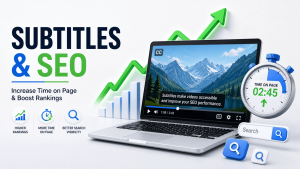
If you’ve embedded video on your website, you already know the engagement math: video keeps people on the page longer than text alone — if they actually watch it. The problem is, most visitors don’t turn the sound on. And when they can’t follow what’s happening in the first three seconds, they leave.
Subtitles fix that gap. They turn a video most people would scroll past into content they can follow on mute, in a noisy office, or on a train with one earbud in. The result shows up in one of the metrics search engines quietly pay attention to: how long a visitor actually stays on your page.
Here’s how subtitles move that number, why it matters for your rankings, and exactly how to add them to your site without slowing down your workflow.
What “Time on Page” Actually Means (and Why Google Cares)
“Time on page” is simply how long a visitor spends on a URL before leaving — whether they navigate away, close the tab, or hit the back button. It’s closely related to dwell time, which specifically measures how long someone stays before returning to the search results they came from.
Google has never officially confirmed dwell time as a direct ranking factor, and its engineers have repeatedly said the algorithm doesn’t plug raw analytics numbers straight into rankings. But a 2024 leak of internal Google API documentation showed that Google tracks something very close to it internally — a “long click,” meaning a visitor who clicks a result and doesn’t rush back to the search page. That’s a strong signal that the page satisfied the search intent.
In practice, here’s the chain that matters for your SEO strategy:
- A visitor who stays, scrolls, and engages tells Google (indirectly) that your page solved their problem.
- A visitor who bounces back to the search results within seconds tells Google your page probably didn’t.
- Pages that consistently hold attention tend to also rank better — not always because of time-on-page itself, but because the same things that hold attention (clear structure, fast load times, content that matches intent, useful media) are the same things Google’s broader quality and “helpful content” systems reward.
So while you shouldn’t treat time on page as a magic lever you can pull in isolation, it’s a real proxy for genuine engagement — and engagement is exactly what modern search algorithms are built to detect. That makes it worth optimizing for its own sake, not just as an SEO trick.
The catch: the average visitor doesn’t give you much time to prove your page is worth staying on. Some engagement studies put the number of visitors who leave within 15 seconds above 50%. Video is one of the few content formats that can change that curve — but only if people can actually follow it.
The Silent-Scrolling Problem: Why Video Without Subtitles Loses Visitors Fast
Most websites still publish video the way they would have in 2015: autoplay on, sound off by default, and no captions. That’s a mismatch with how people actually browse today.
Multiple independent studies converge on the same range: somewhere between 75% and 92% of video views on mobile happen with the sound off. People are in open offices, in waiting rooms, on public transport, or simply scrolling out of habit with the phone muted. Browsers and platforms reinforce this by autoplaying video on mute as the default behavior.
If your embedded video depends on audio to make its point, a large majority of your visitors are getting nothing from it. They watch a few silent seconds, get no payoff, and leave — taking your time-on-page number down with them.
Subtitles close that gap immediately. A visitor on mute can still follow the narrative, understand the product demo, or catch the key takeaway from your explainer video — which means they have a reason to keep watching instead of clicking away.
How Subtitles Directly Increase Time on Page
Subtitles don’t just make video accessible — they change viewing behavior in ways that map directly onto the metric you’re trying to improve.
They raise completion rates. Several independent studies on caption performance report that viewers are substantially more likely to watch a video through to the end when captions are present, compared with the same video left uncaptioned. A longer watch means a longer session on the page hosting that video.
They increase average watch time. Internal platform data (Facebook’s engagement research is the most cited example) has shown double-digit increases in average view duration once captions are added — and case studies from individual brands have reported even larger gains. More time watching is, almost by definition, more time on the page.
They reduce comprehension friction. Viewers reading along while listening (or just reading) retain more of what they see. When people understand a video easily, they don’t bail out of confusion or rewatch sections out of frustration — they keep moving forward, which keeps the session alive.
They give the eye something to anchor on. A captioned video creates a natural reading rhythm — visitors track text the same way they’d read a paragraph, which holds attention longer than a silent, static-feeling clip.
They make your content usable for more people, for longer. Non-native speakers, viewers with hearing loss, and anyone in a sound-restricted environment can all engage with subtitled video. A bigger usable audience means more of your traffic actually sticks around instead of bouncing immediately.
The Hidden SEO Bonus: Subtitles Turn Video Into Crawlable Text
This is the part most teams miss. Search engines can’t “watch” your video — they can only read what’s around it. A subtitle file (or the transcript generated from it) gives crawlers actual text to index: your keywords, your product terminology, your topic context, all in the language your visitors search in.
A well-known experiment from Discovery Digital Networks tested this directly. They added a phrase to a video’s captions that appeared nowhere else — not in the title, description, or tags — and that video still surfaced for searches on that exact phrase. The captions alone made it discoverable.
This compounds a few ways on your own website:
- More indexable text per page. A 5-minute video can generate 700–900 words of transcript — content search engines can actually parse, which thin, video-only pages don’t offer.
- Natural keyword density. Spoken content tends to include long-tail, conversational phrases that match how people actually search — phrasing that’s hard to write naturally into ad copy but shows up organically in a transcript.
- Better snippet eligibility. When your transcript contains the same phrasing someone searched for, your page is a stronger candidate for a relevant, keyword-rich snippet in search results.
- Support for VideoObject schema. Adding caption files alongside structured data helps search engines understand and surface your video content directly in search and video-rich results.
In short: subtitles aren’t just an accessibility add-on. They’re one of the only ways to make video content’s substance machine-readable.
What the Data Says, at a Glance
Pulling from caption-performance research across platforms and brands:
- An estimated 75–92% of mobile video views happen with the sound off.
- Captioned videos have shown completion rates well above uncaptioned ones in head-to-head studies, with some research putting the gap at roughly 25 percentage points or more.
- Average view duration has been reported to increase by double digits (commonly cited in the 12–25% range) once captions are added, based on platform-level engagement data.
- One published study tracking captioned vs. uncaptioned video views recorded a 40% increase in overall views after captions were added.
- Pages that pair video with a full transcript have been reported to outperform the same pages without one in both time-on-page and downstream revenue metrics.
No single number here is a guarantee — engagement studies vary by platform, audience, and content type. But the direction is consistent across every source: captioned video keeps people watching, and people who keep watching stay on your page.
How to Add Subtitles to Your Website Videos (Without Slowing Down Your Workflow)
You don’t need an editing team or a multi-day turnaround to start capturing this benefit. With an AI subtitling tool like vSubtitle, the process looks like this:
- Upload your video. Drag and drop the file you’re planning to embed — a product demo, explainer, testimonial, or blog-supporting clip.
- Let the AI generate captions. vSubtitle’s speech recognition produces accurate subtitles in minutes, with support for 100+ languages if your audience is global.
- Edit for precision. Use the built-in editor to fine-tune timing, fix any names or technical terms, and adjust styling so captions match your site’s look.
- Export in the right format. Download as SRT or VTT to embed with your video player, or export a burned-in version for platforms that don’t support separate caption tracks.
- Publish your transcript alongside the video. Add the full text under or beside the embed — this is what gives search engines the indexable content discussed above.
Because output is billed per minute and reused downloads of the same captions don’t cost you twice, it’s realistic to caption every video you publish, not just your highest-priority content.
Best-Practice Checklist for Time-on-Page-Friendly Captions
- Caption every video that autoplays or sits above the fold — this is where silent scrolling causes the most drop-off.
- Publish a readable transcript on the page, not just an embedded caption track, so the content is crawlable.
- Keep caption text accurate — auto-generated drafts should still get a quick human pass for names, jargon, and brand terms.
- Match caption styling (font, contrast, placement) to your site design so captions feel native, not bolted on.
- Add VideoObject schema markup alongside your caption file where your CMS supports it.
- Track time-on-page and scroll depth before and after adding captions to confirm the lift on your own traffic.
Frequently Asked Questions
Does adding subtitles directly improve my Google ranking?
Not by itself, and not as a confirmed, named ranking factor. What subtitles do is improve the engagement signals (watch time, time on page, lower bounce) and the crawlable text on your page that contribute to how search engines judge content quality and relevance.
Do I need both captions and a written transcript?
For the best result, yes. Captions improve the viewing experience; a separate transcript block on the page is what gives search engines indexable text to crawl, since most crawlers don’t read caption files embedded inside a video player.
Will AI-generated subtitles be accurate enough to publish?
Modern AI subtitling tools routinely reach well above 90% accuracy out of the box, and a quick manual review for names, numbers, and technical terms closes most of the remaining gap.
Should I caption videos that already have audio that works fine?
Yes — captions aren’t only for accessibility or muted viewing. They also improve comprehension, retention, and the searchability of your content even when the audio is perfectly clear.
The Takeaway
Time on page isn’t something search engines tell you to optimize for directly — but it’s a real reflection of whether your content is actually working. Video without subtitles asks visitors to either turn on sound or guess what’s happening; most won’t do either, and they’ll leave. Subtitled video removes that friction, keeps people watching longer, and hands search engines real text to index in the process.
If you’re publishing a video on your site and it isn’t captioned yet, that’s the single highest-leverage fix available to you this week. Start captioning with vSubtitle and turn your existing video library into content that holds attention — and ranks for it.
