Video content is everywhere—from YouTube and social media to OTT platforms, webinars, online courses, and enterprise communications. But in 2026, video without captions is invisible to a large part of the audience.
That’s why AI captioning tools have become essential. They help creators, businesses, and platforms generate accurate captions and subtitles quickly, improve accessibility, boost engagement, and enhance video SEO.
In this guide, we break down the top 10 AI captioning tools in 2026, compare features, and help you choose the best solution for your workflow.
What Are AI Captioning Tools?
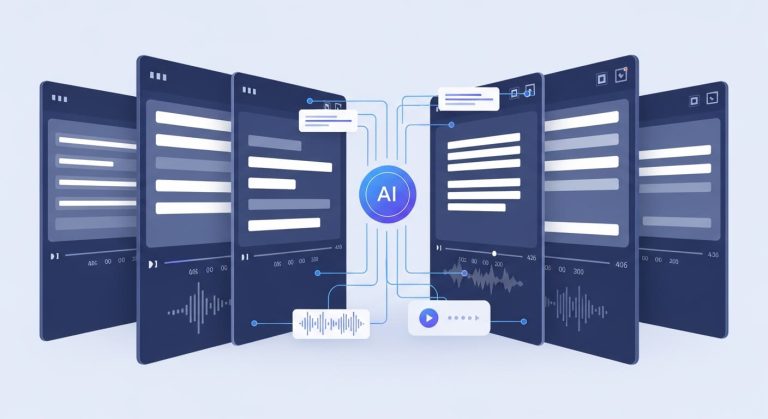
AI captioning tools use speech-to-text and natural language processing to automatically generate captions and subtitles for video and audio content.
Modern AI-powered captioning tools can:
- Create captions in minutes instead of hours
- Support multiple languages
- Sync captions accurately with video
- Generate subtitles for different platforms
- Improve accessibility and discoverability
Compared to manual captioning, automatic captioning tools are faster, scalable, and cost-effective—especially for high-volume content.
How We Evaluated the Best AI Captioning Tools
To compile this list of the best AI captioning tools in 2026, we evaluated platforms based on:
- Caption accuracy
- Language and multilingual support
- Real-time vs file-based captioning
- Ease of use and workflow integration
- Export formats and platform compatibility
- Pricing and scalability
- Best-fit use cases (creators, businesses, OTT, education)
Top 10 AI Captioning Tools in 2026
1. vSubtitle
Best for scalable, multilingual AI captioning
vSubtitle is an advanced AI subtitle and captioning platform designed for businesses, creators, and media teams that need speed, accuracy, and multilingual reach.
Key features:
- AI-powered captioning and subtitling
- High-accuracy speech-to-text
- Multilingual subtitle support
- Platform-ready caption exports
- Optimized for video localization workflows
Best for: Content creators, OTT platforms, enterprises, and localization teams
2. Rev AI
Best for hybrid AI + human captioning
Rev AI offers automatic captioning with the option to upgrade to human-reviewed captions.
Key features:
- AI captioning API
- High accuracy for English content
- Human review add-on
- Caption and subtitle exports
Best for: Businesses needing compliance-ready captions
3. Otter.ai
Best for meetings and live captions
Otter.ai is popular for real-time AI captioning during meetings and virtual events.
Key features:
- Live captions and transcripts
- Speaker identification
- Collaboration and notes
- Integrations with Zoom and Teams
Best for: Meetings, webinars, and internal communication
4. Sonix
Best for fast turnaround transcription and captions
Sonix combines transcription and captioning with a clean UI.
Key features:
- Automatic subtitle generation
- Multiple language support
- In-browser editing
- Export-ready caption files
Best for: Podcasters, marketers, and video editors
5. Descript
Best for creators who edit via text
Descript is a unique AI transcription and captioning tool that lets users edit videos by editing text.
Key features:
- Text-based video editing
- Automatic captions
- Speaker labeling
- Social media-friendly workflows
Best for: YouTubers and content creators
6. VEED.io
Best for social media captions
VEED.io offers browser-based video editing with built-in AI captioning software.
Key features:
- Auto captions for videos
- Custom caption styles
- Social media export formats
- Simple drag-and-drop editor
Best for: Social media teams and short-form creators
7. Kapwing
Best for quick online captioning
Kapwing is an easy-to-use tool for generating captions without technical complexity.
Key features:
- Automatic video captions
- Online editing
- Collaboration tools
- Multiple export options
Best for: Small teams and quick-turnaround projects
8. Happy Scribe
Best for language coverage
Happy Scribe supports a wide range of languages and accents.
Key features:
- AI subtitles and transcription
- Multilingual captioning
- Human editing options
- Subtitle customization
Best for: International teams and localization workflows
9. Trint
Best for journalism and media teams
Trint focuses on transcription-first workflows with strong captioning support.
Key features:
- AI transcription and captions
- Collaboration tools
- Story-building features
- Secure enterprise setup
Best for: Media, newsrooms, and broadcasters
10. Speechmatics
Best for API-based captioning
Speechmatics is a speech recognition engine used by developers and enterprises.
Key features:
- Real-time AI captioning
- Strong accent recognition
- API-first approach
- Multilingual support
Best for: Developers and enterprise applications
AI Captioning Tools Comparison (Quick Overview)
| Tool | Best For | Key Strength |
| vSubtitle | Scalable multilingual captioning | Accuracy + localization |
| Rev AI | Compliance & accuracy | AI + human review |
| Otter.ai | Live captions | Real-time transcription |
| Sonix | Fast turnaround | Speed & usability |
| Descript | Creators | Text-based editing |
| VEED.io | Social media | Caption styling |
| Kapwing | Beginners | Simplicity |
| Happy Scribe | Global teams | Language support |
| Trint | Media | Collaboration |
| Speechmatics | Developers | API & accuracy |
How to Choose the Right AI Captioning Tool
When selecting an AI captioning tool, ask yourself:
- Do I need real-time or file-based captioning?
- How important is multilingual support?
- Do I need captions for YouTube, OTT, or social media?
- Is scalability important for my workflow?
- Do I need API access or automation?
For high-volume, multilingual, and professional video workflows, AI-powered captioning tools like vSubtitle are designed to scale efficiently.
Benefits of Using AI Captioning Tools in 2026
Using modern AI captioning tools helps you:
- Improve accessibility and compliance
- Increase watch time and engagement
- Boost video SEO and discoverability
- Reach global audiences faster
- Reduce captioning costs
As video consumption grows, captions are no longer optional—they’re essential.
Final Thoughts
The demand for accurate, scalable, and fast captioning continues to grow. The best AI captioning tools in 2026 combine automation, intelligence, and flexibility to support modern video workflows.Whether you’re a creator, business, or media platform, choosing the right AI captioning software can dramatically improve reach, accessibility, and efficiency.
FAQs – TOP 10 AI Captioning Tools
What are AI captioning tools?
AI captioning tools use speech-to-text technology to automatically generate captions and subtitles for video and audio content, improving accessibility and discoverability.
What are the best AI captioning tools in 2026?
Some of the best AI captioning tools in 2026 include vSubtitle, Rev AI, Otter.ai, Sonix, Descript, VEED.io, Kapwing, Happy Scribe, Trint, and Speechmatics.
How accurate are AI captioning tools?
Modern AI captioning tools in 2026 offer high accuracy, especially for clear audio. For professional use, many tools support editing or human review to ensure quality.
Are AI captioning tools suitable for multilingual content?
Yes. Many AI captioning tools support multilingual subtitles and translations, making them ideal for global content distribution and video localization.
Can AI captioning tools generate real-time captions?
Yes. Some AI captioning tools offer real-time captioning for live events, webinars, meetings, and broadcasts.
How do AI captioning tools improve video SEO?
AI captions make spoken content searchable, improve watch time, enhance accessibility signals, and help videos rank better on search engines and video platforms.
Are AI captioning tools better than manual captioning?
AI captioning tools are faster and more scalable than manual captioning. However, for high-stakes content, a hybrid AI + human approach delivers the best results.
How do I choose the right AI captioning tool?
Consider accuracy, language support, real-time vs file-based captioning, pricing, scalability, and whether the tool fits your workflow and content type.