If you’ve been searching for the best AI captioning tool, you’ve probably come across Rev and Otter.ai — two of the most well-known names in the space. But in 2026, there’s a new contender that’s quietly outperforming both of them where it matters most: value for money and free plan generosity.
We put all three tools through their paces — comparing speed, accuracy, pricing, free plans, language support, and ease of use — so you don’t have to. Whether you’re a solo creator, a freelancer subtitling client videos, or just someone who wants captions without a massive bill, this comparison will tell you exactly which tool to pick.
| 💰 Spoiler: If you’re on a budget or just getting started, vSubtitle’s free plan is in a different league compared to Rev and Otter. Read on to see why. |
1. Quick Overview: Rev, Otter.ai, and vSubtitle
Before we dive into the detailed comparison, here’s a snapshot of each tool:
Rev
Rev is one of the oldest and most established players in the transcription and captioning space. It offers both AI-powered and human-powered captioning. Rev is known for high accuracy but comes at a premium price — especially once your free trial runs out. It’s popular with media companies and enterprises but can feel expensive for individual creators.
Otter.ai
Otter.ai started as a meeting transcription tool and has evolved into a broader AI notes and captioning platform. It’s widely used for transcribing Zoom calls, interviews, and podcasts. Its free plan is more generous than Rev’s but the tool is primarily optimised for meetings and spoken word notes — not video subtitle exports.
vSubtitle
vSubtitle is an AI-powered captioning platform built specifically for video creators and freelancers. It generates subtitles automatically in 50+ languages, lets you edit in a built-in timeline editor, and exports in SRT, VTT, or burned-in video format. Its free plan — 100 minutes with no watermark, no credit card — is the most generous of the three by a significant margin.
2. Head-to-Head Feature Comparison
| Feature | Rev | Otter.ai | vSubtitle | Winner |
| Free Plan | Trial only | 600 min/month | 100 min free(no card needed) | vSubtitle |
| No Watermark on Free | No | No | Yes | vSubtitle |
| AI Auto-Captioning | Yes | Yes | Yes | Tie |
| Languages Supported | 20+ | ~10 | 50+ | vSubtitle |
| SRT / VTT Export | Yes | Limited | Yes | vSubtitle |
| Burned-in Video Export | No | No | Yes | vSubtitle |
| Built-in Caption Editor | Basic | Basic | Full timeline | vSubtitle |
| Human Captioning Option | Yes | No | No | Rev |
| Designed for Video | Partial | Meetings only | Yes | vSubtitle |
| Pricing Entry Point | ~$1.50/min | $16.99/mo | Pay-as-you-go | vSubtitle |
| 📊 vSubtitle wins 7 out of 11 categories. Rev wins on human captioning. Otter is a distant third for video-specific workflows. |
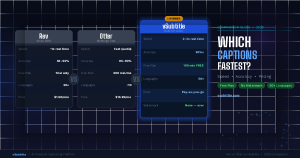
3. Speed: Which Tool Captions Fastest?
Speed is one of the first things creators ask about. Nobody wants to wait 30 minutes for a 10-minute video to be captioned. Here’s how the three tools compare:
Rev AI
Rev’s AI processing runs at roughly 1x real time — a 10-minute video takes about 10 minutes to process. If you opt for human captioning (Rev’s premium offering), turnaround extends to 12–24 hours. Competitive on AI speed, but the human option significantly slows things down when you need it most.
Otter.ai
Otter processes audio quickly for meeting recordings, often under real time. However, Otter isn’t built for video file captioning. Uploading a video file and extracting a clean, usable SRT export is a cumbersome process. The speed advantage disappears once you factor in the manual workarounds required.
vSubtitle
vSubtitle processes video at 2–3x faster than real time. A 10-minute video is typically ready in 3–5 minutes. The output is immediately available in the built-in editor, and you can export in multiple formats in one click. Upload, generate, edit, export — the full workflow takes under 10 minutes for most videos.
| ⚡ For video-specific workflows, vSubtitle is the fastest end-to-end. Rev is competitive on raw AI speed but slower overall due to workflow friction. Otter isn’t suited for video captioning at all. |
4. Accuracy: Who Gets It Right?
Even the fastest tool is useless if you spend 30 minutes correcting every other word. Here’s where each tool stands on accuracy:
Rev AI: ~93–96% Accuracy
Rev’s AI model is well-trained and delivers strong accuracy for clear English speech. For AI-only captioning, expect 93–96% on clean audio. Where Rev truly stands apart is its human captioning option, which delivers near-perfect results for high-stakes content.
Otter.ai: ~85–90% Accuracy
Otter is solid for meeting transcriptions in a controlled environment. Accuracy drops noticeably with background noise, accents, or fast speech. For video content with multiple speakers or varying audio quality, Otter tends to require significantly more manual correction than the other two tools.
vSubtitle: ~95%+ Accuracy
vSubtitle’s AI model performs at par with Rev on standard video content, achieving 95%+ accuracy for clear audio. Where it genuinely outperforms both competitors is on multilingual content — Rev and Otter are heavily English-optimised, while vSubtitle handles 50+ languages natively with consistently high accuracy across all of them.
| 🎯 Rev and vSubtitle are neck-and-neck on English accuracy. For multilingual content, vSubtitle wins clearly. Otter trails both for video use cases. |
5. Pricing: Where vSubtitle Wins by a Mile
This is where the comparison gets most interesting — and where vSubtitle separates itself most clearly from the competition.
| Plan | Rev | Otter.ai | vSubtitle | Notes |
| Free Plan | Trial only(very limited) | 600 min/month(no video export) | 100 min FREENo watermarkNo card needed | vSubtitle: only watermark-free free plan |
| Entry Paid | ~$1.50/min(AI captioning) | $16.99/mo(Pro plan) | Pay-as-you-go(affordable/min) | Rev charges per minute; Otter is subscription |
| Human Captions | $1.50/min(standard) | Not available | Not available | Rev only for 100% accuracy |
| Watermark-Free | Paid only | Paid only | Free plan too | Major advantage for vSubtitle |
| Export Formats | SRT, VTT | Limited | SRT, VTT, MP4(burned-in) | vSubtitle most flexible |
Breaking Down the Free Plans
Rev’s free plan is essentially a trial — you get a limited taste before the paywalls kick in. There’s no ongoing free access for regular use.
Otter’s free plan gives you 600 minutes per month, which sounds generous — but it’s built for meeting transcription, not video captioning. Getting a clean SRT file out of Otter on the free plan is painful, and there’s no burned-in video export at all.
vSubtitle’s free plan gives you 100 minutes of AI captioning with absolutely no watermark, no credit card required, and full access to SRT, VTT, and burned-in export. For a freelancer with a handful of short client videos per week, this could be enough to run an entire subtitling workflow completely free.
| 🏆 Winner: vSubtitle — Best Free Plan & Pricing100 free minutes, no watermark, no credit card. The most freelancer-friendly pricing of the three. |
6. Which Tool Should You Use? (By Use Case)
| Use Case | Best Tool |
| YouTube creator on a budget | vSubtitle — free plan, no watermark, fast workflow |
| Freelancer subtitling client videos | vSubtitle — flexible export, pay-as-you-go, multilingual |
| Corporate meeting transcription | Otter.ai — built for meetings, Zoom integration |
| Legal / broadcast (need 100% accuracy) | Rev — human captioning option is unmatched |
| Multilingual video content | vSubtitle — 50+ languages, best multilingual AI |
| TikTok / Instagram Reels creator | vSubtitle — burned-in video export built in |
| Podcast transcription | Otter.ai or vSubtitle — both handle audio well |
| Enterprise video at scale | Rev or vSubtitle — both offer scalable plans |
7. Pros & Cons Summary
Rev — Pros & Cons
- Pro: Human captioning available — best accuracy on the market
- Pro: Well-established, trusted by media companies and broadcasters
- Pro: Strong AI accuracy for English content
- Con: Expensive — $1.50/min adds up very fast for volume work
- Con: No burned-in video export option
- Con: Free plan is just a trial — no ongoing free access
Otter.ai — Pros & Cons
- Pro: Generous free plan (600 min/month)
- Pro: Excellent for meeting and Zoom call transcription
- Pro: Real-time live captioning available
- Con: Not built for video subtitling — SRT export is clunky
- Con: Limited language support (~10 languages)
- Con: No burned-in video export at all
- Con: Accuracy drops significantly on non-meeting audio
vSubtitle — Pros & Cons
- Pro: Best free plan — 100 min, no watermark, no card needed
- Pro: Built specifically for video creators and freelancers
- Pro: 50+ languages — best multilingual support of the three
- Pro: Burns subtitles into video — perfect for social media
- Pro: Full timeline editor included at no extra cost
- Pro: Fast: 2–3x faster than real time processing
- Con: No human captioning option (AI only)
- Con: Not designed for meeting or live transcription
8. Frequently Asked Questions
Is vSubtitle really free?
Yes. vSubtitle gives you 100 minutes of AI captioning completely free — no credit card required, no watermark on exports. It’s not a time-limited trial; it’s an ongoing free tier. If you need more than 100 minutes, you can top up on a transparent pay-as-you-go basis.
Is Rev worth the price?
Rev is worth the premium if you need human-level accuracy for legal, broadcast, or compliance-sensitive content where a single missed word carries real consequences. For everyday video content, AI tools like vSubtitle deliver comparable accuracy at a fraction of the cost.
Can Otter.ai caption video files?
Otter can transcribe audio extracted from video, but it isn’t designed for video captioning. Exporting a clean SRT file for upload to YouTube or Vimeo is a frustrating process on Otter’s free plan, and burned-in captions aren’t supported at all. If you’re working with video regularly, you’ll hit Otter’s limitations very quickly.
Which tool is best for non-English videos?
vSubtitle — by a significant margin. It supports 50+ languages with strong AI accuracy across all of them. Rev focuses heavily on English, and Otter supports only around 10 languages. If you’re creating content in Spanish, Hindi, French, Arabic, Portuguese, or any other major language, vSubtitle is the clear choice.
What’s the fastest way to caption a YouTube video?
Upload your video to vSubtitle, let the AI generate captions (3–5 minutes for a 10-minute video), make any quick edits in the built-in editor, and download the SRT file. Then upload the SRT to YouTube Studio. Total time from start to published captions: under 10 minutes.
Final Verdict: Which AI Captioning Tool Wins?
Here’s the bottom line:
- Choose Rev if you need human captioning for high-stakes, legally sensitive, or broadcast content where accuracy must be 100% and cost is a secondary concern.
- Choose Otter.ai if your primary use case is transcribing meetings, interviews, or Zoom calls — not video subtitling.
- Choose vSubtitle if you’re a video creator, freelancer, or anyone who needs fast, accurate, watermark-free captions for YouTube, TikTok, Instagram, or client videos — especially if you want to start without spending a penny.
| Try vSubtitle Free — No Credit Card Needed. Get 100 free minutes of AI captioning. No watermark. No commitment.Start your first video in under 2 minutes at vsubtitle.com |