vSubtitle

New Here? Get Your First 30 Minutes FREE - Limited Time Only!

Author name: Editorial Team

wcag-video-caption-compliance-ada
Legal Compliance, Digital Accessibility, Video Operations

WCAG 2.2 and ADA Video Caption Compliance Guide

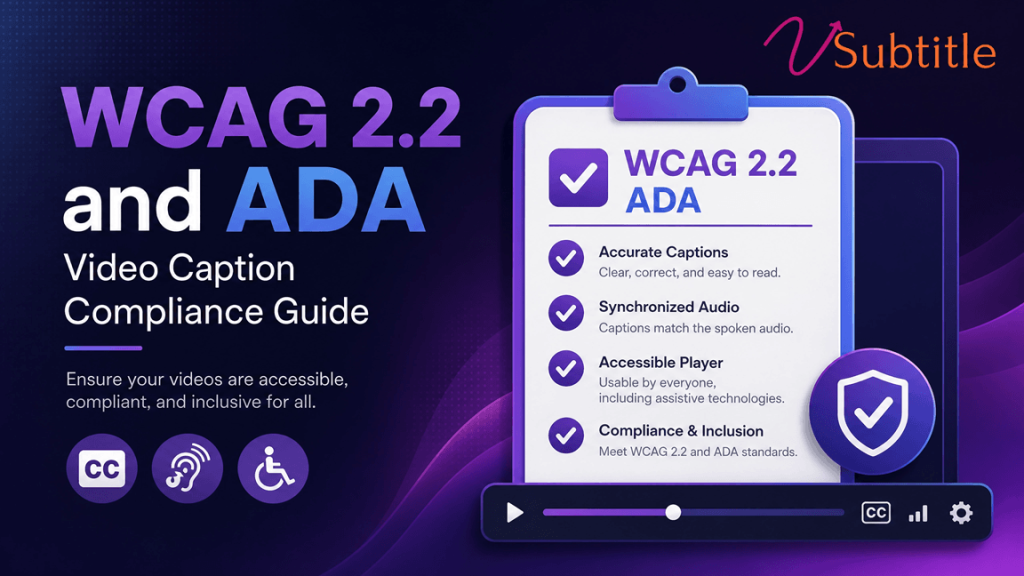
For years, digital video accessibility was treated by many organizations as a “nice-to-have” checklist item or an afterthought handled by unedited, automated platform toggles. With the formalization of Web Content Accessibility Guidelines (WCAG) 2.2 and strict regulatory updates to Title II of the Americans with Disabilities Act (ADA), basic auto-generated text is no longer legally or operationally sufficient. State and local government bodies, public universities, medical systems, and major enterprises face hard compliance deadlines to bring their entire multi-media ecosystems up to par. Failing to meet these standards leaves organizations vulnerable to expensive civil rights lawsuits and digital accessibility demand letters. More importantly, it locks out millions of deaf, hard-of-hearing, and neurodivergent individuals from safely engaging with your content. Achieving true WCAG 2.2 and ADA video caption compliance requires moving beyond automated defaults toward frame-accurate, speaker-aware media workflows. The Legal Landscape: ADA Title II and WCAG 2.2 Digital accessibility is governed across two primary regulatory frameworks: the technical standards (WCAG) and the civil rights laws that enforce them (ADA). Web Content Accessibility Guidelines (WCAG) 2.2 Developed by the W3C, WCAG 2.2 builds on previous frameworks by expanding the criteria required to make web content accessible. Media compliance falls strictly under Guideline 1.2 (Time-based Media). To meet standard Level AA compliance—the benchmark standard for most corporate and legal requirements—organizations must satisfy multiple layers of media criteria: The ADA Title II Mandate The Department of Justice (DOJ) updated its rule under Title II of the ADA, explicitly mandating that public entities—including state and local municipalities, public higher education institutions, and transit authorities—ensure their web content and mobile apps align with WCAG Level AA standards. The implementation timeline leaves no room for stalling: This rule covers not only public-facing websites, but also internal intranet portals, human resource training videos, and password-protected Learning Management Systems (LMS) like Canvas or Blackboard. Why Default Auto-Captions Fail Legal Compliance Many production teams assume they are compliant because they click the “auto-generate captions” button on platforms like YouTube, Zoom, or native web players. This is a critical misconception. Traditional Automatic Speech Recognition (ASR) software typically achieves an accuracy rate of 80% to 90%. While this sounds high, a 15% error rate means that 15 out of every 100 words are wrong. Technical jargon, brand names, regional accents, and overlapping conversations quickly degrade auto-generated outputs into nonsensical text. W3C/DOJ Clarity: Regulatory bodies do not explicitly ban ASR technology, but they state that uncorrected auto-captions do not satisfy compliance standards. If your automated caption misinterprets a vital instructional step, medication name, or safety warning, your organization is non-compliant. Legal compliance requires 99%+ accuracy thresholds. Technical Specifications for Compliant Captions To withstand an accessibility audit, captions must conform to specific presentation, structural, and behavioral metrics. Simply displaying words on screen is not enough. 1. Complete Synchronization Captions must appear on screen in perfect sync with the spoken audio track. The industry tolerance for legal compliance is within 3 frames or 100 milliseconds of the sound onset. Delays confuse users who rely on lip-reading or residual hearing alongside text. 2. Comprehensive Sound Descriptions (Non-Speech Audio) Deaf and hard-of-hearing viewers must receive the exact same contextual experience as hearing viewers. Captions must document meaningful atmospheric audio elements using brackets: 3. Clear Speaker Identification When multiple individuals interact on camera, or when a narrator speaks over b-roll footage, the caption text must identify the source. This is achieved by printing the speaker’s name or title in brackets before their dialogue lines: [Dr. Sarah Evans] The clinical trial yields promising baseline metrics. [Tom] Were there any notable adverse reactions in group B? [Dr. Sarah Evans] Minimal. We noted mild fatigue in under 4% of participants. 4. Layout, Readability, and Line Breaking To prevent cognitive overload, text layout must follow explicit spatial limits: Media Player Accessibility: The Forgotten Half of Compliance Even if your subtitle file (.srt or .vtt) is perfectly accurate, your video presentation can still fail compliance checks if the media player framework itself blocks accessibility tools. Under WCAG Guidelines 2.1.1 (Keyboard) and 2.4.7 (Focus Visible), your embedded video players must meet strict interface rules: Operational Blueprint: Auditing and Remediating Video Backlogs If your organization owns an existing catalog of uncaptioned or poorly auto-captioned legacy video assets, you must implement a structured “Remove or Remediate” workflow to mitigate liability. Step 1: Run an Asset Inventory Locate and log every video hosted across your organization’s digital web footprints, help centers, landing pages, and training portals. Categorize them into two core buckets: Step 2: Automated Batch Processing via vSubtitle Upload your active catalog to a dedicated caption management engine like vSubtitle. Use the advanced AI transcription tools to rapidly establish base-layer timelines, speaker separation, and structural formats across your content. Step 3: Human Verification and Alignment Review Task your team or an internal accessibility editor to audit the generated transcript outputs. Fix any spelling mistakes in specialized jargon, confirm that music cues are noted correctly, and adjust line breaks to stay under the 42-character cap per line. Step 4: System Integration and File Deployment Export the compliant transcripts as sidecar files. For modern web environments, prefer .vtt formats because they natively support styling configurations and precise screen placement data. Re-upload these files to your media host to verify that accessibility controls function properly. FAQs: Video Caption and ADA Compliance
mute-generation-gen-z-watch-video-without-sound
Video Marketing, Content Strategy, Social Media Trends

The “Mute” Generation: Why 90% of Gen Z Watches Video Without Sound

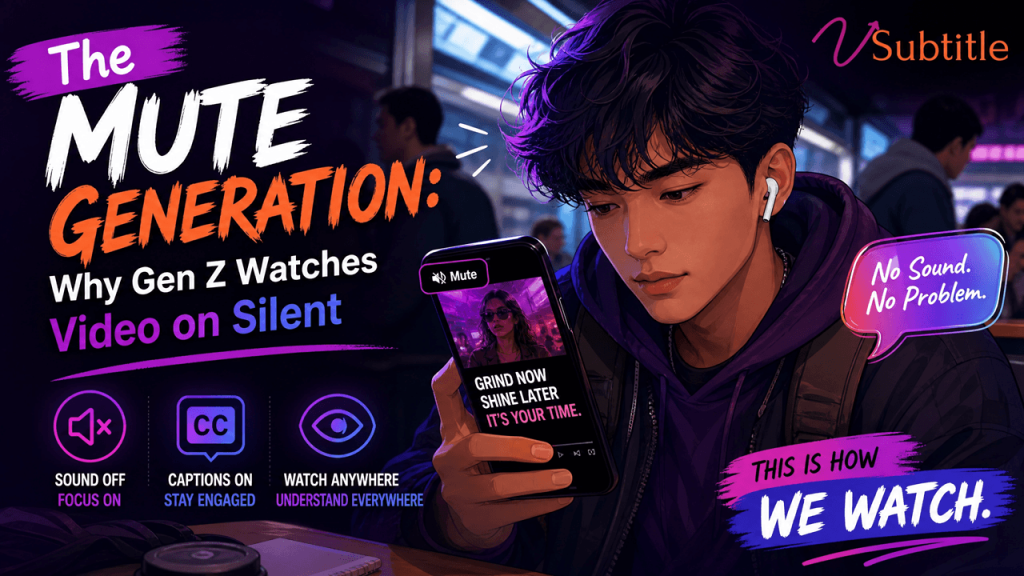
Open TikTok or Instagram right now, in almost any public place, and you’ll see the same thing: someone scrolling through videos with their phone speaker off and their earbuds nowhere in sight. This isn’t a fluke or a phase. Multiple industry studies now peg silent video consumption at somewhere between 75% and 92% of all mobile video views, and Gen Z sits at the top of that curve. For a generation that grew up with video as its native language, the sound has quietly become optional. This shift has enormous implications for anyone making video content — brands, creators, educators, and marketers alike. If the majority of your audience never hears a single word of your video, then everything you thought you knew about “good” video — a punchy voiceover, dramatic music, witty dialogue — needs to be rethought from the ground up. Welcome to the age of the Mute Generation. Just How Big Is the Mute Trend? The numbers vary slightly depending on the study, but the direction is unmistakable. Research from Sharethrough and other mobile-ad analytics firms has repeatedly found that the vast majority of people keep their phones on silent by default, and that this habit carries directly into video viewing. Multiple more recent industry reports put silent viewing on social platforms at around 85%, with Gen Z and younger Millennials skewing even higher than older cohorts. What makes this more than a passing statistic is what sits behind it: captions. Surveys of TV and streaming habits show that a majority of viewers across all age groups now watch with subtitles turned on regardless of whether the sound is playing, and that habit is strongest among the youngest viewers. In other words, Gen Z isn’t just tolerating silence — they’re actively building a caption-first way of consuming media, on everything from Netflix to a 15-second Reel. Why Did This Happen? Five Real Reasons 1. Scrolling Is a Public, Social Act Gen Z consumes video everywhere: in class, on the bus, in the school cafeteria, in bed next to a sleeping sibling. Sound is often simply unavailable or inappropriate. Muted-by-default is the path of least friction, and platforms have built around that reality rather than against it. 2. Platforms Trained Them to Expect Silence Autoplay feeds on Instagram, TikTok, and Facebook have defaulted to muted playback for years. An entire generation’s first hundred thousand video impressions arrived without sound, which means silent viewing isn’t a workaround for Gen Z — it’s the baseline experience they were raised on. 3. Captions Are Faster to Process Mid-Scroll Reading text on screen lets a viewer decide in under two seconds whether a video is worth their attention, without waiting for a sentence to be spoken aloud. In a feed built for rapid judgment, on-screen text simply outperforms audio for grabbing and holding attention. 4. Multitasking Is the Default State Gen Z rarely watches one thing at a time. A video plays in one tab while a group chat, a homework assignment, and a second app compete for attention. Sound is often the first sense sacrificed to keep the peace across all those open windows. 5. Captions Widened Who Gets to Watch Growing awareness of accessibility, combined with a genuine appetite for inclusive design, has normalized captions as a default rather than an accommodation. Many young viewers now say they simply prefer reading along, whether or not they need to. What This Means for Creators and Brands If nine out of ten viewers may never hear your audio, a video that depends entirely on narration or dialogue to land its message is quietly failing most of its audience before it even gets watched to the end. A handful of practical shifts follow directly from that reality. This is exactly why accurate, well-timed subtitles have gone from a nice-to-have to a non-negotiable part of the video production workflow. A caption file that’s poorly timed, riddled with errors, or missing entirely doesn’t just hurt accessibility — it directly costs watch time, comprehension, and conversions, because it’s speaking to the 85-90% of the audience that’s actually there. The Business Case: Captions Aren’t Optional Anymore Marketers who’ve adapted to silent viewing are seeing the payoff. Ad agencies and platforms studying feed behavior have found that captioned, visually self-sufficient content holds attention longer and communicates more clearly than audio-dependent creative, precisely because it meets viewers where they actually are: scrolling, in public, with the sound off. Brands that keep shipping dialogue-heavy, caption-free videos are effectively advertising to an empty room. For creators, the lesson is similar. A tutorial, a story-time video, or a product demo that relies on narration alone is invisible to most of the feed. Add clean, accurately synced captions, and that same video suddenly works in a lecture hall, a waiting room, or a late-night scroll session under the covers — all the places Gen Z is actually watching. Myths About Silent Viewing, Debunked “They’ll turn the sound on if the content is good enough” This is the single most expensive assumption in video marketing today. Viewers don’t weigh up whether a video deserves audio — they simply skip it if it doesn’t communicate instantly on mute. The bar isn’t quality, it’s speed of comprehension. A brilliant script that only reveals itself through narration never gets the chance to prove it’s brilliant. “Captions are only for accessibility” Captions absolutely matter for viewers who are Deaf or hard of hearing, and that alone would justify using them. But the data shows something broader: most hearing viewers are choosing captions too, because reading is often just a faster, more convenient way to consume a feed. Treating captions purely as a compliance checkbox undersells what they actually do for reach and watch time. “This is just a TikTok thing” Muted-first viewing habits have spread well beyond short-form apps. Gen Z carries the same expectations into YouTube, LinkedIn, streaming platforms, and even paid ad placements. A video built assuming sound-on viewing is increasingly the exception across the

add-subtitles-zoom-teams-recordings-better-retention
Video Accessibility, AI Captioning, AI Video Tools, Productivity Tools, Remote Work

How to Add Subtitles to Zoom and Microsoft Teams Recordings for Better Retention

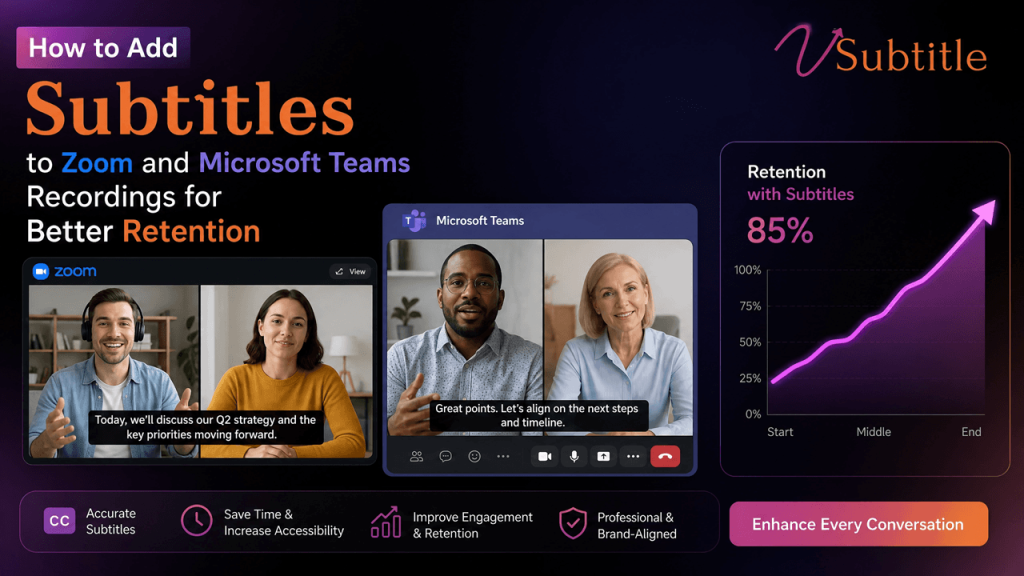
If you’ve ever rewatched a Zoom meeting recording or a Teams call at 1.5x speed with the sound half-muted in a shared office, you already know the problem: people don’t actually watch recordings, they skim them. And when they skim, they miss things. Subtitles fix that. They turn a passive recording into a scannable, searchable, retainable piece of content that works whether someone is watching with sound on, sound off, in a noisy commute, or in a completely different language. In this guide, we’ll walk through exactly how to add subtitles to Zoom and Microsoft Teams recordings, why captions have such a measurable impact on retention and comprehension, and how a dedicated tool like vSubtitle can turn a manual, hour-long chore into a five-minute upload. Why Subtitles Improve Retention for Meeting Recordings Before jumping into the how-to, it’s worth understanding why this small addition makes such a big difference. How to Add Subtitles to Zoom Recordings Zoom offers a couple of native options, plus the option to bring in a dedicated captioning tool for better accuracy and editing control. Option 1: Zoom’s Built-In Cloud Recording Captions If you’re on a Zoom plan with cloud recording, Zoom can generate automatic transcripts and captions for recordings stored in the cloud. This works well for basic needs, but Zoom’s auto-generated captions can struggle with technical vocabulary, accents, overlapping speakers, and non-English audio — and editing them inside Zoom’s interface is limited. Option 2: Export the Recording and Add Subtitles with an AI Tool For meetings where accuracy actually matters — sales calls, training sessions, webinars, all-hands recordings — exporting the video and running it through a dedicated captioning tool like vSubtitle gives you far more control. This approach is especially useful for recordings that will live permanently on a shared drive, LMS, or public webpage, where relying on Zoom’s native (and sometimes temporary) transcript isn’t reliable enough. How to Add Subtitles to Microsoft Teams Recordings Microsoft Teams has similarly evolved its native captioning, but the workflow and reliability differ depending on where the recording is stored and how it’s shared. Option 1: Live Captions During the Meeting Teams allows live captions to be turned on during a call, which some organizations use as a starting point. This is helpful for real-time accessibility during the call itself, but live captions are not the same as a polished, edited subtitle file — they’re generated on the fly and often contain errors that go uncorrected. Option 2: Teams/Stream Recording Transcripts Recordings saved to Microsoft Stream (or OneDrive/SharePoint, depending on your organization’s setup) typically come with an auto-generated transcript. As with Zoom, the accuracy of Microsoft’s automatic transcript depends heavily on audio quality, accents, and technical terminology — and downstream editing tools are limited. Option 3: Use vSubtitle for Polished, Editable Teams Captions For recordings you plan to repurpose — internal training libraries, customer-facing demos, onboarding content — running the exported Teams recording through vSubtitle gives you a consistent, high-accuracy result regardless of where the meeting was hosted. Best Practices for Subtitles That Actually Improve Retention Adding captions is only half the job. How they’re formatted and used matters just as much for whether viewers actually retain the information. Why Use a Dedicated Tool Instead of Native Captions Alone Zoom and Teams both offer decent starting points, but their native captioning tools are built for real-time accessibility during a live call, not for producing a clean, reusable subtitle asset afterward. A dedicated AI subtitling platform like vSubtitle closes that gap by combining speed, accuracy, and an editor built specifically for refining captions before they go out to a wider audience. Frequently Asked Questions Final Thoughts Native captions in Zoom and Teams are a reasonable starting point for live accessibility, but they’re rarely the best long-term solution for recordings you plan to reuse, share externally, or repurpose across teams and languages. Exporting your recording and running it through a dedicated AI captioning platform gives you higher accuracy, an editor to fix the details, automatic transcription misses, and translation options that native tools don’t offer. If better retention, accessibility, and reach are the goal, pairing your Zoom or Teams workflow with vSubtitle turns every recording into content people can actually watch, read, search, and remember — no matter where or how they’re watching it.

Subtitles Increase Time on Page & Boost SEO Rankings
SEO, Video Marketing

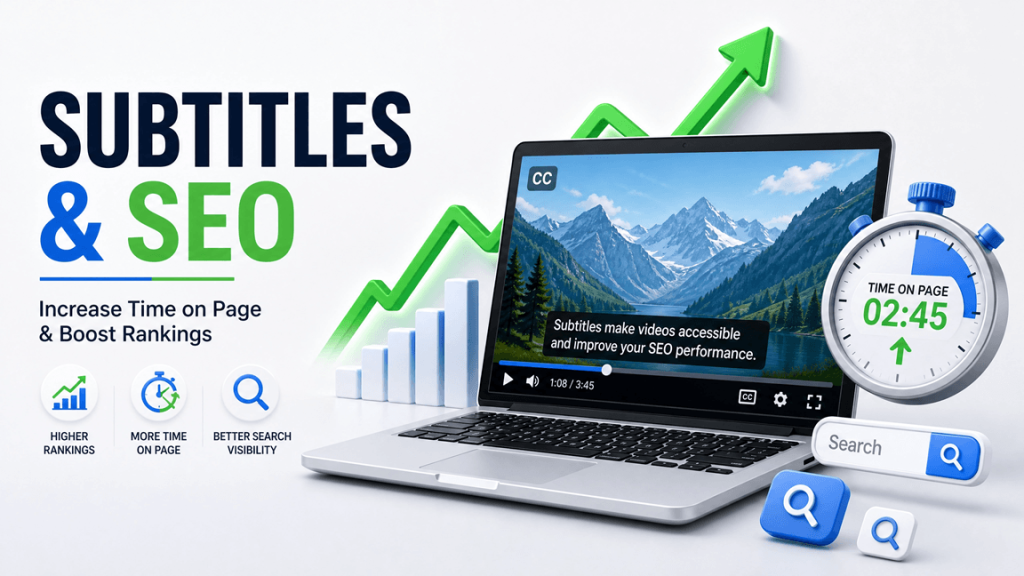
How Subtitles Increase “Time on Page” and Boost Your Website’s SEO Rankings

If you’ve embedded video on your website, you already know the engagement math: video keeps people on the page longer than text alone — if they actually watch it. The problem is, most visitors don’t turn the sound on. And when they can’t follow what’s happening in the first three seconds, they leave. Subtitles fix that gap. They turn a video most people would scroll past into content they can follow on mute, in a noisy office, or on a train with one earbud in. The result shows up in one of the metrics search engines quietly pay attention to: how long a visitor actually stays on your page. Here’s how subtitles move that number, why it matters for your rankings, and exactly how to add them to your site without slowing down your workflow. What “Time on Page” Actually Means (and Why Google Cares) “Time on page” is simply how long a visitor spends on a URL before leaving — whether they navigate away, close the tab, or hit the back button. It’s closely related to dwell time, which specifically measures how long someone stays before returning to the search results they came from. Google has never officially confirmed dwell time as a direct ranking factor, and its engineers have repeatedly said the algorithm doesn’t plug raw analytics numbers straight into rankings. But a 2024 leak of internal Google API documentation showed that Google tracks something very close to it internally — a “long click,” meaning a visitor who clicks a result and doesn’t rush back to the search page. That’s a strong signal that the page satisfied the search intent. In practice, here’s the chain that matters for your SEO strategy: So while you shouldn’t treat time on page as a magic lever you can pull in isolation, it’s a real proxy for genuine engagement — and engagement is exactly what modern search algorithms are built to detect. That makes it worth optimizing for its own sake, not just as an SEO trick. The catch: the average visitor doesn’t give you much time to prove your page is worth staying on. Some engagement studies put the number of visitors who leave within 15 seconds above 50%. Video is one of the few content formats that can change that curve — but only if people can actually follow it. The Silent-Scrolling Problem: Why Video Without Subtitles Loses Visitors Fast Most websites still publish video the way they would have in 2015: autoplay on, sound off by default, and no captions. That’s a mismatch with how people actually browse today. Multiple independent studies converge on the same range: somewhere between 75% and 92% of video views on mobile happen with the sound off. People are in open offices, in waiting rooms, on public transport, or simply scrolling out of habit with the phone muted. Browsers and platforms reinforce this by autoplaying video on mute as the default behavior. If your embedded video depends on audio to make its point, a large majority of your visitors are getting nothing from it. They watch a few silent seconds, get no payoff, and leave — taking your time-on-page number down with them. Subtitles close that gap immediately. A visitor on mute can still follow the narrative, understand the product demo, or catch the key takeaway from your explainer video — which means they have a reason to keep watching instead of clicking away. How Subtitles Directly Increase Time on Page Subtitles don’t just make video accessible — they change viewing behavior in ways that map directly onto the metric you’re trying to improve. They raise completion rates. Several independent studies on caption performance report that viewers are substantially more likely to watch a video through to the end when captions are present, compared with the same video left uncaptioned. A longer watch means a longer session on the page hosting that video. They increase average watch time. Internal platform data (Facebook’s engagement research is the most cited example) has shown double-digit increases in average view duration once captions are added — and case studies from individual brands have reported even larger gains. More time watching is, almost by definition, more time on the page. They reduce comprehension friction. Viewers reading along while listening (or just reading) retain more of what they see. When people understand a video easily, they don’t bail out of confusion or rewatch sections out of frustration — they keep moving forward, which keeps the session alive. They give the eye something to anchor on. A captioned video creates a natural reading rhythm — visitors track text the same way they’d read a paragraph, which holds attention longer than a silent, static-feeling clip. They make your content usable for more people, for longer. Non-native speakers, viewers with hearing loss, and anyone in a sound-restricted environment can all engage with subtitled video. A bigger usable audience means more of your traffic actually sticks around instead of bouncing immediately. The Hidden SEO Bonus: Subtitles Turn Video Into Crawlable Text This is the part most teams miss. Search engines can’t “watch” your video — they can only read what’s around it. A subtitle file (or the transcript generated from it) gives crawlers actual text to index: your keywords, your product terminology, your topic context, all in the language your visitors search in. A well-known experiment from Discovery Digital Networks tested this directly. They added a phrase to a video’s captions that appeared nowhere else — not in the title, description, or tags — and that video still surfaced for searches on that exact phrase. The captions alone made it discoverable. This compounds a few ways on your own website: In short: subtitles aren’t just an accessibility add-on. They’re one of the only ways to make video content’s substance machine-readable. What the Data Says, at a Glance Pulling from caption-performance research across platforms and brands: No single number here is a guarantee — engagement studies vary by platform, audience, and content type. But

faceless-youtube-channels-ai-captions-2026
YouTube Growth & Strategy

Why Faceless YouTube Channels Are Doubling Down on AI Captions in 2026

There’s a quiet revolution happening on YouTube in 2026. Channels with millions of subscribers — channels you’ve probably watched — have no host, no face, no personality to build a following around. They’re built on stock footage, voiceovers, AI-generated visuals, animated text, and tight editing. And almost all of them have one thing in common: they use AI captions on every single video. This isn’t a coincidence. Faceless channels have discovered something that face-forward creators often overlook: captions are disproportionately valuable for content that doesn’t have a charismatic presenter to hold attention. When there’s no face to watch, no story to follow, no personality to connect with — the words on screen become the primary hook that keeps viewers watching. In this post, we’ll break down exactly why AI captions have become a core part of the faceless channel playbook, what the data shows about their impact on watch time and growth, which niches benefit most, and how you can replicate the same workflow using vSubtitle — starting today, for free. 🎯  Whether you already run a faceless channel or are planning to start one, this post gives you the caption strategy that top faceless creators are using to compound their growth — and the exact tool to implement it. 1. What Is a Faceless YouTube Channel — And Why Are They Exploding? A faceless YouTube channel is exactly what it sounds like: a channel that produces video content without ever showing the creator’s face on camera. Instead of a traditional talking-head format, these channels use: The appeal is obvious. Faceless channels let creators build audiences and generate significant revenue without: 45M+Estimated faceless channels on YouTube in 2026 3×Faster average growth vs face-forward channels (top niches) $10KMonthly revenue reported by mid-size faceless channels 85%Of faceless channel growth tied to search & suggested video 📊  Faceless channels are particularly dependent on algorithmic discovery — search rankings, suggested video placement, and browse features. These are precisely the metrics most directly influenced by captions. The connection between faceless channel growth and AI captioning is therefore especially strong. 2. Why Captions Are More Valuable for Faceless Channels Than Any Other Format Every YouTube creator benefits from captions. But for faceless channels specifically, captions deliver outsized value across every growth metric. Here’s why: There’s No Face to Hold Attention — So the Words Must In face-forward content, the presenter’s expressions, gestures, eye contact, and personality are powerful engagement tools. Viewers stay because they feel a human connection — they’re watching someone, not just consuming information. Faceless content doesn’t have this advantage. The hook is the information itself — the narration, the data, the story being told. Captions make this information doubly accessible: viewers receive it through audio and see it reinforced on screen simultaneously. This dual-channel delivery keeps attention locked to the content in a way that audio alone cannot achieve, particularly for distracted or multitasking viewers. Mute Viewing Is Especially Common for Faceless Content Consider when and where faceless content is typically consumed: background listening while working, passive scrolling through YouTube feeds, late-night watching without disturbing others. These are high-mute-probability viewing contexts. A faceless finance explainer or history documentary is exactly the kind of content someone might have playing at low volume or on mute while doing something else. Without captions, this viewer receives nothing — and leaves. With captions, they’re fully engaged even at zero volume. The difference in watch time between a muted uncaptioned video and a muted captioned video is the difference between a 5-second bounce and a 12-minute completed view. SEO and Search Discovery Are Disproportionately Important Most faceless channels grow through search and suggested video — not through a personal following that clicks a subscribe button because they love the host. This means YouTube SEO is absolutely critical to faceless channel growth in a way it isn’t for personality-driven channels. Caption files are indexed by YouTube’s search algorithm. Every word spoken in a faceless channel video — the narration, the statistics cited, the topics covered — becomes searchable text when a caption file is uploaded. This dramatically expands the number of search queries a video can rank for, which is the primary growth engine for the faceless format. International Audiences Are More Reachable Faceless content — particularly in niches like finance, history, science, and technology — translates well across language barriers. The absence of culturally specific humour, idioms, and personality quirks means faceless content has genuine international appeal. Multilingual captions unlock this potential directly: a faceless finance channel can serve Spanish, Hindi, Portuguese, and French audiences with the same video and minimal additional effort. 🌍  The most successful faceless channels of 2026 are treating multilingual captions not as an accessibility add-on but as a growth strategy — systematically adding 3–5 language tracks to every video to capture international search traffic and recommended video placement across multiple markets. 3. The Faceless Niches Where AI Captions Drive the Biggest Results While every faceless channel benefits from AI captions, the impact varies by niche based on audience behaviour, content type, and viewing context. Here are the highest-impact niches: 💰  Finance & Investing📌 Why AI captions matter: Finance audiences are highly analytical. They pause, rewind, and take notes. Captions allow them to follow complex data, percentages, and terminology without missing anything. Finance content is also heavily searched — and caption indexing dramatically expands keyword reach.📈 Typical result: Channels with captions report 30–50% higher average view duration and significantly more search-driven discovery. Finance terms are often searched in exact phrases that match caption text. 📚  History & Documentary📌 Why AI captions matter: History content involves dense narration with names, dates, places, and events. Viewers who are not native English speakers struggle with fast narration of unfamiliar historical names. Captions provide a visual anchor for every proper noun and timeline element — significantly improving comprehension and completion rates.📈 Typical result: Completion rates increase 25–40% with captions on history content. Multilingual caption tracks unlock large international audiences — history content is highly consumed in non-English-speaking

Subtitling for VR and AR: How to Place Captions in a 360-Degree Space
Advanced Captioning & Emerging Tech, AI Subtitling & Captioning

Subtitling for VR and AR: How to Place Captions in a 360-Degree Space (2026)

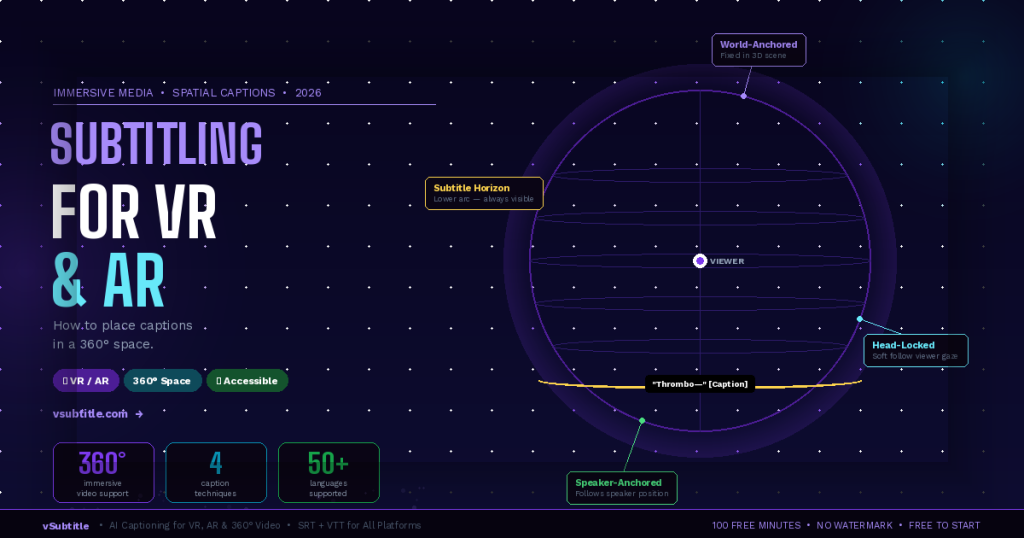
Every traditional rule for subtitling assumes a flat, fixed screen. The caption sits at the bottom third. The viewer looks forward. The text is always visible. VR and AR break every one of these assumptions. In a 360-degree immersive environment, there is no ‘bottom third’. The viewer can look in any direction — up, down, behind them. The speaker might be to the left while the viewer is looking right. A caption anchored to one position in the virtual world could be completely invisible if the viewer isn’t looking that way. And if captions follow the viewer’s gaze too aggressively, they become nauseating. Subtitling for immersive media is one of the most technically and creatively challenging problems in accessible content production — and in 2026, it’s no longer a niche concern. VR training programmes, AR surgical overlays, immersive journalism, 360-degree tourism content, virtual classrooms, and XR gaming are all producing video content that needs to be accessible to deaf and hard-of-hearing audiences. This guide explains the unique challenges of captioning in 360-degree space, the main techniques being used, the tools available, and a practical workflow for any creator working with immersive content — including how vSubtitle fits into the pipeline. 🥽  This is a forward-looking guide for an emerging field. Best practices are still evolving — but the core accessibility principles remain constant. The goal is always the same: ensure every viewer can fully access the content, regardless of how they experience it. 1. Why Standard Subtitling Approaches Fail in VR and AR Before exploring solutions, it’s worth understanding exactly why traditional captioning approaches break down in immersive environments. The challenges are distinct from anything flat-screen video creators encounter. The Viewport Problem In standard video, the viewport is fixed — the viewer always sees the same rectangular frame. A caption placed at the bottom centre is always in the viewer’s field of view. In VR, the viewer’s field of view is a small window into a full 360-degree sphere. A caption rendered at a fixed position in the 3D world might be directly behind the viewer — completely invisible — while dialogue is playing. The Speaker Location Problem In flat video, the speaker is almost always on screen when they’re speaking. In 360-degree video or VR, a speaker may be positioned anywhere in the environment — to the left, behind the viewer, above them. If the viewer is looking in a different direction, they miss both the speaker’s visual presence and any caption positioned near the speaker. The Motion Sickness Problem Captions that are ‘head-locked’ — fixed to the viewer’s field of view and moving with every head rotation — create a disturbing visual effect similar to text on a windshield. They feel unnatural, reduce immersion, and for many users cause disorientation or nausea, particularly in fully enclosed VR headsets. The solution is not simple: captions need to be accessible without being rigidly attached to the viewer’s gaze. The Depth and Scale Problem In a 3D immersive environment, captions rendered at the wrong depth or scale can appear to float uncomfortably close to the viewer’s face, or so far away that they’re illegible. Text that looks perfect at 2 metres in a virtual environment may be unreadable at 10 metres, or uncomfortably large at 0.5 metres. Finding the right rendering depth for readable, comfortable captions requires testing across headset types. The Immersion Disruption Problem VR and AR are defined by presence — the feeling of actually being in the environment. Heavy or intrusive captioning can break this presence, reminding viewers that they’re watching content rather than experiencing it. The challenge is making captions accessible without making them a distraction from the immersive experience itself. 🔬  These challenges don’t mean 360-degree content can’t be subtitled — they mean it requires different approaches than flat-screen content. Researchers, broadcasters, and immersive content studios have developed several working solutions, each with specific tradeoffs. 2. The 4 Main Captioning Approaches for 360-Degree and VR Content Technique 1:  World-Anchored (Diegetic) CaptionsCaptions are placed at a fixed position in the 3D world — attached to the environment rather than the viewer. Like a sign floating in the virtual space, they stay in one place while the viewer moves. Often positioned in the viewer’s natural line of sight or near where the speaker is located in the scene.✅ Best for: Narrative VR experiences, 360-degree documentaries, and content where the director controls the viewer’s attention. Creates the most natural, immersive feel when executed well.⚠️ Watch out: Captions can become invisible if the viewer looks away. Requires careful scene design to ensure captions are positioned where the viewer naturally looks. Not suitable for action-heavy content where the viewer may be looking in any direction. Technique 2:  Head-Locked with Soft Follow (Semi-Fixed)Captions follow the viewer’s gaze but with a slight lag — positioned slightly below the centre of the viewer’s field of view and ‘floating’ into position smoothly rather than snapping to the viewer’s exact orientation. This creates a more comfortable experience than rigid head-locking while ensuring captions are always visible.✅ Best for: Interactive VR experiences, VR training, and content where the viewer has significant freedom of movement. Balances accessibility and comfort better than fully head-locked captions.⚠️ Watch out: Must be implemented with carefully tuned lag parameters to avoid the ‘swimming’ sensation. Pure head-locking without lag is discouraged. Positioning requires testing across headset types. Technique 3:  Speaker-Anchored (Proximity-Based) CaptionsCaptions are attached to or positioned near the speaker in the virtual environment, following the speaker if they move. An audio-direction indicator (arrow or glow effect) optionally guides the viewer toward the active speaker when they’re not looking in that direction.✅ Best for: Multi-speaker VR dialogues, 360-degree interview formats, theatrical VR, and content where identifying who is speaking is critical to the narrative.⚠️ Watch out: Requires spatial audio integration and often speaker tracking in the content. Complex to implement for pre-recorded 360-degree video without real-time rendering. Audio-direction indicators must not disrupt immersion. Technique 4:  Subtitle Horizon (Persistent Lower Arc)Captions are rendered in

AI Subtitling for Legal Depositions: Accuracy & Security 2026
Industry Solutions, Legal Tech, Security & Compliance

AI Subtitling for Legal Depositions: Accuracy, Security, and Compliance in 2026

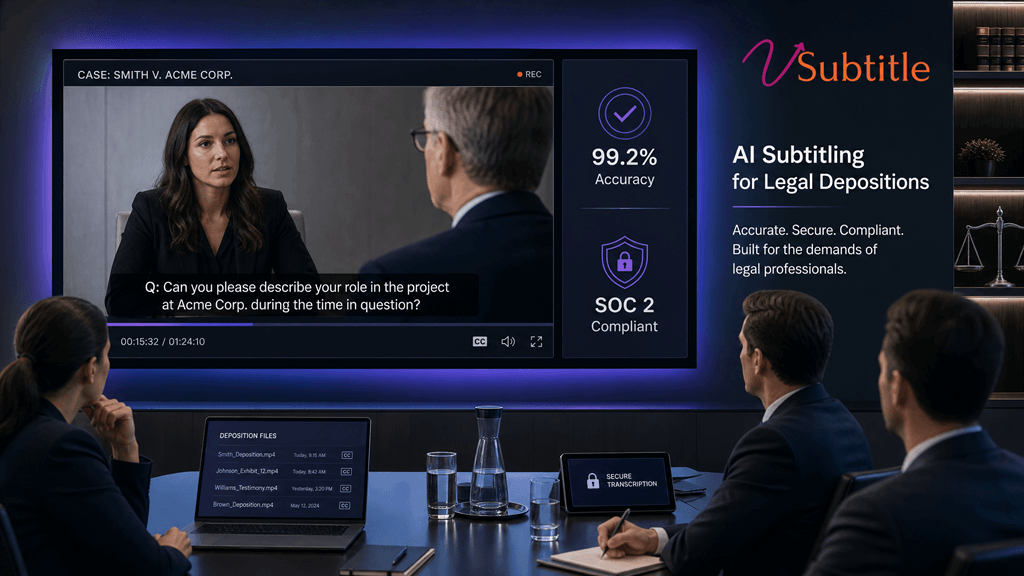
Introduction: The Digital Transformation of the Courtroom In 2026, the legal industry reached a tipping point. The traditional methods of court reporting and deposition transcription, while storied, are being augmented—and in many cases, replaced—by advanced AI subtitling technologies. For law firms, court reporting agencies, and corporate legal departments, the shift toward AI isn’t just about speed; it’s about meeting the rigorous demands of accuracy, security, and compliance in a digital-first world. Legal depositions are the backbone of the discovery process. Every word matters. A single mistranscribed term can alter the course of a multi-million dollar litigation. This guide explores how AI subtitling has evolved to meet these high stakes in 2026, and why vSubtitle is at the forefront of this legal tech revolution. 1. The Accuracy Threshold: Beyond 99% In the legal world, “good enough” is never enough. While early AI transcription tools struggled with legal jargon, overlapping speech, and diverse accents, the 2026 generation of AI—powered by specialized neural networks—has shattered previous limitations. Specialized Legal Models Unlike generic AI tools, professional platforms like vSubtitle utilize models specifically trained on millions of hours of legal proceedings. This allows the AI to: For legal professionals, this means a “rough draft” transcript is available in real-time, with a final, certified-ready version delivered in a fraction of the time it takes for manual transcription. 2. Security First: Protecting Privileged Information In 2026, data breaches are more sophisticated than ever. For legal depositions, which often contain highly sensitive, proprietary, or personal information, security is non-negotiable. SOC 2 Type II and HIPAA Compliance A professional AI subtitling partner must adhere to the highest security frameworks. Data Sovereignty and Encryption In 2026, where your data lives matters. vSubtitle offers: 3. Compliance in the Era of AI Regulation As AI becomes more prevalent, so does the regulation surrounding its use in the legal field. In 2026, compliance means more than just following the rules; it means being able to prove you followed them. Audit Trails and Chain of Custody Every deposition processed through vSubtitle generates a comprehensive audit trail. This includes: Ethical AI and Bias Mitigation The legal industry is rightfully concerned about AI bias. In 2026, vSubtitle’s models are regularly audited for “algorithmic fairness” to ensure that accents, dialects, and speech patterns from diverse backgrounds are transcribed with equal accuracy, upholding the principles of justice and equity. 4. The ROI of AI Subtitling for Law Firms Beyond compliance and security, the move to AI subtitling offers a significant competitive advantage. 5. Implementation Checklist for Legal Teams If your firm is looking to integrate AI subtitling in 2026, here is your roadmap: Frequently Asked Questions (FAQ) Conclusion: Embracing the Future of Litigation The legal deposition of 2026 is a data-rich, highly efficient, and secure event. By embracing AI subtitling, legal professionals are not just keeping up with technology—they are enhancing the very nature of the discovery process. Accuracy is higher, security is tighter, and justice is served faster. Discover how vSubtitle is redefining legal transcription. Start your secure trial today.

Medical Educators Use AI Captions to Simplify Complex Terminology (2026)
eLearning & Education

How Medical Educators Use AI Captions to Simplify Complex Terminology (2026)

Medical education is arguably the most demanding environment for video content. A single lecture on pharmacokinetics, a surgical technique walkthrough, or a case-based pathology session can contain hundreds of highly specific clinical terms — words that students are encountering for the first time, in a second language, at high speed, from an instructor with a regional accent. Without captions, these videos ask students to absorb dense, unfamiliar terminology purely through listening — a task that cognitive science tells us is significantly harder than reading alongside audio. With well-produced AI captions, the same content becomes dramatically more comprehensible: every term is visible on screen, spellings are confirmed, and students can pause, re-read, and cross-reference in real time. In 2026, leading medical schools, nursing programmes, CME providers, and health sciences eLearning platforms have made AI captioning a standard part of their content production workflow. This article explains exactly how they’re doing it, what results they’re seeing, and how any medical educator can implement the same approach — starting today, for free. 🏥  This post is written for medical educators, health sciences instructors, CME content producers, nursing programme directors, and anyone producing clinical or healthcare video content for students or professionals. 1. The Challenge: Why Medical Video Content Is Especially Hard to Follow Medical education faces a unique set of comprehension challenges that make captions more valuable here than in almost any other field. Understanding these challenges explains why AI captioning has been adopted so rapidly in health sciences education. Density of Unfamiliar Terminology A first-year medical student encounters an estimated 10,000–13,000 new vocabulary terms in their first two years of study. A 20-minute anatomy lecture may contain 80–100 unique clinical terms — many of which the student has never heard spoken aloud before. When the term appears only in audio, the student is simultaneously trying to parse phonetics, map spelling, understand meaning, and retain context. Captions eliminate the phonetic parsing step entirely — the term is visible on screen exactly as it should be spelled and written. Non-Native English Speakers Medical schools globally increasingly enrol students whose first language is not English. In the US alone, roughly 22% of medical students report English as a second language. For students in international medical programmes — taught in English in countries where English is not the primary language — the comprehension gap is even wider. A student who can read and understand “subcutaneous haematoma” with confidence may struggle to identify it by ear from a fast-speaking lecturer with an unfamiliar accent. High-Stakes Retention Requirements In most fields, misunderstanding a lecture is inconvenient. In medicine, it can have consequences that extend to patient care. The stakes of medical education demand a higher standard of comprehension than general eLearning — which means any tool that measurably improves retention and understanding has outsized value. Captions are one such tool. Accessibility and Disability Compliance Medical schools and health sciences programmes are educational institutions subject to accessibility laws — including Section 504, the ADA, and WCAG 2.1 AA in the US; and equivalent frameworks in the UK, EU, Canada, and Australia. All video content must have accurate closed captions. Given the complexity of medical terminology, standard auto-captions frequently fail accuracy requirements in this domain — making a tool with high accuracy and a robust editor essential. 10K+New terms a medical student encounters in year 1–2 22%Of US medical students report English as a 2nd language 40%Better comprehension scores with captions vs audio-only 95%+AI caption accuracy with vSubtitle on clear audio 📊  Research from multiple medical education studies shows that captions improve terminology retention by 25–40% compared to audio-only video — particularly for non-native English speakers and students encountering terms for the first time. 2. How AI Captions Specifically Help With Medical Terminology The benefits of AI captions in medical education go well beyond basic accessibility. Here are the specific mechanisms through which captions improve comprehension of complex clinical content: Visual Confirmation of Spelling Medical terminology is notoriously difficult to spell — and spelling matters enormously in clinical practice. A student who hears “thrombocytopenia” for the first time can approximate the sound, but seeing it displayed in a caption simultaneously anchors the spelling, the syllable structure, and the pronunciation in a single moment. This multi-modal encoding — hearing and reading simultaneously — produces significantly stronger memory traces than audio alone. 🧠  The dual-coding effect: cognitive science research consistently shows that information encoded through two sensory channels simultaneously (audio + text) is retained more effectively than information encoded through a single channel. Captions exploit this effect directly. Pause-and-Look-Up Behaviour When a student encounters an unfamiliar term in a captioned video, they can pause the video, read the term on screen, and look it up in a medical dictionary or textbook — then resume. Without captions, this workflow requires the student to guess the spelling of a term they’ve only heard once in order to search for it. Captions make the pause-and-reference workflow frictionless, which means it actually happens — rather than students simply moving on and hoping the gap in understanding resolves itself later. Re-Watch Efficiency Medical video content is routinely re-watched for revision. With captions, a student re-watching a pharmacology lecture to prepare for an exam can read along at their own pace, scan forward to specific sections by tracking caption text, and quickly identify the moments where new terms are introduced. This makes revision sessions significantly more efficient — a meaningful advantage in a curriculum where time pressure is constant. Reduced Cognitive Load Following a dense medical lecture requires students to simultaneously listen, decode unfamiliar phonetics, retain meaning, take notes, and connect new information to existing knowledge. Each of these tasks draws on the same limited cognitive resource pool. Captions offload the phonetic decoding task — freeing up cognitive capacity for comprehension, connection-making, and retention. This effect is most pronounced for non-native English speakers, but is measurable across all student groups. Terminology Consistency Across Lectures AI captions — especially when produced by a tool with high accuracy and

The Ultimate Guide to Video Accessibility in 2026
Technical Guides, Compliance, Video Optimization

The Ultimate Guide to Video Accessibility in 2026

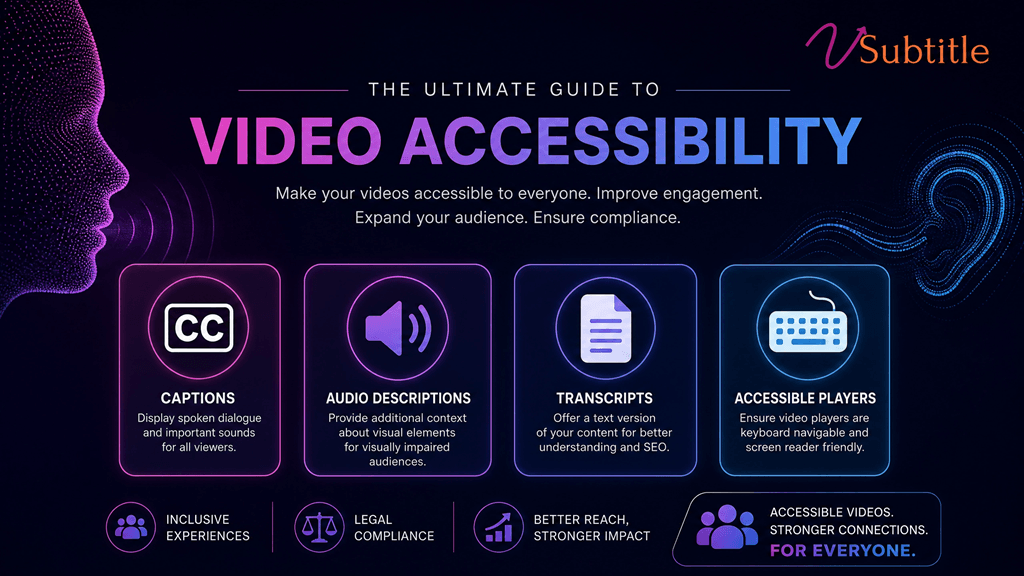
Introduction: Why Accessibility is the New Standard in 2026 In 2026, video accessibility is no longer a “nice-to-have” feature or a checkbox for legal compliance. It has become the cornerstone of modern digital communication. With over 1.5 billion people globally living with some form of hearing or visual impairment, and a massive shift toward “silent viewing” on social media, making your videos accessible is both a moral imperative and a strategic business necessity. Whether you are a solo content creator, a marketing director at a Fortune 500 company, or an e-learning specialist, understanding the landscape of video accessibility in 2026 is crucial. This guide will walk you through the latest standards, legal requirements, and practical steps to ensure your content reaches everyone, everywhere. 1. The Legal Landscape: ADA Title II and Beyond The biggest shift in 2026 has been the full implementation of the ADA Title II updates. These regulations now explicitly require state and local government entities—and by extension, many organizations that receive public funding or provide public services—to ensure their digital content is fully accessible. Key Compliance Deadlines: April 2026: The primary deadline for many public institutions to bring their web and mobile content into compliance. Global Impact: Similar regulations like the European Accessibility Act (EAA) have created a global standard where “accessible by design” is the expected norm for any business operating internationally. Failure to comply isn’t just a legal risk; it’s a brand risk. In an era where inclusivity is a core consumer value, inaccessible content is seen as exclusionary and outdated. 2. Understanding WCAG 2.2: The Gold Standard The Web Content Accessibility Guidelines (WCAG) 2.2 remain the technical foundation for video accessibility. To be considered “accessible” in 2026, your video content should ideally meet Level AA standards. The Four Principles of Accessibility (POUR): Perceivable: Information and user interface components must be presentable to users in ways they can perceive (e.g., captions for those who can’t hear, audio descriptions for those who can’t see). 3. The Four Pillars of Video Accessibility To make a video truly accessible, you must address four key areas: Pillar 1: Accurate Closed Captions (CC) Captions are the most visible part of accessibility. In 2026, “auto-generated” is no longer enough if the accuracy is low. Requirement: Captions must be synchronized, accurate, and include non-speech information (like [Music playing] or [Door slams]). Pro Tip: Use vSubtitle’s AI engine to achieve 97.8% accuracy, significantly reducing the manual cleanup required for compliance. Pillar 2: Audio Descriptions (AD) Audio descriptions provide a narrated track of the visual elements in a video for users who are blind or have low vision. Pillar 3: Full Text Transcripts A transcript is a text version of everything said in the video, plus descriptions of visual information. Pillar 4: Accessible Video Players Even if your video has captions, it’s not accessible if the player itself can’t be used by someone with a disability. 4. The “Silent Search” Revolution: Accessibility as SEO One of the most unique trends of 2026 is the rise of “Silent Search.” As AI answer engines (like ChatGPT and Google AI Overviews) become the primary way people find information, they rely heavily on the text data associated with videos. When you provide accurate captions and transcripts, you are feeding these AI models the high-quality data they need to recommend your video. In 2026, accessibility = discoverability. 5. Step-by-Step Implementation Checklist Ready to make your content accessible? Follow this 2026 checklist: 6. How vSubtitle Simplifies 2026 Compliance The biggest barrier to accessibility has always been time and cost. vSubtitle was built to remove those barriers. Frequently Asked Questions (FAQ) Conclusion: The Future is Inclusive As we look toward the rest of 2026 and beyond, the gap between “accessible” and “inaccessible” content will only widen. Creators who embrace accessibility today are not just avoiding legal trouble—they are building a more loyal, engaged, and global audience. Start your accessibility journey with vSubtitle for free today.

Best CapCut Alternatives for Professional AI Captions in 2026
Video Optimization, Comparison Guides, Creator Tips

Best CapCut Alternatives for Professional AI Captions in 2026 

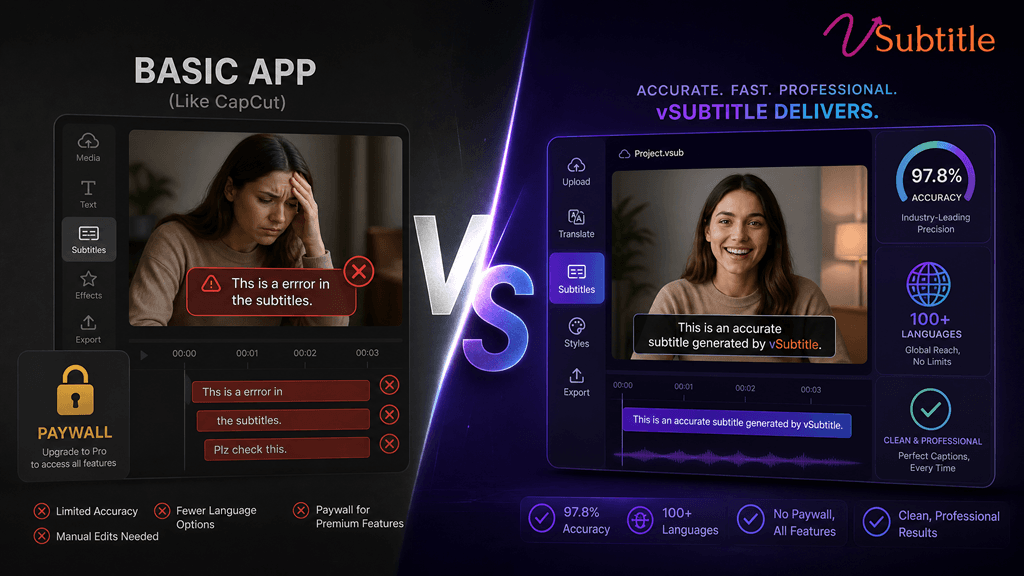
The CapCut Shift: Why Creators are Looking Elsewhere For years, CapCut was the go-to for quick, free auto-captions. But as we move through 2026, the landscape has changed. CapCut has moved many of its best captioning features behind a “Pro” paywall, and for professional creators, the accuracy and styling limitations are becoming a bottleneck. If you’re tired of fixing “buggy” transcriptions or want more control over your global reach, it’s time to look at professional alternatives. Here are the best CapCut alternatives for AI captions in 2026. 1. vSubtitle: The Professional’s Choice for Global Reach Best For: High accuracy, multilingual support (100+ languages), and enterprise-level security. While CapCut is great for quick social edits, vSubtitle is built for creators who need precision. With a 97.8% accuracy rate, it significantly reduces the time spent manually correcting text. 2. Descript: The “Edit by Text” Powerhouse Best For: Podcasters and creators who want to edit their video by editing the transcript. Descript changed the game by allowing you to delete words from a transcript to automatically cut the video. Its AI captioning is robust and offers unique “Overdub” features. 3. VEED.io: The Browser-Based All-in-One Best For: Quick, stylish social media captions directly in your browser. VEED is a strong competitor to CapCut’s web version. It offers a wide range of “trendy” caption styles that are popular on TikTok and Reels. 4. DaVinci Resolve (with AI Plugins): The Hollywood Standard Best For: Professional filmmakers and high-end production houses. If you’re already using DaVinci Resolve for color grading, their built-in AI transcription (and third-party plugins) offers the most control over subtitle placement and typography. Comparison: CapCut vs. The Alternatives Comparison: CapCut vs. The Alternatives Feature CapCut vSubtitle Descript VEED.io Accuracy ~85-90% 97.8% ~95% ~92% Languages ~20 100+ ~22 ~50 Ease of Use High High Medium High Best For Casual Reels Global Brands Podcasts Social Media Why 2026 is the Year to Upgrade In 2026, captions aren’t just for accessibility—they are for SEO and retention. Search engines and AI answer engines now “read” your captions to understand your video content. Using a tool like vSubtitle ensures that your metadata is accurate, helping you rank higher and reach more people. Ready to Move Beyond CapCut? Stop settling for “good enough” captions. Experience the precision and speed of a professional AI subtitling platform. Start for Free on vSubtitle Today! Frequently Asked Questions (FAQ)

Scroll to Top