vSubtitle

New Here? Get Your First 30 Minutes FREE - Limited Time Only!

Author name: Editorial Team

geo-generative-engine-optimization-videos-subtitles
AI Search & GEO, Subtitling Tips, Video SEO

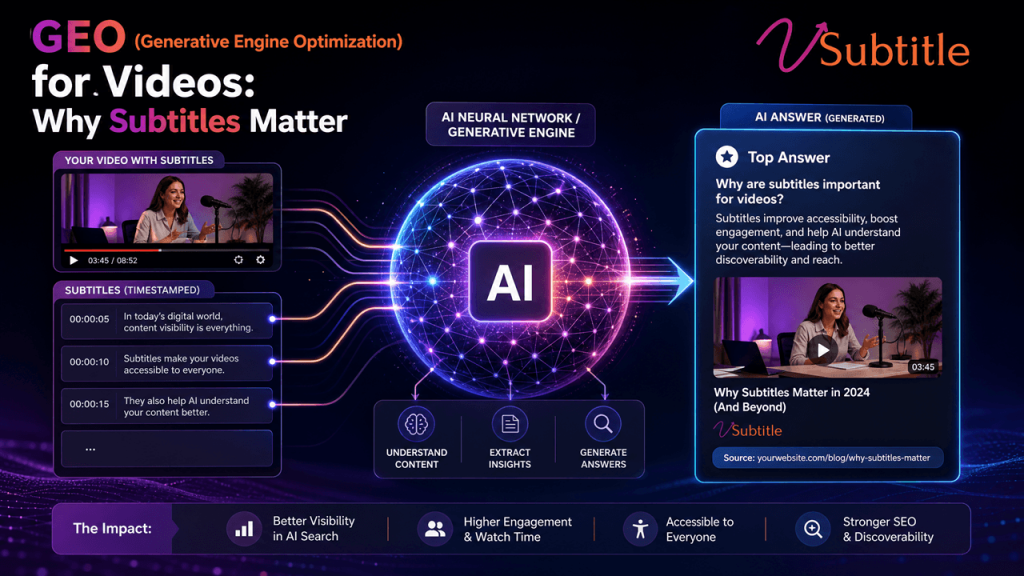
GEO (Generative Engine Optimization) for Videos: Why Subtitles Matter

AI engines don’t rank your video. They read it, judge it, and decide whether to quote it — and subtitles are the only part of a video built for that job. Generative Engine Optimization, or GEO, is the practice of making content discoverable, trustworthy, and quotable to AI systems like ChatGPT, Perplexity, Gemini, and Google’s AI Overviews — a distinct discipline from traditional SEO, though built on many of the same foundations. The term was coined by Princeton researchers in 2023, and by 2026 it has become a core part of how any content-driven brand thinks about visibility, because a growing share of searches now resolve into a synthesized AI answer rather than a list of links to click. Video sits in an unusual position inside this shift. It’s simultaneously one of the most trusted content types generative engines cite — YouTube transcripts show up constantly in AI-generated answers — and one of the most commonly invisible, because the systems doing the citing can’t watch a video the way a person can. They can only read whatever text is attached to it. That gap between video’s citation potential and its default invisibility is exactly where subtitles and transcripts do their work, and it’s the focus of this guide. What GEO Actually Means for Content Traditional SEO optimizes for ranking position in a list of search results. GEO optimizes for something different: being the source a generative engine actually pulls from, quotes, or names when it synthesizes an answer. The two disciplines share fundamentals — crawlability, structure, authority — but GEO adds requirements SEO never needed to worry about, because a ranking position and a citation are not the same prize. A few principles specific to GEO matter directly for video: Why Video Is a GEO Blind Spot Without Subtitles Every GEO principle above assumes there’s text to evaluate. That assumption breaks down for video the moment there’s no caption track or transcript attached to it. A generative engine encountering an uncaptioned video has almost nothing to work with — a title, maybe a thumbnail, and a short description if one exists. It cannot watch the footage, and it cannot listen to the audio the way a person does. Whatever isn’t captured in text simply doesn’t exist to the system trying to decide whether to cite it. This is the same underlying dynamic covered in depth in our guide to AI subtitles and video SEO — the principle holds just as strongly, arguably more strongly, once the audience shifts from search engine crawlers to generative engines synthesizing an actual answer rather than just indexing a page. The practical result: two videos covering the exact same topic, with the exact same production quality, can have completely different GEO outcomes based purely on whether one of them has an accurate, structured transcript attached. The captioned video is eligible to be read, understood, and quoted. The uncaptioned one is functionally mute to the systems that increasingly decide what gets surfaced. How Generative Engines Actually Discover and Use Video Content YouTube specifically occupies a privileged position in GEO research: transcripts hosted there are crawled and cited frequently enough that a handful of well-titled, well-described videos with clean transcripts can outperform a blog post for the same query. That’s a notable claim — video, historically treated as SEO’s afterthought behind written content, is now one of the more reliably cited formats, provided the transcript backing it is actually there and actually accurate. This connects directly to something worth understanding about the platform itself: how AI subtitles compare to YouTube’s own auto-captions, since the accuracy and structure of that transcript — not just its existence — is what determines whether an engine trusts and reuses it. For video embedded on a company’s own site rather than YouTube, the mechanics shift slightly but the principle doesn’t: the page needs a crawlable transcript, ideally paired with VideoObject structured data, so a generative engine’s crawler has explicit, machine-readable text to work from rather than having to infer content from a title and thumbnail alone. What Makes a Video Transcript GEO-Friendly Publishing any transcript at all is a meaningful first step, but GEO rewards specific structural choices within that transcript far more than a raw, undifferentiated wall of text: Lead With a Direct Answer Generative engines favor content that answers a clear question within the first sentence or two of a section, ideally in the 40–60 word range that tends to get pulled directly into AI-generated answer boxes. A transcript or accompanying summary that opens with the actual point, rather than warming up to it, is far more extractable. Break Content Into Labeled Sections A transcript structured to mirror a video’s chapters — with descriptive subheadings — gives a generative engine a map of what’s covered where, rather than forcing it to parse an undifferentiated block of spoken text to find the relevant part. Use Lists and Tables Where They Fit Steps, comparisons, and data points formatted as lists or tables are consistently easier for generative engines to extract cleanly than the same information buried in prose — a structural preference GEO shares directly with how featured snippets have always worked. Increase Factual Density A transcript that includes specific figures, named findings, or sourced claims gives a generative engine something concrete to quote. Vague claims about being “the best” or “industry-leading” provide nothing extractable — a generative engine has no way to verify or cite an unsupported superlative. This same structural logic — short, scannable, answer-first sections — is also why on-page subtitles and transcripts have been shown to increase time on page: the format that makes content easiest for a generative engine to extract is very often the same format that keeps a human reader engaged. A GEO Checklist for Video Content Multilingual Transcripts Extend GEO Reach GEO isn’t limited to a single language market, and neither is the query volume flowing through ChatGPT, Perplexity, and AI Overviews worldwide. A video with only an English transcript is only eligible
subtitling-real-estate-multilingual-tours-global-deals
Real Estate Marketing, Industry Use Cases, Video Localization

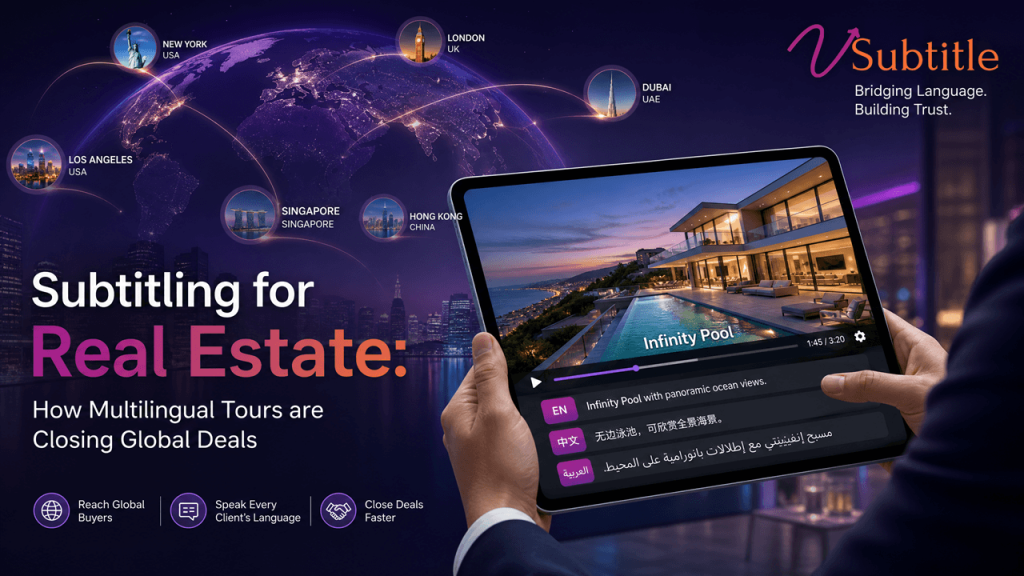
Subtitling for Real Estate: How Multilingual Tours Are Closing Global Deals

A buyer in Seoul or Mexico City can already see the property. What they can’t do is understand the agent describing it — until the video is subtitled. Real estate has quietly become one of the most international transaction categories in consumer purchasing. Foreign buyers purchased tens of billions of dollars’ worth of U.S. existing homes over a recent 12-month period alone, with a large share paying entirely in cash and moving fast once a property earns their confidence. Similar patterns show up across other markets with international demand — Swiss cantons bordering three language regions, Gulf-facing luxury markets, and vacation-property hotspots that draw buyers from a dozen countries for a single development. Video has already become the default way these buyers evaluate a property before ever booking a flight. Listings with video draw dramatically more inquiries than listings without, and video walkthroughs now rank as the single most useful content type for buyers, ahead of photos and floor plans. What most of that video still doesn’t do is speak the buyer’s language. A property tour narrated only in English, or only in the local listing language, quietly excludes a large and often highly qualified share of the exact audience it’s trying to reach. Subtitling — not necessarily full dubbing — is the fastest, most practical fix, and it’s becoming a genuine competitive differentiator for agents and developers working international pipelines. Why Video Already Closes Deals — and Why Language Is the Remaining Gap The case for real estate video itself is no longer in question. Listings with video receive substantially more inquiries than listings without, generate significantly more organic search traffic, and are associated with homes selling for a measurable premium over comparable properties marketed without it. The large majority of buyers say they’d watch a video tour if one were available, and an overwhelming share of buyers who use a video walkthrough report being more likely to move forward with a purchase. Finding Why It Matters for International Buyers Video listings receive far more inquiries and organic search traffic than listing without video International buyers researching remotely rely on video even more heavily, since a site visit isn’t an option early in their search Homes marketed with video sell for a measurable premium over comparable listings The premium logic extends further when video actually reaches — and is understood by — the full pool of qualified buyers, not just local-language ones Video walkthroughs are the single most useful content type for buyers, ahead of photos and floor plans A walkthrough only delivers that value if the narration is actually comprehensible to the viewer watching it Tens of billions of dollars in existing-home purchases came from foreign buyers in a recent 12-month period, with roughly half paying cash This is not a marginal segment — it represents a sizable, well-resourced, remote-first buyer pool that transacts quickly once confident A large share of international buyers researching a property never see it in person before making an offer Video is effectively standing in for the in-person walkthrough — and if it isn’t understandable, it fails at exactly the moment trust needs to be built Put together, these numbers describe an audience that’s already primed to buy remotely, already relying heavily on video to do it, and already large enough to matter to any agent or developer with genuine international exposure. The missing piece isn’t more video — it’s video that a non-native-language buyer can actually follow. Why Subtitles Are the Right First Move — Not Full Dubbing Full multilingual dubbing exists and works well for high-end developments with the budget to support it, but for the majority of listings and agencies, subtitles deliver most of the benefit at a fraction of the cost and turnaround time: What Multilingual Subtitles Actually Signal to a Buyer Beyond comprehension, subtitling a property tour sends a specific, trust-building message to an international buyer: this agent, developer, or brokerage is set up to work with someone like them. For a transaction where a buyer may be moving tens or hundreds of thousands of dollars across currencies and time zones without ever setting foot on the property beforehand, that signal matters as much as the production quality of the video itself. Reports on international buyer behavior consistently point to the same underlying pattern: if a property and the process around it can’t be understood remotely, it struggles to earn serious consideration from a buyer evaluating it from another country — no matter how strong the property itself is. This is especially pronounced in regions with inherent linguistic diversity even within a single national market. Property marketing across Swiss cantons, for example, routinely needs German, French, and Italian versions depending on the canton, with English added for the expatriate and foreign-investor audience that increasingly drives premium transactions — a pattern that repeats, in different language combinations, across most markets with meaningful cross-border buyer activity. Where This Matters Most: Market Patterns Worth Knowing Luxury and Resort Markets High-value vacation and resort properties routinely draw buyers from a dozen or more countries for a single development. Here, subtitled tours in the top four or five buyer languages — often English plus regional variants like Mandarin, Arabic, Russian, or Spanish depending on the destination — can meaningfully widen the qualified buyer pool for a listing that would otherwise lean on English alone. Multilingual Domestic Markets Countries or regions with multiple official or widely spoken languages — Switzerland’s cantons, Canada’s English/French split, parts of Belgium — need multilingual video even for buyers who never cross a border. A German-language tour of a Geneva property, or an English-only tour of a Ticino listing, can lose a domestic buyer just as easily as an international one. Investment and Cash-Buyer Segments Foreign cash buyers, who represent a substantial share of international real estate purchasing activity, often move quickly once confident in a property and are more likely to transact remotely without an in-person visit. For this segment specifically, a clear, subtitled walkthrough often functions

ai-captions-for-product-demo-videos
Product Marketing, SaaS Growth, Video SEO

AI Captions for Product Demo Videos: Why They’re No Longer Optional

Most people evaluating your product will watch the demo with the sound off. If it isn’t captioned, they’re not watching a demo — they’re watching a silent screen recording. A product demo video carries more weight in a buying decision than almost any other piece of content a company produces. Reports indicate a large majority of buyers say a demo video played a real role in convincing them to purchase, and websites featuring one see meaningfully higher conversion rates than those without. That’s exactly why it’s worth taking seriously a detail that gets treated as an afterthought on far too many demo videos: whether a viewer can actually follow it with the sound off. The vast majority of mobile video is watched muted, and that habit carries directly into how prospects evaluate software — scrolling a homepage on a train, watching a shared demo link in an open-plan office, previewing a sales rep’s screen recording in a browser tab with the volume down. A demo video without captions isn’t just less accessible in the abstract; for most of its actual audience, it’s functionally unwatchable. This guide covers why captions matter specifically for product demo videos, what good captioning looks like for this format, and a practical workflow — using vSubtitle — for getting it right without adding hours to an already tight production timeline. The Case for Captions on Every Demo Video Product demo videos already carry outsized weight in the buyer journey. Industry surveys put the share of buyers who say a demo video influenced their purchase decision above 85%, and sites featuring demo video content report conversion rates dramatically higher than sites without one. Video-driven B2B SaaS campaigns are commonly reported to convert 40% higher than static content, and testimonial and demo formats consistently rank among the highest-converting video types B2B marketers produce. Underneath those numbers sits a simpler, more mechanical fact: the overwhelming majority of that viewing happens without sound. Independent research on mobile viewing behavior puts silent viewing above 90% on mobile and in the low 80s across devices overall, and captioned videos have been shown to hold viewers significantly longer than uncaptioned ones — one widely cited study found captioned videos were roughly 80% more likely to be watched all the way through. For a format specifically built to explain a product in enough detail to move someone toward a purchase, losing the majority of the audience to a muted screen isn’t a minor accessibility gap. It’s a direct hit to the metric the video exists to move. Stat Why It Matters for Demo Videos 85%+ of buyers say a demo video influenced their purchase The format itself is doing real persuasion work — undermining it with no captions has an outsized cost Up to 86% higher conversion on pages with demo video Captions are a low-cost way to protect that lift rather than lose most of it to muted viewers 90%+ of mobile viewers, 80%+ overall watch muted Most of a demo’s real-world audience never hears the narration unless captions are present Captioned videos ~80% more likely to be watched fully Completion matters more for demos than most formats, since the value proposition often lands in the final third Nearly half of viewers drop off before the one-minute mark A confusing or silent opening is the single biggest risk point captions directly help solve Why Product Demos Need Captions More Than Most Video Content Captions help every video format, but the case is especially strong for demos, for reasons specific to what this content is trying to do: What Good Captioning Looks Like on a Demo Video Match the Pace of the Narration, Not Just the Words Demo narration tends to move faster and more conversationally than scripted marketing video, with filler words, mid-sentence corrections, and rapid feature callouts. Captions need light cleanup — trimming filler without changing meaning — rather than a robotic word-for-word transcript that’s technically accurate but harder to read at speed. Keep Captions Clear of the UI Being Demonstrated This is the detail most generic caption placement gets wrong for screen recordings specifically: the default bottom-third position frequently sits directly over navigation bars, buttons, or the exact UI element the narrator is describing. Captions on a demo need to be positioned — and sometimes repositioned scene by scene — so they never obscure the thing the viewer is being shown. Reflect Product Terminology Exactly Feature names, menu labels, and product-specific terms need to match the actual UI precisely, not a close paraphrase. A caption that reads “click Reports” when the button says “Analytics” creates confusion at exactly the moment a prospective buyer is trying to evaluate whether the product does what they need — accuracy here isn’t a nicety, it’s core to the demo working at all. Cap Reading Speed Realistically for Technical Content Standard subtitle reading-speed guidance (roughly 15–17 characters per second for comfortable reading) still applies, but demo narration often needs slightly more room, since technical terms and product names take longer to parse than everyday words of the same length. Where possible, favor slightly longer on-screen duration for lines containing feature names or numbers over rigidly matching a general-purpose CPS target. Provide a Full Transcript, Not Just Burned-In Captions A demo video embedded on a product or pricing page benefits from the same SEO logic as any other video: a crawlable, on-page transcript gives search engines and AI answer engines the complete content of the demo to index — useful both for organic discovery and for surfacing accurate answers when a prospect asks an AI assistant what a product does or how a specific feature works. Captioning Needs Differ Across Demo Video Types “Product demo video” covers several distinct formats, and captioning priorities shift slightly across them: Homepage / Landing Page Demos These are typically short, high-traffic, and viewed by cold prospects with no context — muted-by-default browsing behavior is at its highest here, making captions close to mandatory rather than optional. Keep captions tight and

top-youtubers-ai-captions-international-audience-growth
YouTube Growth, Creator Strategy, Video Localization

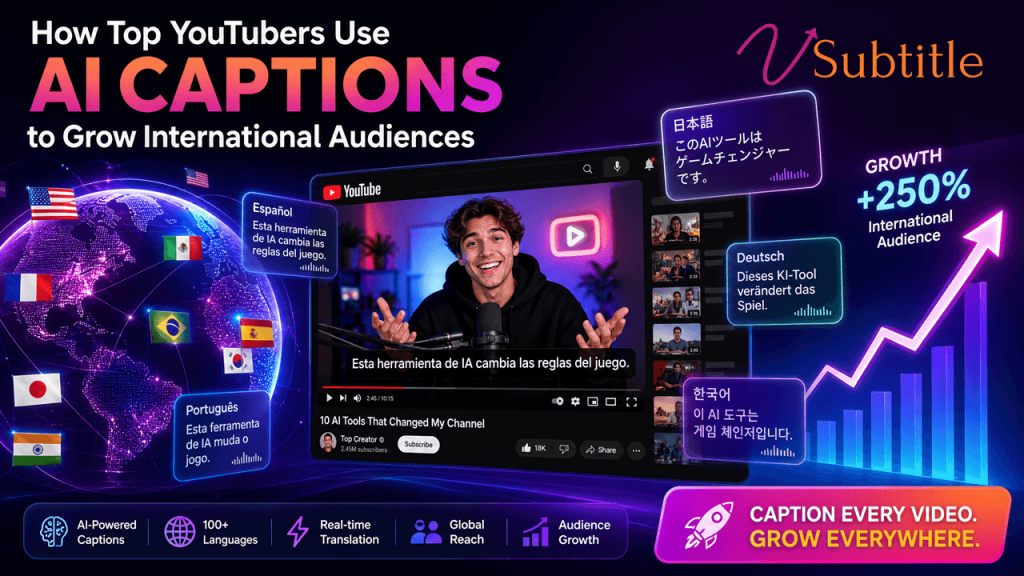
How Top YouTubers Use AI Captions to Grow International Audiences

The biggest creators didn’t grow globally by making more videos. They grew by making their existing videos readable — and watchable — in languages they don’t speak. English-language creators have long treated their subscriber count as a ceiling set by however many English speakers happen to find their channel. The biggest names in YouTube have quietly proven that ceiling was never real. English speakers make up a modest share of the global online population, and the audiences waiting on the other side of that gap are enormous — they’re just unreachable to a channel that only publishes in one language. The creators who’ve capitalized on this hardest haven’t necessarily made different content. They’ve made their existing content legible to more of the world, starting with the cheapest and fastest lever available: captions. This article looks at what the data shows about localized growth at the top of YouTube, why captions specifically are the foundation that strategy is built on, and the practical workflow — including where a tool like vSubtitle fits in — that any channel can use to replicate it at a much smaller scale. What the Numbers Show About Localized Growth The clearest public evidence of this comes from the creators who’ve localized most aggressively. MrBeast built dedicated international channels publishing dubbed versions of his content in Spanish, Portuguese, Hindi, and other languages, and that strategy has driven substantial subscriber and viewership growth in each of those markets specifically because the content finally arrived in a language those audiences could follow without effort. When YouTube rolled out its native multi-language audio track feature, MrBeast’s Spanish-dubbed content reportedly pulled in over 20 million views in its first week alone, and testing among participating creators showed dubbed videos gaining a meaningful boost in watch time compared with the English-only version of the same upload. Mark Rober, known for high-production science content, saw a reported 40% increase in global subscribers after adding multilingual options — a jump that came from broadening who could access content that already existed, not from producing more of it. These are dubbing-specific numbers, and dubbing is a bigger production investment than captions. But the underlying signal applies just as strongly to captions, and arguably more usefully for most channels: the growth in these examples didn’t come from better content. It came from removing the language barrier standing between existing content and a new audience. Captions are the fastest, lowest-cost way to start removing that barrier — well before a channel is ready to invest in full dubbing. Why Captions Come Before Dubbing, Not After It’s tempting to look at MrBeast’s dubbed international channels and conclude that dubbing is the strategy. In practice, captions do most of the foundational work dubbing later builds on, for a few concrete reasons: Seen this way, captions aren’t a smaller, cheaper substitute for dubbing — they’re the first, necessary step in the same strategy, and the step that tells a creator which languages are worth dubbing at all. The AI Caption Workflow Behind International Growth The channels succeeding at this internationally tend to follow a version of the same repeatable process, whether it’s run by a large production team or a single creator: This is close to a compressed version of what MrBeast’s international expansion did at a much larger scale: start with the cheapest form of localization, measure what actually resonates, and reinvest in the languages that prove themselves. Captions are simply the version of that first step that’s realistic for a channel without a dedicated localization team. Captions vs. Dubbing: Where Each Fits in the Strategy Factor Translated Captions Full Dubbing Typical cost per video Low — largely automated with review High — voice talent, direction, mixing Turnaround time Hours to a day Days to weeks Serves muted viewers Yes No Improves search/discovery in target language Yes, directly Indirectly, via engagement signals Best use Testing demand across many languages quickly Doubling down on languages already proven to perform Risk if skipped Video stays invisible to non-native readers and search in that language Missed opportunity to fully match audio to top-performing markets Most channels don’t need to choose one over the other — they need to sequence them correctly. Captions across many candidate languages first, dubbing reserved for the smaller number of languages the caption data actually justifies. The Pattern Behind Every Successful Localization Story Strip away the production budgets, and the creators who’ve grown internationally share a consistent pattern rather than a secret technique: they treat language as a distribution problem, not a content problem. The video that already exists is usually good enough — what’s missing is a version of it a non-English-speaking viewer can actually follow. Mark Rober’s science content didn’t need to change to perform well with a Spanish-speaking audience; it needed to be legible to one. The same logic scales down to any channel: a well-performing English video is very often a well-performing video in several other languages too, provided the caption and translation work gets done. This is also why AI captioning tools have become central to this strategy rather than a nice-to-have add-on. Manually translating and syncing subtitles across a dozen languages, for every upload, isn’t realistic for the vast majority of channels — including many with substantial production budgets. Automating the transcription and translation step, while keeping a human review pass for accuracy and tone, is what makes testing five or ten languages at once actually feasible instead of a multi-week project reserved for a handful of a channel’s best-performing videos. Why This Is a Platform-Wide Shift, Not Just a Few Big Channels MrBeast and Mark Rober are the most-cited examples because their scale makes the results easy to measure, but the underlying shift is broader than a handful of mega-channels. YouTube’s own decision to build native multi-language audio tracks directly into the platform — rather than leaving localization entirely to third-party workarounds — reflects a recognition that language was leaving substantial viewership on the table across the platform, not just

disney-plus-vs-amazon-prime-video-subtitle-standards
Subtitling Standards, Streaming & OTT, Video Localization

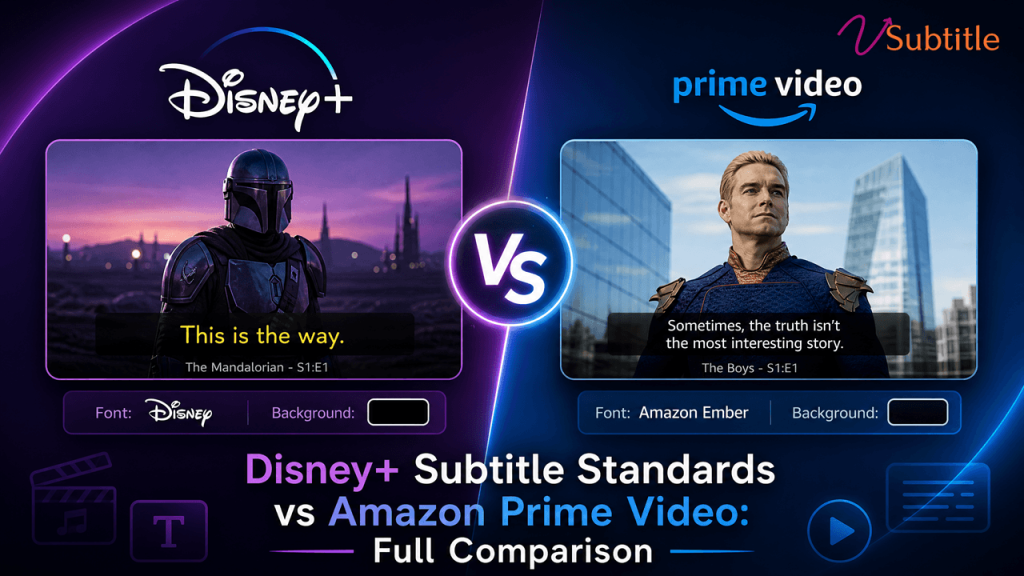
Disney+ Subtitle Standards vs Amazon Prime Video: What’s Actually Different

Both platforms agree on how fast a viewer should read. They disagree on almost everything about how that text has to be delivered. Streaming platforms don’t just accept subtitle files — they enforce detailed technical specifications, and a file built for one platform routinely fails automated quality control on another. Disney+ and Amazon Prime Video are a useful pair to compare because they sit close together on the fundamentals that actually affect how a subtitle reads — speed, line length, duration — while diverging sharply on the formats, delivery mechanics, and territory rules that determine whether a technically correct file is even accepted in the first place. This comparison breaks down exactly where Disney+ and Amazon Prime Video align, where they differ, and what that means in practice for anyone delivering subtitles to either platform — whether that’s a studio localization team, an independent filmmaker using Prime Video Direct, or a production house preparing deliverables for both at once. It’s worth noting up front that neither platform publishes every detail of its specification as openly as Netflix does with its Timed Text Style Guide. Disney+ manages much of its documentation through approved vendor relationships, and Amazon’s Video Central portal is the authoritative source for delivery partners rather than a single public style guide. The comparison below reflects the technical specifications and requirements that are documented and consistently reported across industry sources, and any team preparing an actual delivery should confirm current details directly with the platform or an approved vendor before submission, since these specifications are updated periodically. Why the Differences Matter A subtitle file is typically rejected before a human reviewer ever sees it. Automated quality-control systems check format compliance, encoding, timing, and reading speed against the platform’s exact specification, and a mismatch — the wrong container format, a timecode that doesn’t start where the platform expects, an unsupported character — fails the file outright, regardless of how accurate or well-timed the translation is. Understanding precisely where Disney+ and Amazon’s requirements diverge is what prevents a deliverable built for one platform from bouncing off the other’s QC system on the first submission. File Format: The Biggest Practical Difference This is where the two platforms differ most. Disney+ standardizes on IMSC 1.1, a TTML profile purpose-built for subtitle and caption delivery, as its primary format across most content. Amazon Prime Video takes a broader approach, accepting several formats depending on whether the file is a closed caption or a dialogue-only subtitle: DFXP/TTML, SRT, and iTT for subtitles, with STL, DFXP, SCC, and SRT accepted for closed captions. That flexibility on Amazon’s side is convenient but comes with a caveat worth flagging clearly: SCC is accepted for captions only and will be rejected if submitted as a standard subtitle file. Disney+, by contrast, offers far less format flexibility — content built outside the IMSC 1.1 profile generally needs to be reconformed before it will pass Disney’s delivery pipeline. Japanese content adds another layer of divergence. Disney+ publishes its own Japanese Subtitles IMSC 1.1 specification, keeping Japanese inside the same TTML family used for its other languages. Amazon instead requires Japanese timed text to be delivered as Lambda Cap (.cap) — a distinct format with no equivalent requirement on Disney+. Side-by-Side: Core Technical Requirements Requirement Disney+ Amazon Prime Video Primary format IMSC 1.1 DFXP/TTML, SRT, or iTT (subtitles); STL, DFXP, SCC, or SRT (captions) Japanese format IMSC 1.1 (Disney’s own Japanese spec) Lambda Cap (.cap) — required, no alternative Minimum duration 1 second 1 second Maximum duration 7 seconds 7 seconds Max reading speed 20 CPS 20 CPS Max characters per line 42 42 Max lines per event 2 2 (up to 3 for closed captions) Encoding UTF-8 UTF-8 (mandatory, no alternative accepted) Timecode start Platform-conformed via approved vendors Must start at 00:00:00:00 — no offset supported SDH / captions Required for accessibility Preferred over standard subtitles; mandatory in the US Where Disney+ and Amazon Actually Agree Strip away the formatting and delivery mechanics, and the two platforms are nearly identical on the metrics that determine how a subtitle actually reads on screen: This convergence isn’t a coincidence — it reflects a broader industry standardization around what makes subtitles genuinely readable, largely shaped by the same research and viewer-testing that produced Netflix’s widely referenced Timed Text Style Guide. Where the platforms diverge is almost entirely in delivery mechanics rather than the reading experience itself. Amazon’s Territory-Specific Rules Amazon Prime Video’s requirements shift by region in a way Disney+’s published specifications don’t emphasize to the same degree: Amazon also requires a separate Forced Narrative file for every dubbed audio track included in a multi-audio package — text that displays automatically based on the viewer’s audio selection, not as an optional subtitle. The locale of that file has to match the corresponding audio track exactly; a mismatch means it silently fails to appear when subtitles are turned off, a notoriously hard failure to catch after the fact. What’s Distinctive About Disney+’s Requirements Disney+’s public-facing documentation is comparatively narrower than Amazon’s — delivery specifications are managed primarily through its network of approved vendors rather than a broadly published self-serve technical portal. In practice, this means: The net effect is a platform that’s less flexible on format but, once a vendor is aligned with its IMSC 1.1 pipeline and style guide, highly consistent — precisely because there are fewer accepted variants to manage in the first place. Where Deliverables Most Often Go Wrong A Practical Approach for Delivering to Both Platforms Teams preparing subtitles for both Disney+ and Amazon Prime Video generally get the best results by building once against the strictest shared baseline, then branching for platform-specific delivery rather than starting from scratch for each: vSubtitle supports this exact branch-once, deliver-many workflow. It generates accurate source captions and translations across 100+ languages, keeps every event’s timing intact through the translation process, and exports to the SRT, VTT, TXT, and DFXP formats that cover the bulk of Amazon’s accepted formats and the reformatting starting point

translate-youtube-subtitles-100-languages
Subtitling Tips, Video Localization, YouTube Growth

How to Translate YouTube Subtitles into 100+ Languages

One upload, dozens of markets: the complete workflow for turning a single video into subtitles your global audience can actually read. YouTube is watched in more than 100 countries and close to 80 languages, but most channels publish subtitles in exactly one — the language the video was recorded in. That gap is one of the simplest, highest-return opportunities left in video growth: a single upload can already unlock most of the world’s internet-connected audience the moment its subtitles exist in the languages that audience actually reads. Getting there isn’t complicated, but doing it well takes more than clicking YouTube’s built-in auto-translate button. This guide walks through exactly how to translate YouTube subtitles into 100+ languages — what YouTube’s native tools can and can’t do, how AI-assisted translation with a tool like vSubtitle fits into the workflow, how to upload multilingual subtitle tracks properly, and how to keep translated captions accurate, readable, and on-brand rather than just technically present. Why Multilingual Subtitles Are Worth the Effort Captioned videos already earn more watch time than uncaptioned ones, since a large share of viewing happens with the sound off. Translated subtitles extend that same effect across language markets that would otherwise skip a video entirely, regardless of how strong the content is. Spanish and Portuguese alone open up Latin America, Spain, and Brazil; Hindi unlocks one of YouTube’s largest markets by daily active users. Creators who prioritize just three or four of the right languages for their audience commonly see their reachable audience multiply several times over — not from making new content, but from making existing content legible to people who were never excluded by interest, only by language. This is also, increasingly, an SEO and AI-visibility play, not just a viewer-experience one. Translated subtitle tracks give YouTube’s own search system, Google, and AI answer engines like ChatGPT and Perplexity a version of your content’s text in the exact language a viewer is searching in — something a single-language transcript can never do, no matter how well-optimized it is. Method 1: YouTube’s Built-In Auto-Translate (Viewer Side) YouTube offers a native auto-translate feature that any viewer can turn on: click the CC icon, open Settings, choose Subtitles, select Auto-translate, and pick a language. It works on any video that already has captions — auto-generated or manual — and covers over 100 languages. It’s the fastest option, but it comes with real limits worth knowing before relying on it: Auto-translate is genuinely useful for a casual viewer who just wants the gist. It’s not a substitute for creator-published translated subtitles, which is the option that actually improves discoverability, accessibility compliance, and the experience for a returning audience in a specific language. Method 2: Manually Uploading Translated Subtitle Files Creators can add their own translated subtitle tracks directly in YouTube Studio: open Subtitles, select the video, click Add Language, and upload a translated .srt or .vtt file for that language, or type translations manually. Each language becomes its own selectable track in the CC menu, downloadable and fully controlled by the creator — this is what actually shows up as a permanent, publishable option rather than a one-time viewer setting. The bottleneck is producing those files. Hand-translating a caption track means working sentence by sentence while keeping every timecode intact, and doing that across dozens of languages — each with its own line-length norms, character sets, and reading-speed limits — is not a task most channels can realistically do by hand at scale. Method 3: AI-Assisted Translation With vSubtitle (Recommended) This is where AI subtitle tools close the gap between YouTube’s quick-but-limited auto-translate and slow, fully manual translation. vSubtitle is built specifically for this workflow: it takes an existing subtitle file or a video’s audio, generates or imports the source-language captions, and translates them into 100+ languages while preserving the original timecodes — so every translated line still lands exactly where the matching dialogue occurs, without the manual re-syncing that hand-translation requires. Because the output is a standard, editable caption file rather than a live, in-player-only translation, it solves the core limitation of YouTube’s native auto-translate: the translated subtitles can be reviewed, corrected, and then uploaded directly to YouTube Studio as a permanent, creator-owned language track — searchable, downloadable, and consistent for every viewer in that language, not just the one currently watching. Step-by-Step: Translating and Publishing Multilingual YouTube Subtitles Which Languages Should You Translate First? Translating into all 100+ supported languages at once is rarely the right first move. A shortlist based on audience size, content type, and existing traffic gets far more return per translation than blanket coverage: Language Why It’s Often a High-Priority Pick Spanish Opens Latin America and Spain simultaneously — one of the largest combined YouTube audiences outside English Portuguese Brazil alone represents one of YouTube’s largest single-country audiences Hindi One of YouTube’s largest markets by daily active users Arabic Right-to-left; strong demand for educational, news, and entertainment content across a wide region Persian High demand for educational and entertainment content; also right-to-left Japanese / Korean Large, high-engagement audiences, but heavily context- and politeness-dependent — budget extra time for review Chinese Very large potential audience; requires a choice between Simplified and Traditional characters depending on target region Indonesian / Vietnamese / Thai Fast-growing Southeast Asian audiences with comparatively less translated content competing for attention A practical starting shortlist for most channels: 3–5 languages that match either an existing pocket of non-native viewers already showing up in analytics, or a market your content topic naturally travels well in (tutorials and how-to content, for example, tend to translate especially well). Expand from there once you can see which languages are actually converting into watch time. Keeping Translated Captions Accurate and Readable Subtitle File Formats YouTube Accepts Whichever translation method you use, the output needs to land in a format YouTube Studio will actually accept. The most common and reliable choices: Format Best For .srt (SubRip) The most universally supported format; a safe default for most uploads .vtt (WebVTT) Similar to

ai-captions-vs-video-descriptions-search-visibility
Video SEO, AI Search & GEO, Content Accessibility

AI Captions vs Video Descriptions: Which Improves Search Visibility More?

Both show up in the SEO checklist. They don’t do the same job — and search engines don’t treat them the same way. Ask ten video creators what actually moves the needle for search visibility, and most will mention two things: writing a solid description and turning on captions. Both are standard advice. Both appear near the top of every video SEO checklist. And both get treated, more often than not, as roughly interchangeable line items — two boxes to tick before hitting publish. They aren’t interchangeable, and the difference matters more in 2026 than it used to. A video description is a few hundred words you write about your video. An AI-generated caption file is a complete, word-for-word transcript of everything actually said in it — often ten times the length, and built from the video’s real content rather than a summary of it. When search engines and AI answer engines decide what a video is about and whether to surface it, these two text sources carry very different weight. This article compares them directly: what each one does, what the data says about their impact, and how to use both together instead of picking one over the other. What Each One Actually Is Video Descriptions A video description is manually written summary text that sits below the video on YouTube or alongside the embed on a website. It typically includes a short overview of the video, relevant keywords, links, timestamps or chapter markers, and calls to action. Best-practice guidance generally recommends at least 250 words, with important keywords placed in the first 25 words, since that opening segment is what displays before a viewer clicks “show more.” Descriptions are written for two audiences at once: the human scanning before they click play, and the search engine trying to categorize the video before it’s indexed. That dual purpose is also their limitation — a description can only say what the creator chooses to write, in the length the creator is willing to write it. AI Captions and Transcripts An AI caption file is generated directly from the audio of the video itself, using automatic speech recognition to convert every spoken word into timestamped text. The output is a caption track (SRT or VTT) that can be displayed on screen, and — critically for search — the same underlying text can be published as a full transcript on the page. Unlike a description, a transcript isn’t a summary written after the fact; it’s the complete, unfiltered content of the video, often running several thousand words for a video that’s just a few minutes long. That length and completeness is exactly what separates the two as SEO assets. A description tells a search engine what you say your video is about. A transcript shows it. Head-to-Head: What Each Format Contributes Factor Video Description AI Captions / Transcript Typical length 150–300 words, creator-written 500–3,000+ words, generated from actual spoken content Source of content Creator’s summary and framing Verbatim record of what’s actually said Keyword coverage Limited to what the creator thinks to include Naturally covers every term, phrase, and variation actually spoken Effect on accessibility None directly Required for deaf/hard-of-hearing viewers and legal compliance in many regions Effect on watch time / engagement Indirect, via clearer expectations before clicking Captions increase view completion and comprehension, especially for muted viewing Usefulness to AI answer engines Provides context and framing, but limited depth Primary source AI systems read to understand and cite spoken content Effort required A few minutes of writing per video Automated generation, plus review time for accuracy Risk if skipped Video is harder to categorize and may underperform in click-through Video becomes largely unreadable to search crawlers and AI systems Why Transcripts Carry More Search Weight Search engines cannot watch a video and understand what’s said inside it — they can only read text. A description gives them a small, curated sample of text written after the video exists. A transcript gives them the entire spoken content of the video, in the creator’s actual words, at whatever length the content naturally runs. For a search engine trying to match a video to a specific, long-tail query, that difference in raw text volume and specificity is significant: a five-minute video might yield a 250-word description but a 700-900 word transcript, and every one of those extra words is a potential match point for a search query the description never anticipated. This gap is why transcripts are frequently described as doing “double duty.” Closed captions serve the accessibility and engagement side — they widen the audience and keep muted viewers watching. But the transcript version of that same text is what hands search engines and AI systems the full content of the video, letting it be understood and indexed for far more than its title and description alone could cover. The gap widens further with AI answer engines. When ChatGPT, Perplexity, or Google’s AI Overviews evaluate a video for citation, they’re generally working from whatever transcript or caption data is attached to it. A well-written description helps them understand framing and intent; a transcript is what lets them quote a specific claim, cite a specific statistic, or answer a question your video actually addresses in detail. Research tracking YouTube visibility inside AI Overviews found that brand mentions in video titles and transcripts were the strongest single correlating signal measured — a result descriptions alone, however well written, can’t replicate at that scale. Where Descriptions Still Do Real Work None of this makes descriptions optional. They do things a transcript can’t: In short, descriptions are a precision tool for framing and clicks. Transcripts are a volume tool for comprehension and depth. Neither substitutes for the other. The Real Answer: They Compound, They Don’t Compete Treating this as a choice between captions and descriptions misreads how search engines actually evaluate a video page. Guidance across current video SEO research points the same direction: titles, descriptions, and captions each tell search engines and AI systems

video-captions-rank-chatgpt-google-ai-overviews
AI Search & GEO, Content Accessibility, Video SEO

How Video Captions Help You Rank in ChatGPT & Google AI Overviews

AI search engines don’t watch your video. They read it — and captions are the text they’re reading. Search has quietly split in two. There’s still the classic ten blue links, but increasingly, the first thing a searcher sees is a generated answer — an AI Overview at the top of Google, a synthesized response inside ChatGPT, a cited summary in Perplexity. Industry estimates now put the majority of search queries running through some kind of AI-enhanced interface, and that answer layer works on different rules than the ranking system video creators spent the last decade learning. Here’s the part that surprises most video teams: large language models don’t watch video. They can’t sit through eight minutes of footage and extract meaning the way a human viewer does. What they can do is read — and the single biggest thing standing between your video and an AI citation is whether there’s clean, accurate text attached to it. That text is your captions and transcript. This article covers exactly why that text matters, what the current data shows about it, and the specific steps that turn a captioned video into a source AI systems actually cite. Why AI Search Changed the Rules for Video For years, video SEO meant optimizing for a ranking position — get into the top of the video carousel, win the featured snippet, land on page one. AI Overviews and chat-based answer engines introduced a different prize: the citation. Instead of a list of links, the searcher gets a synthesized answer with a handful of sources named or linked underneath it. Being ranked well still matters — research analyzing hundreds of thousands of keywords found that the vast majority of AI Overviews cite at least one source from within the top twenty organic results — but ranking alone no longer guarantees a citation, and a citation is now worth more than a ranking position that nobody reads down to. Video sits in an unusually strong position inside this new layer. Google actively surfaces video directly inside AI Overviews and AI Mode, and answer engines like ChatGPT, Gemini, and Perplexity increasingly reference YouTube videos by reading their transcripts to understand what’s covered. One large-scale study of thousands of brands found that mentions in YouTube video titles and transcripts were the single strongest correlating signal with AI Overview visibility of every signal measured — stronger than backlinks, stronger than domain authority. That’s a striking result, and it points to one conclusion: the text layer wrapped around your video is doing more ranking work than the video itself. LLMs Don’t Watch Video — They Read It It’s worth being precise about what’s actually happening under the hood. When ChatGPT, Perplexity, or Google’s AI systems encounter a page with an embedded video, they aren’t decoding the pixels or listening to the audio track in any meaningful way. They’re processing whatever text is attached to that video: the title, the description, the surrounding page copy, structured data — and, critically, the transcript or caption file, if one exists and is accessible as machine-readable text rather than baked into the video frame as burned-in graphics. That means every word your presenter says on camera is invisible to an AI system unless it’s been converted into text the system can crawl. A brilliant, information-dense video with no caption file is functionally mute to an LLM — it has a title and a thumbnail and nothing else to go on. A mediocre video with a clean, accurate, well-structured transcript hands the model exactly what it needs to understand, quote, and cite the content. Between those two, the second video wins the citation every time, regardless of production value. The practical translation: captions and transcripts aren’t just an accessibility feature anymore. They are the primary channel through which AI search systems understand what your video actually says. How Google’s AI Overviews Read Your Video Google’s video indexing system works by crawling your video sitemap, reading any structured data on the page, and analyzing the transcript. A 2025 update to Google’s core systems — reported to unify several of its language-understanding models — extended this to compare what a video’s metadata claims against what’s actually spoken in it. If a title promises one topic and the spoken content never addresses it, that mismatch is now detectable and can work against the page. In other words, your spoken words and your written metadata increasingly need to agree with each other, and the caption file is what lets Google check. Three technical elements determine whether Google can use that transcript for an AI Overview citation: Pages that combine all three — a properly captioned video, a visible transcript, and valid schema — are the ones showing up as supporting citations inside AI Overviews. Each piece alone helps a little; together, they compound. How ChatGPT and Other Answer Engines Source Video Content ChatGPT doesn’t have a native way to “watch” a video link and extract its content reliably — when it references a YouTube video, it’s typically working from caption or transcript data that’s already attached to that video, either pulled directly or via a browsing tool. If a video has no captions available, tools built on top of ChatGPT generally can’t summarize or cite it at all; several video-to-text tools built specifically for this workflow exist for exactly that reason — because ChatGPT’s reliability drops sharply the moment there’s no existing transcript to work from. This is a meaningfully different failure mode than traditional SEO. A page with thin content might still rank poorly but exist in the index. A video with no captions is often simply invisible to an AI system attempting to answer a question your video actually answers well — not because the content is wrong, but because there was no text for the model to find. What the Data Shows Finding What It Means for Captions Brand mentions in YouTube titles/transcripts are the strongest single correlating signal with AI Overview visibility (Ahrefs, 75,000-brand study)

subtitle-font-size-and-reading-speed-2026
Subtitling Tips, Content Creation, Video Accessibility,

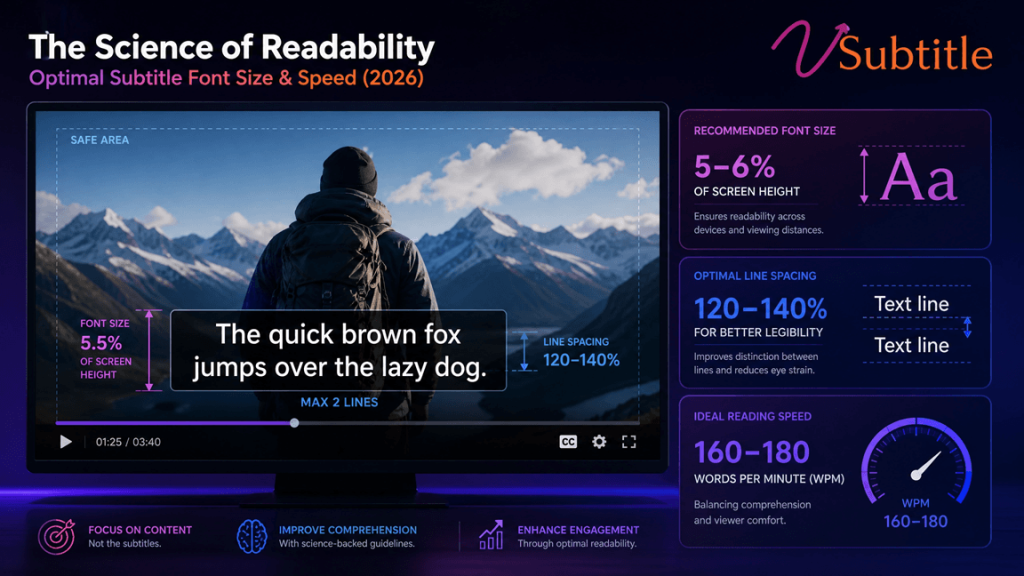
The Science of Readability: Optimal Subtitle Font Size and Speed for 2026

How eye-tracking research, streaming style guides, and accessibility law are shaping the way we size and time subtitles this year. Every subtitle on screen is a small negotiation between two competing needs: the viewer’s eyes have to leave the image, decode a block of text, and return to the picture before anything important happens. Get the timing or the size wrong, and one of two things happens — either the viewer misses the dialogue, or they miss the video. Readability isn’t a style preference. It’s a measurable outcome, and in 2026 it’s backed by more data than ever: eye-tracking studies, platform-published style guides, and accessibility regulations that are now legally enforceable across major markets. This guide breaks down exactly what “readable” means for subtitles today — the font sizes that hold up across devices, the reading-speed limits that separate professional captions from amateur ones, and the layout choices that keep text out of the way of the story. Whether you’re publishing a YouTube tutorial, a vertical Reel, or a broadcast-ready documentary, these numbers are the difference between subtitles people read comfortably and subtitles people give up on. Why Subtitle Readability Is a Science, Not a Guess Reading subtitled video is a fundamentally different cognitive task than reading a book or a webpage. The viewer’s gaze has to split its attention between two sources of information — the moving image and the on-screen text — and constantly decide where to look next. Eye-tracking research on subtitled content consistently shows the same pattern: viewers spend a large share of their viewing time fixated on the subtitle line itself, glancing up at the picture in short bursts. If the text is too small, too dense, or on screen for too short a time, that balance collapses. Viewers either abandon the picture to keep reading, or abandon the subtitle to keep watching — and comprehension drops either way. That’s why the two variables covered in this article — font size and reading speed — sit at the center of subtitle design. They are the two levers most directly tied to whether a viewer can physically finish reading a line before it disappears, and whether they can do it without straining. Everything else (font choice, color, position) supports those two numbers; it doesn’t replace them. Optimal Subtitle Reading Speed: The CPS Standard Reading speed for subtitles is measured in characters per second (CPS) — the total character count of a subtitle line divided by the number of seconds it stays on screen. CPS is preferred over words-per-minute because word length varies wildly between languages, while character count stays a consistent, comparable unit. The formula: CPS = total characters in the cue ÷ display duration in seconds. A 51-character subtitle shown for 3 seconds runs at 17 CPS. Here’s how the major reading-speed benchmarks compare heading into 2026: Audience / Platform Recommended CPS Notes General adult audience 15–17 CPS Widely cited as the comfortable baseline across broadcasters and researchers Netflix (adult content) Up to 17–20 CPS 20 CPS is the outer limit; 17 CPS is the recommended target Netflix (children’s content) Up to 13 CPS Slower pace accounts for developing reading skill BBC Under 15–17 CPS (≈160–180 WPM) Designed around broadcast audiences, including older and less-fluent readers FCC (US broadcast) Up to 18 CPS Regulatory ceiling for captioned broadcast television CJK languages (Chinese, Japanese, Korean) 9–12 CPS Each character carries more information, so lower CPS reads at an equivalent pace to 17–20 CPS in Latin scripts Push past roughly 20 CPS and most adult viewers can no longer finish reading a line before it disappears — they either fall behind or stop reading text entirely and rely on audio and visuals alone. Go much below 12 CPS, and subtitles start to feel sluggish, lingering on screen after the line has already been read. The sweet spot for most 2026 content — social, educational, corporate, and long-form video alike — is 15 to 17 CPS, with a hard ceiling around 20 CPS for fast-paced dialogue. Minimum and Maximum Cue Duration CPS alone doesn’t capture everything. Two additional timing rules matter just as much: Why This Number Is Higher Than It Used To Be Streaming platforms pushed reading-speed limits upward over the last decade. Traditional broadcast subtitling in many regions was built around 10–12 CPS; Netflix’s style guide normalized 17 CPS, with flexibility up to 20. That shift reflects an audience trained on fast-cut, caption-heavy content — but it isn’t universal. Regulators in the UK and EU are actively working to bring streaming captioning in line with traditional broadcast accessibility standards, and research comparing regions shows real friction between fast, streaming-era pacing and audiences accustomed to slower, more traditional subtitling. The practical takeaway for 2026: 17 CPS is a safe, well-supported default. Treat 20 CPS as a ceiling for fast dialogue, not a target, and drop to 12–13 CPS for children’s content, educational material, or any audience that skews toward less-fluent readers. Optimal Subtitle Font Size for 2026 Font size isn’t a fixed pixel number — it’s a ratio. What matters is how large the text appears relative to the frame it sits in and the distance the viewer sits from the screen. A rule of thumb used across broadcast and accessibility guidelines: set subtitle text height to somewhere between 1/20 and 1/10 of the frame height, with a recommended floor of around 44px for HD (1080p) video. From there, the exact number shifts by platform and orientation. Format / Platform Source Resolution Recommended Font Size Horizontal long-form (YouTube, LinkedIn) 1920×1080 24–32 px (≈16–18 pt on desktop-style previews) Vertical short-form (TikTok, Reels, Shorts) 1080×1920 36–48 px, often pushed to 48–60 px for maximum legibility Square (Instagram feed) 1080×1080 28–36 px Broadcast TV delivery 1920×1080 30–36 px, per network spec 4K export (any format) 3840×2160 Double the 1080p value to preserve the same visual size Vertical, mobile-first formats consistently need larger type than horizontal video. There are two reasons: phones are viewed at arm’s length rather than across

Scroll to Top